Pixel 9 Pro user here on 7.4, camera crashes for me also, version 10.3.183.888945295.14
Developer solved this issue: Pixel Camera not working after update
I solved the issue with the “0” version in aurora store by deinstalling Aurora and then reinstalling it. Unfortunatly the camera just has a max. resolution of 13MP instead of 48MP, any ideas why or how to chanage that? Tried other cameras as well with no succes…
In Google’s “Camera” app, in settings I see Photo resolution can be set to “Full” or “Medium” maybe you have “medium” set? But I don’t see anywhere that it explicitly lists the MP size? Also, to be sure you are using the higher MP camera, in “Pro Settings” you can tap to use “Manual” lens selection which means you explicitly set what lens is being used, rather than it “auto selecting” based on the zoom level.
Hi Rik, thanks for taking care!
The quality is set on “full” already. I see the resolution of the pictures taken when I see the infos of them in the gallery (Avers in my case).
I dont see the options to select “manual” in the settings? Neither in a Pixel 4a “sunfish” nor in the 6 Pro “raven”?! 
And does anybody know which Pixels running Iodes OS have their cameras working with the full image resolution and sensor functionality? That would e great!
On my Pixel 8 Pro, the setting comes from first opening the “Pro” vs “General” tab:
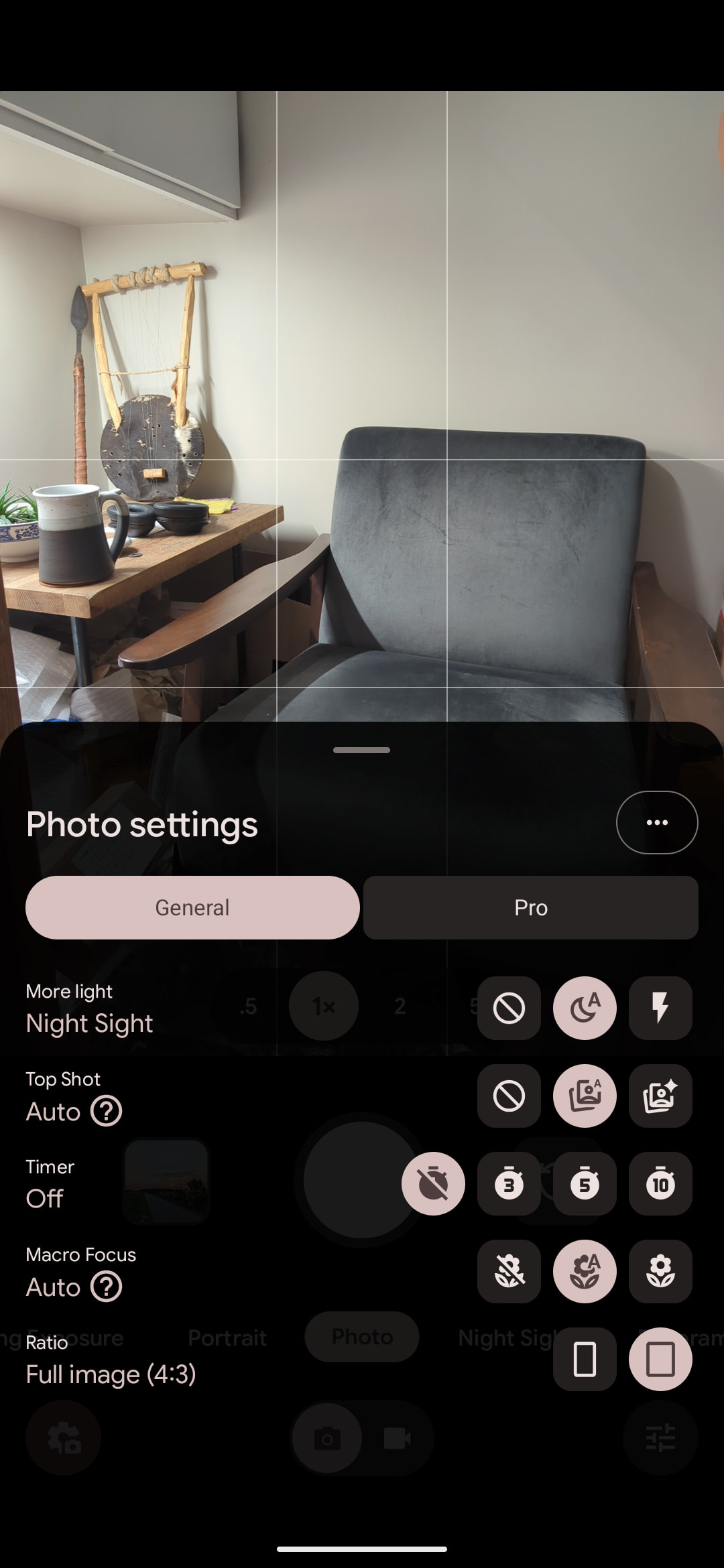
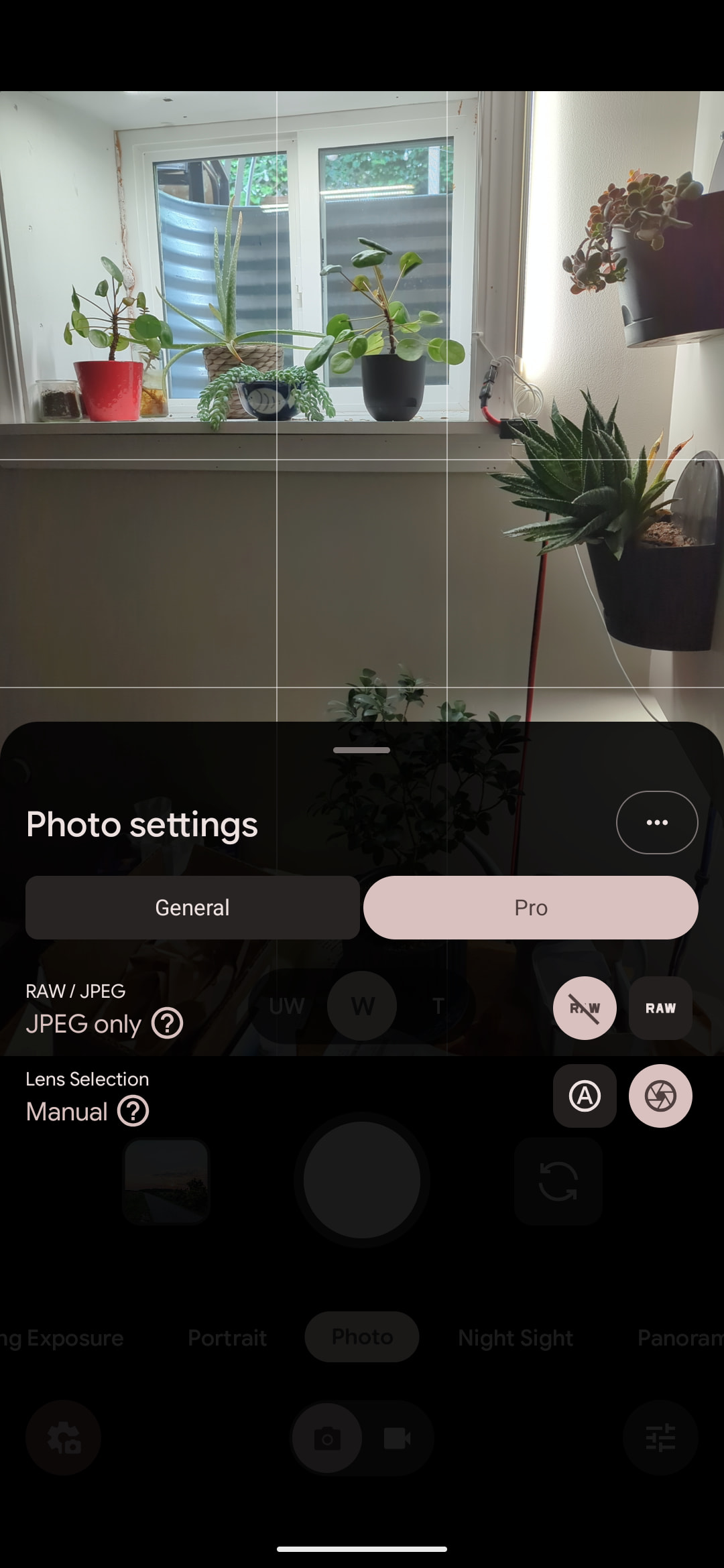
However, on a Pixel 6, I do not have the “General” and “Pro” options, and I suspect that is the case with your P6P as well? Both devices for me have the most up-to-date com.google.android.GoogleCamera version of 10.2.095..... but the P7P from there has a slightly older version. Since this is Google software (nothing to do with iodéOS, it is just that iodéOS doesn’t block it from being installed) I suspect it is actually Google Camera itself having those features on newer Pixels that are not available on older ones.
I think there is no reason to think that “full sensor functionality” is not enabled, you are using Google Camera with Google firmware blobs under the hood, I think a lot gets done with camera software though, it is not as simple as “it is a 48MP sensor so all photos should be 8000x6000 px”.
I just took 3 pictures using “manual” mode, and *all images" are the same 4080 x 3072 and varying sizes (.jpg is compressed of course) from 2.12 MB (telephoto), 5.96 MB (main), to 6.42 MB (telephoto).
Switching to “RAW” and keeping manual lens selection, I get:
4016 x 3024, 14.21 MB (telephoto)
4080 x 3072 12.31 MB (main)
4006 x 3016 12.93 MB (wide)
So they are not related to the 50 MP main camera, 48 MP telephoto, or 12 MP wide angle lenses. I will check later with a fully Google’d Pixel 7 Pro but expect the same results. I just think these MP numbers don’t actually correlate to image pixels 
Interesting, thank you @rik for your investigation!
Would be interesting to get some more proof of that and how to get out the most of the cameras and sensors!
I missed getting ahold of that P7P yesterday, let me try again today