The search wheel stays on the screen the whole time. If I then clear the search and switch to “My Apps,” they don’t show up until I force-close and restart ioDroid. Most of the time, it doesn’t display any apps in the categories either, even without a prior search.
Clearing the cache and memory didn’t help.
Yes, I’ve encountered this annoying issue on various devices since the introduction of ioDroid. I haven’t found a simple solution for it yet, so I uninstall ioDroid every time.
By the way, my Teracube 2e (2021) is running /e/OS 4.3 A16 Official with relocked bootloader.
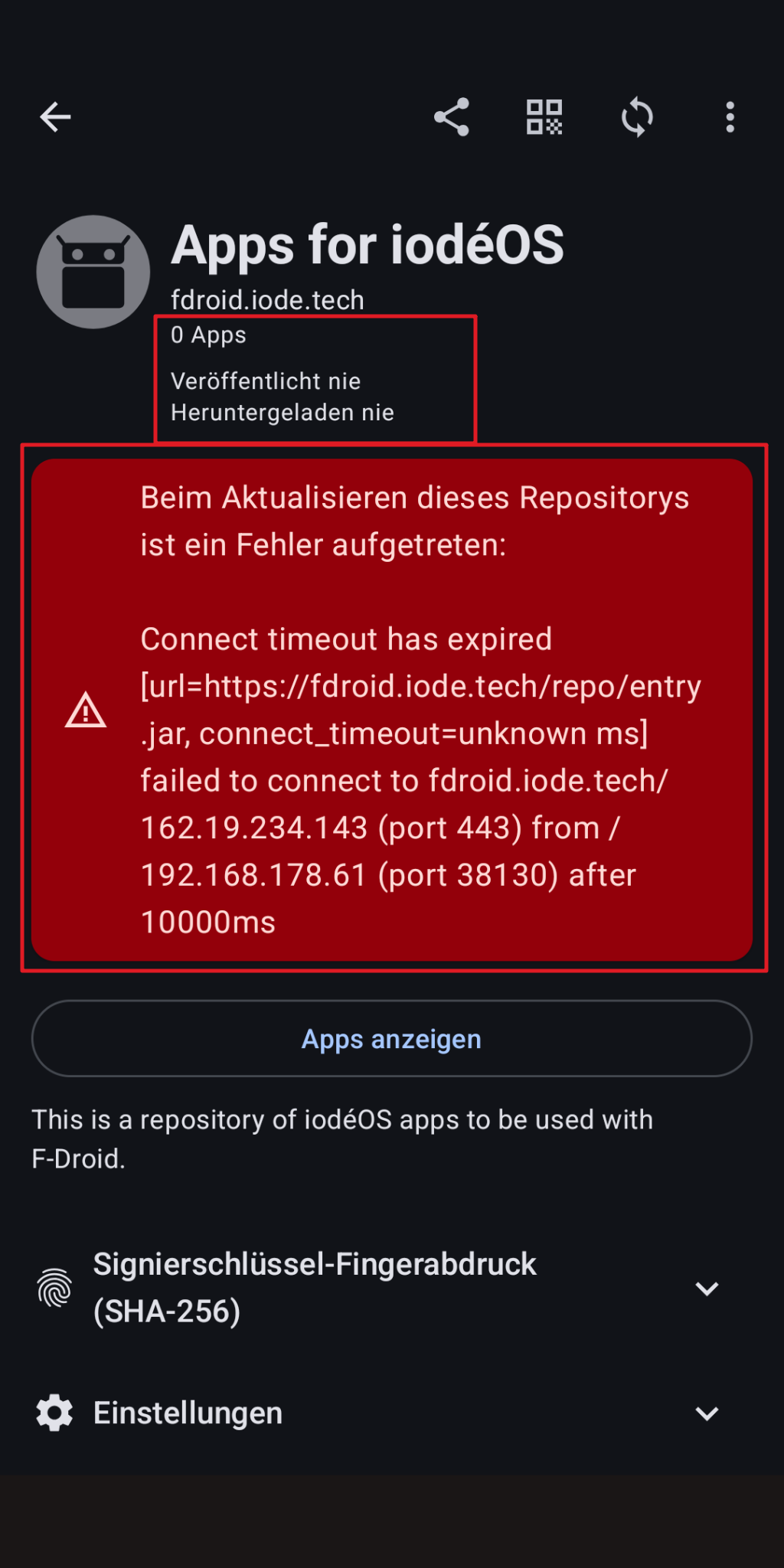
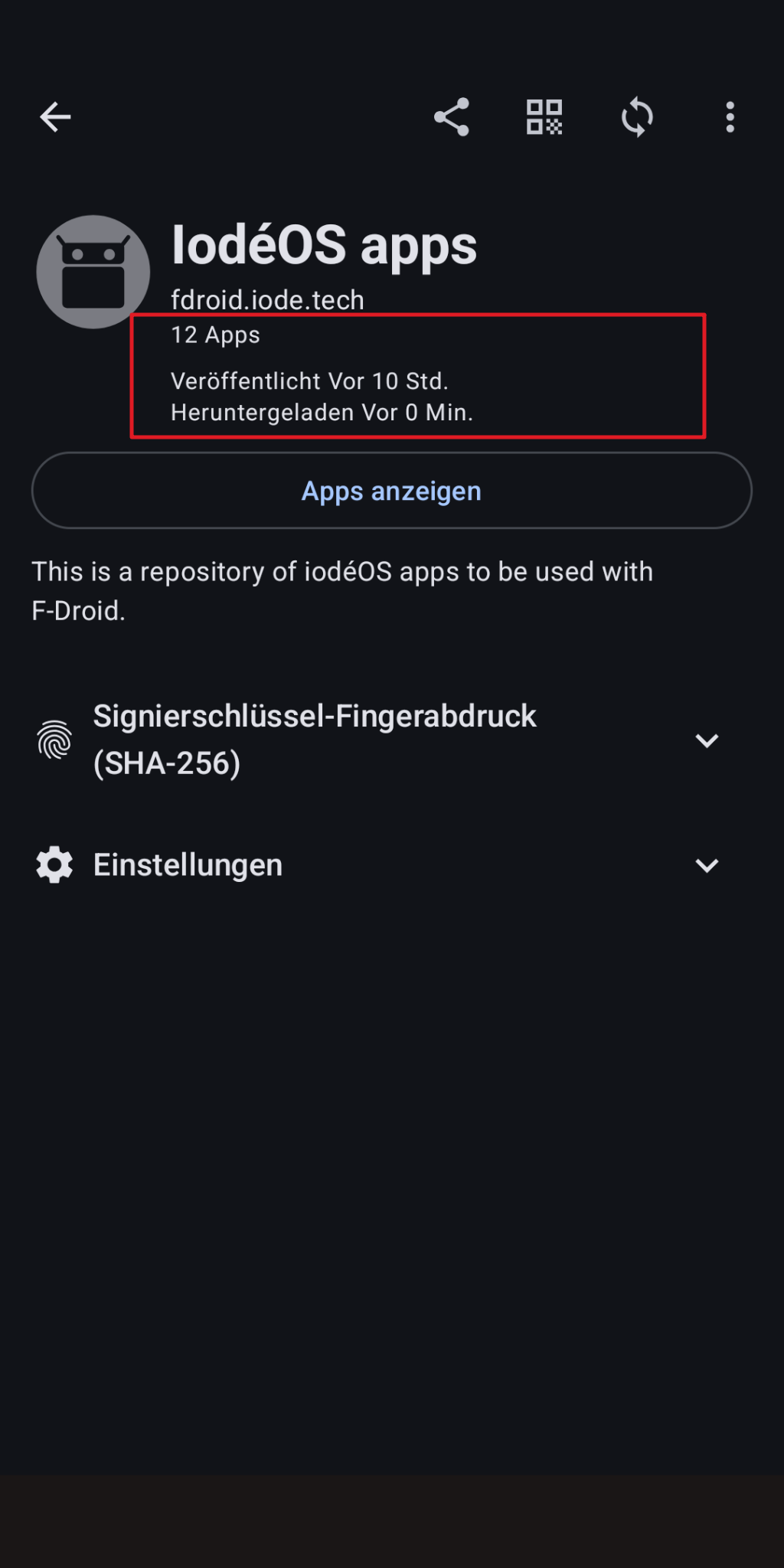
ioDroid / F-Droid 2.x should trigger a repo sync on first run. Until that completes, it won’t show apps from F-Droid. You can look at the “package” icon in the top left to see when the main F-Droid repo was last published (“refreshed” for app listings).
I don’t know if it will help, but ioDroid was just updated to version 2.0.1 maybe update that and then refresh it?
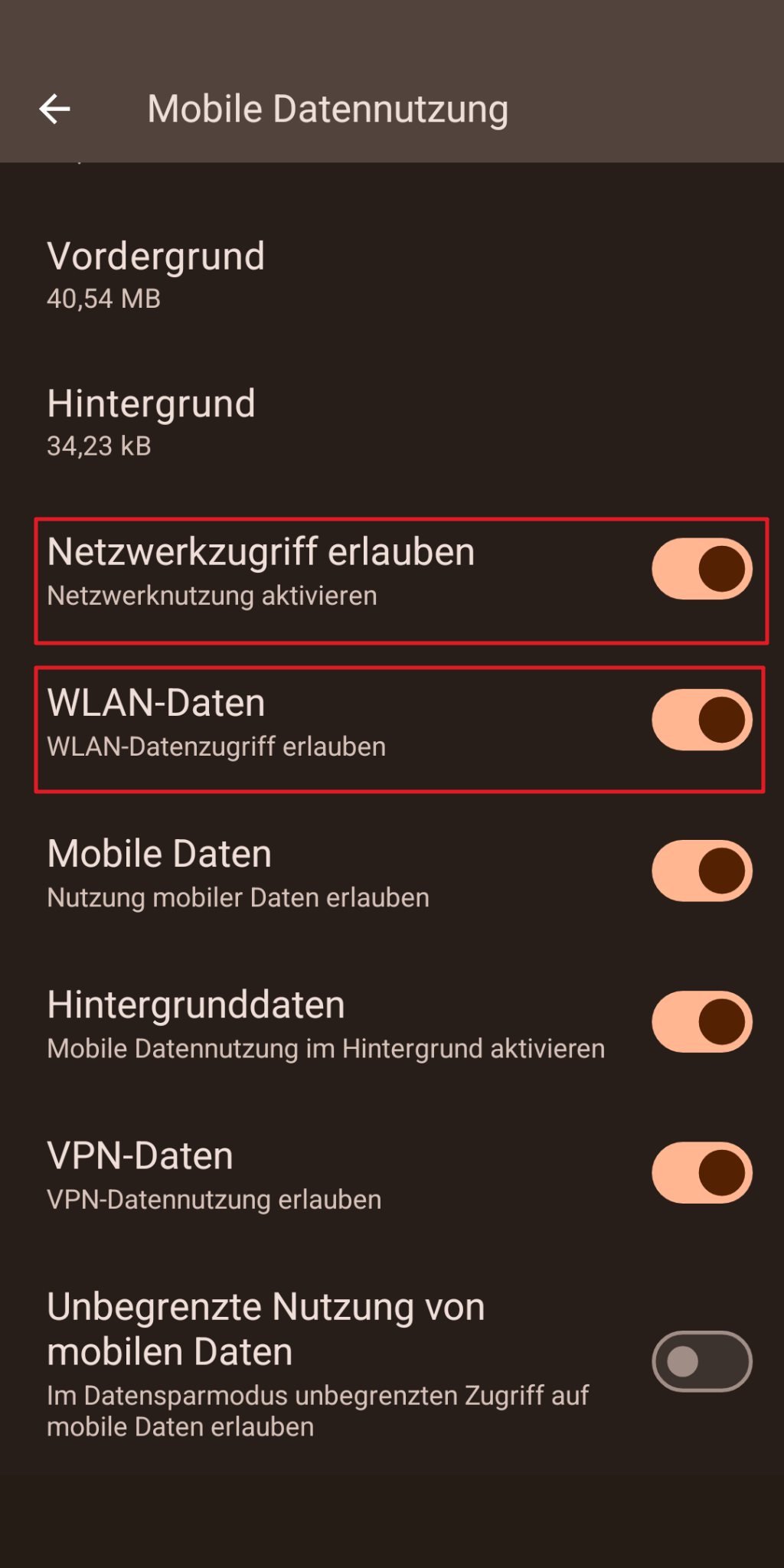
With my details mentioned above, I don’t get any connection with ioDroid (on the opposite to F-Droid (iodé)) withWifi — but I do get with SIM use (it DOES work properly then).
As already told, I am not really sure, if it is the issue mentioned in my post (upstream, fixed by /e/ OS), but ioDroid is NOT working for me with Wifi. F-Droid (iodé) (still) DOES. This is Wifi-related, SIM use is OK.
I can collect further details and share if you tell me what.
Can you confirm that “long press ioDroid icon > App Info > Mobile / Wifi Data usage” has “Wi-fi data” enabled?
Otherwise I am a bit confused what may be the issue, but possibly a reset of ioDroid will correct things: “AppInfo > Storage & cache > Clear Storage” then re-initialize?
OnePlus 9 Pro (lemonadep) Mod. LE2125
Successful OTA update from 7.5 to 7.8 (Note: At first, only updates up to 7.7 were found; after clearing the updater cache, iodéOS 7.8 was found, downloaded, and installed).
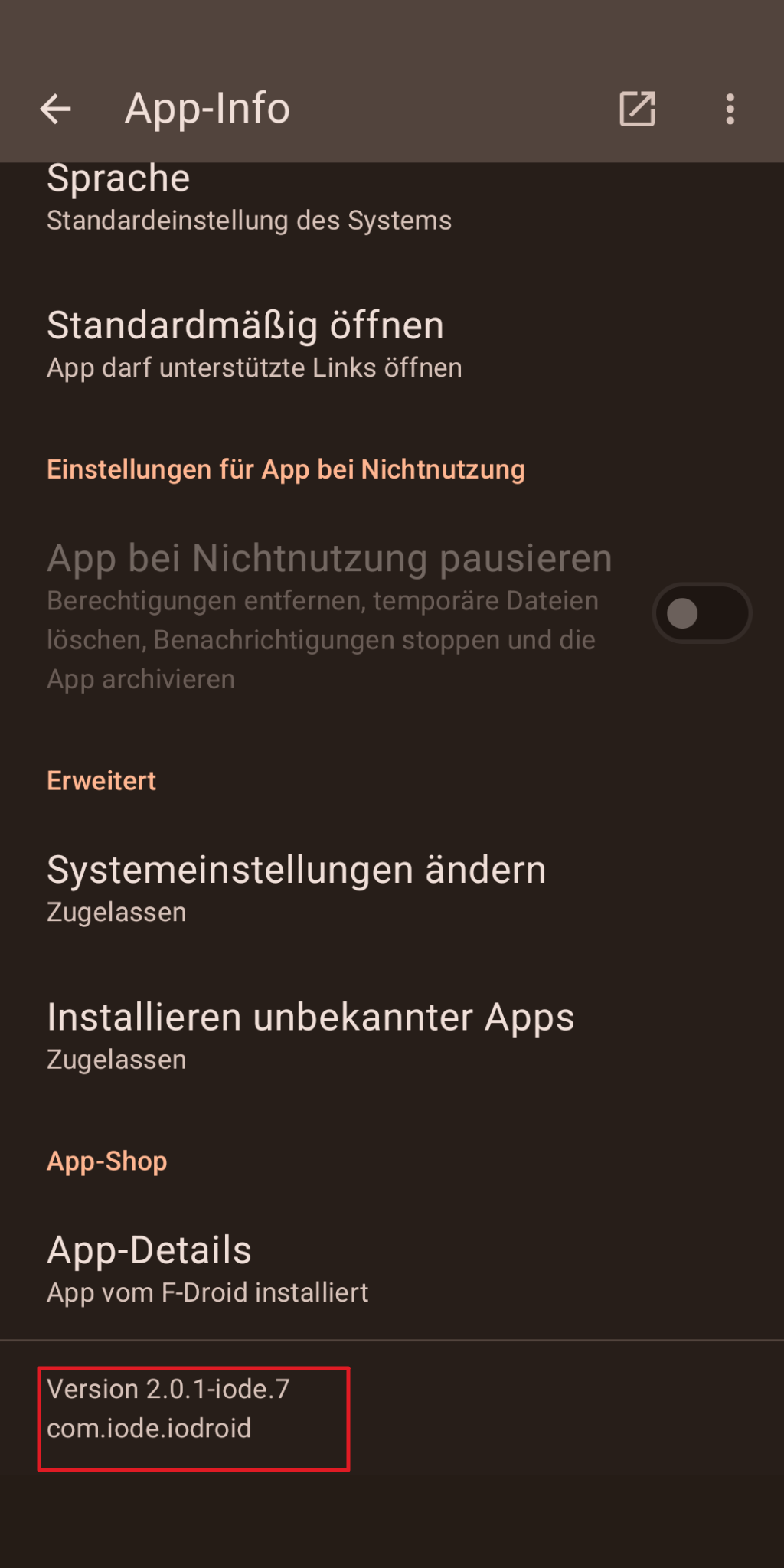
With the updated version, ioDroid 2.0.1-iode-7, I feel like ioDroid has been reborn. iodéOS’s own apps, as well as other apps from F-Droid, are easy to find. No more endless searching, no more spinning graphical “search” elements. Now I’m curious to see if ioDroid performs just as well on other devices.
As you told above (problems with ioDroid on several devices…): that would be of interest. This ticket is not about collected experiences (especially positve ones, somehow) with ioDroid, but with a special issue, a “bug”.
Has this issue been resolved just for this (1) device of yours?
Has it been resolved for the other devices / all devices of yours?
Is it just me, who is affected right now? I actually am. I provided rather some details. And I just can repeat: ioDroid DOES work with SIM (mobile connection) — instead of Wifi. And further, other apps (like the prior F-Droid (iodé) or Fennec or Signal or System-Updater) DO WORK well WITH Wifi. At my side, it’s currently just ioDroid, but still. And I have also cleared cache and full storage of the app in the meanwhile. It’s the most recent version. I have no other clue…
When I’ve the time and leisure to do so, I will test other iodéOS devices. This issue isn’t a priority for me; after all, there are other options.
So far, I’ve been updating apps exclusively over Wi-Fi /WLAN, not over a cellular connection (SIM). I haven’t had any Wi-Fi problems with devices running iodéOS for years.
Well, ioDroid seems the official successor of F-Droid (iodé). So, I would like to see that working, of course.
And for a general aspect: I (still) have F-Droid (iodé) on my phone, because the initial install of iodéOS was long ago. And there currently is addionally ioDroid, because it came with an update of iodéOS, recently. What if I would install iodéOS completely fresh and new? No working F-Droid related app then? Worried, somehow.
I just have this single device with iodéOS. And yes, Wifi has been working properly, so far. Except for this issue.
It doesn’t seem to be the case, because it is reality:
.
.
If the F-Droid Store were to stop working, it would be a great loss for the Free/Libre/Open Source Software (FLOSS / FOSS) project. However, the danger is much more likely to come from: Google LLC
You would be able to install F-Droid as normal for devices where it isn’t pre-installed by downloading and installing from https://f-droid.org/
In iodéOS the rebranding to ioDroid was mainly done to not block that ability (so both can be on the phone without conflicting).
Back to your issue, I am wondering if when you are out of your home environment you can check if it is working over wifi (on another wifi network)? This would help clarify if maybe the issue is with your local network’s DNS settings.