You should see an iodéOS 7.6 release announcement in your iodé News app. This is a fairly big update, as it includes 2 months of security updates from LineageOS (the May updates were relatively small, but the June updates are quite large) along with other developments.
The highlights include:
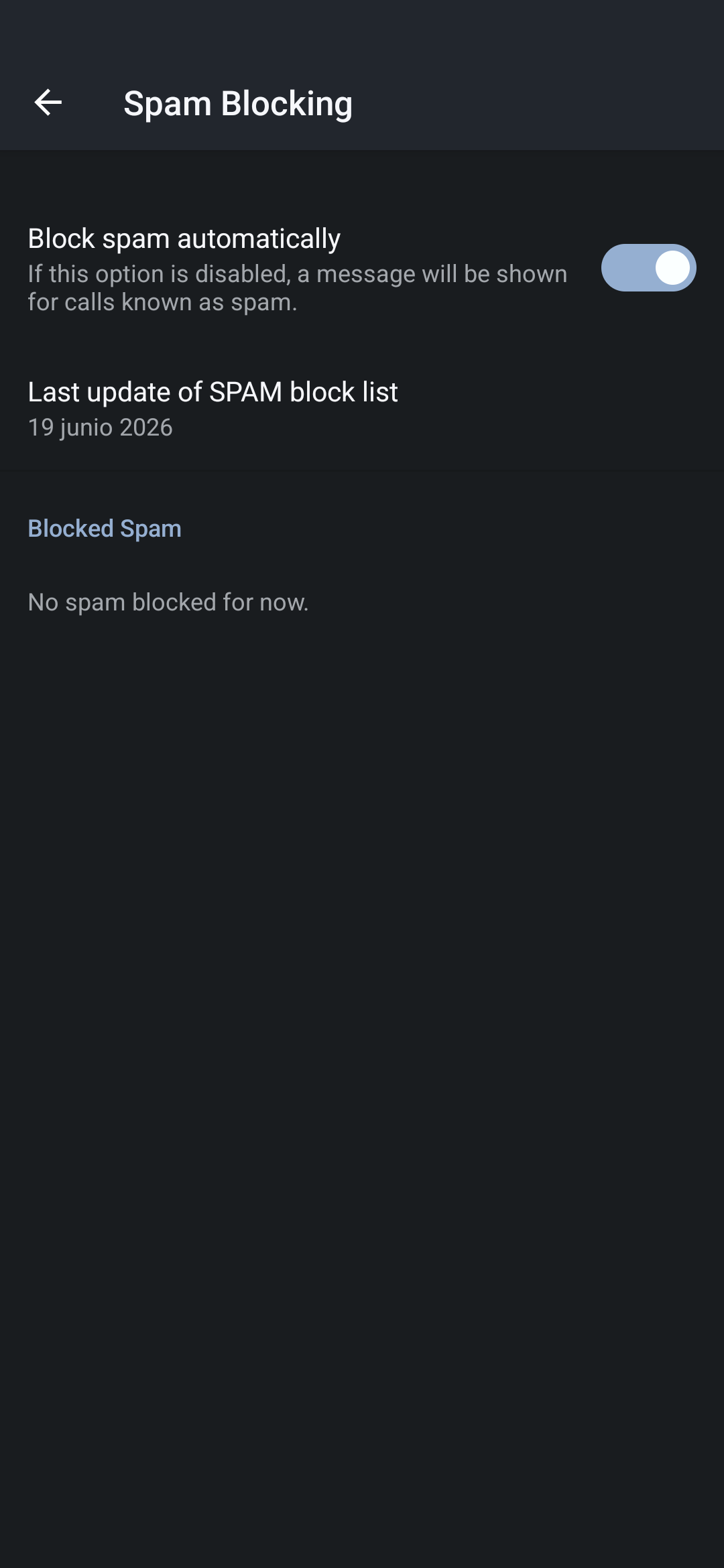
SPAM call blocker major upgrade: we now incorporate the blocklists from https://phoneblock.net, in collaboration with them. All blocking is done with local lists, obtained by us via their API. The lists are locally distributed to your device via our regular OTA updates, or daily for Premium subscribers. Here is the announcement
Note for Premium subscribers: now that your iodé account is not just inside the iodé app, it is managed from System Settings > Passwords, Passkeys, & Accounts. It should migrate there automatically, but you may want to confirm you are still logged into the iodé app as well (in case there was any issue migrating to the system-wide account management).
How does the iode account management being moved under System Settings and unified with iode app impact if any when switching to new device? Do we need to log out from the account or deactivate the old device somehow before we log into the iode account on the new device?
There is no change with regard to how many devices you can login to now that the iodé account is under System Settings instead of only in the iodé app as before. You are still able to use your premium account simultaneously on 2 devices.
FYI, you can see that you are logged in inside the iodé app to confirm it is still connected. I did see a case where I needed to re-login after updating to 7.6.
I didn’t use Saracroche but with PhoneBlock or others they essentially are set as the default calls app, then they reject or pass to the Dialer. I don’t think this would conflict at all, these other apps can still work in that way as our blocker is in the dialer itself (meaning it would be “downstream” from another app set as the default one to handle calls).
Hi! I am in Spain. Right before updating I was getting tons of spam calls {campaign on going or something). Now I am not getting any!. Except one yesterday.
So very good it seems , so far. But, how can I know if there are incoming spam calls being blocked, or simply no spam at all? Out of curiosity.
EDIT: I have just found it: in the Dialer, click the three dots (upper right corner) and Settings. You have everything there, apparenrly.
For now, the section “Spam blocker→ Blocked Spam” I read “no spam blocked yet”. So I thing I have just been lucky so far
Directly after updating, I am observing the issue that the connectivity check fails in all WiFi networks. I also have general DNS issues in apps like FediLab and Spotify, while opening the same pages in Firefox works.
I have forced the system to use the WiFi Network by disabling cellular data and despite the connectivity check failing, internet works. The connectivity check also does not fail on cellular data alone - which I consider to be quite odd.
Will update when (or if) I have more info on this. Just putting it out here in case someone is wondering why their WiFi doesn’t work.
If I understood correctly, I am experiencing a similar issue on a Moto Edge 30 (dubai). I recently installed iodeOS version 7.6. When trying to connect to Wi‑Fi, I receive the message: ‘No internet access’. I performed tests on different routers, as well as tested on the stock ROM and LineageOS 23.2, where everything works normally. Despite the warning message, I can browse the internet successfully using the tested browsers.
Does this bug pose any real danger, or is it just harmless? Since I am returning to iodeOS at the mentioned version, does anyone know if version 7.5 had the same bug? Thanks.
@lbr31 and @CodeSalat in my case, I changed the dns setttings provided for dhcp clients on my router to use Quad9 9.9.9.9 rather than Cloudflare 1.1.1.1 and the connectivity check works again. Something at Kuketz / Cloudflare (and maybe others if you have the issues) was not happy, and Cloudflare was not resolving connectivity.kuketz.de (which is the default connectivity check site used in iodéOS). Please follow up to my latest post in that thread.
@rik thank you for the report and suggestion. Your comment was excellent and on point—it solved my problem. I changed the Cloudflare DNS (1.1.1.3 and 1.0.0.3) to Quad9 (primary and secondary). Now it’s connecting normally. On both routers I tested, I didn’t consider the possibility that the problem could be the Cloudflare DNS. I’ll follow your post and replicate this message there.
After a few days since updating to Iodé 7.6 (Fairphone 4, in Spain), I have received a few spam calls. None of them have been blocked. Log shows “no spam calls blocked yet”
Eveeytime I receive one spam call, I block it and check the “reported as spam” check box.
I have the feeling the spam blocker is not working for me. How could I check it?
EDIT 2026 Jun 26: currently the kind of spam calls I am getting is mostly ever-changing phone numbers, but many of them with some numeric root in common. I guess the spammers have a system to automatically change their numbers, making it more difficult for people to block them.
I have a slightly different case: also logged in as Premium Iodé, and I can see latest update of the list as of 19th Jun, so it is not being updated everyday. In fact I think the list has not been updated ever since I updated to Iodé 7.6 .
Like you, I cannot manually sync the Iodé account. I guess it is then not being automatically synchronized either.
In the log, it still says “no spam blocked for now”. So I am not sure what is happening.
NOTE: Just in case, after updating to Iodé 7.6, within Iodé app I logged out and back in.
For both @PabloFiddle and @grasshopper it could be that you tried our beta release of the Dialer app a few months back to test the integrated spam blocker? At least that was the case on one device I was testing here. By going to “Long Press App Icon > App Info > Top Right 3 dots > Uninstall Updates” it was then solved.
But to a reported number not then subsequently being blocked, can you start a new thread on that and give the full number and exact time you report it? We could then look at the server logs. The process may still be pending to round trip these numbers from us up to PhoneBlock, but we can at least confirm we have it recorded on our side as a flagged number.
I have never used the beta either. My version of the dialer: 23.0 (com.android.dialer)
In my case, since some weeks the type of spam calls I receive are those that always change their numbers, I do not have a spam number that has ever called me back after the first time.
Nonetheless I can provide a number which I have just manually blocked and marked as spam: 966001578 (complete with country code would be +34966001578), reported at 23h50m, on 29thJine 2026. (Will report this Inna separate thread)
I was expecting that the list of spam number for my country (Spain) had already a numbers in it, based on some contents from the block Community. Was I wrong to expect this?