My phone (OnePlus 9 Pro / iodé version 7.6-20260610-lemonadep) cannot establish an online connection via wifi. Today for the first time it gives the error “Kein Internetzugriff” (German for “No online connection”) whenever I turn on wifi.
I’ve checked the password for the wifi - it’s correct. Another wifi available and without a password needed doesn’t work either.
Another phone that I have with me can go online via the wifi in question without problems, so the router is working fine. And it is sitting right under my table, so distance isn’t an issue.
A restart of my phone didn’t help.
I also didn’t drop the device, always lying on the table or being tucked away in my pocket.
The mobile internet seems to be working fine, although I have the impression that it is rather slow. Downloading the browser app DuckDuckGo via LTE/4G is taking ages…
I cannot find anything in the iodé app that would point me to the reason for wifi not working. Are there any bugs on the iodé side floating around that I might have missed?
I suspect your wifi is working, it only the “connectivity check” that is failing. At least if you can try to use the internet while on wifi only (mobile data disabled) I hope this is what you find.
The problem most are facing is that if you use Cloudflare as your DNS provider, then it is failing to resolve captiveportal.kuketz.de which is the site we use for connectivity checks. Changing to “Quad9” resolved it for me (9.9.9.9). Please see this discussion:
Presuming that we’re talking about changing the DNS in my phone’s settings nothing has changed and no matter which DNS resolver I set my phone’s internet access via wi-fi doesn’t work.
Turning off mobile data hasn’t helped. What’s strange about this issue: Everything used to work fine before the recent update, my other phone works just fine using wi-fi, so I presume that it cannot be my employer’s internet server settings.
What’s also strange: At home my phone’s wi-fi works just as it should, with Cloudflare’s DNS, with or without mobile data being turned on.
I had a similar problem on another device, connection to wifi worked, but no internet.
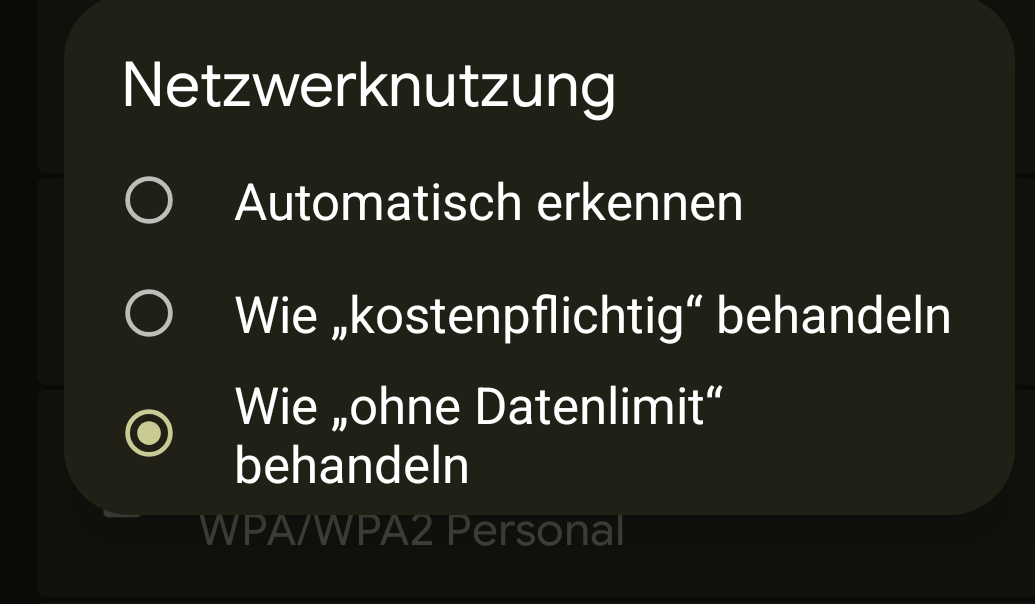
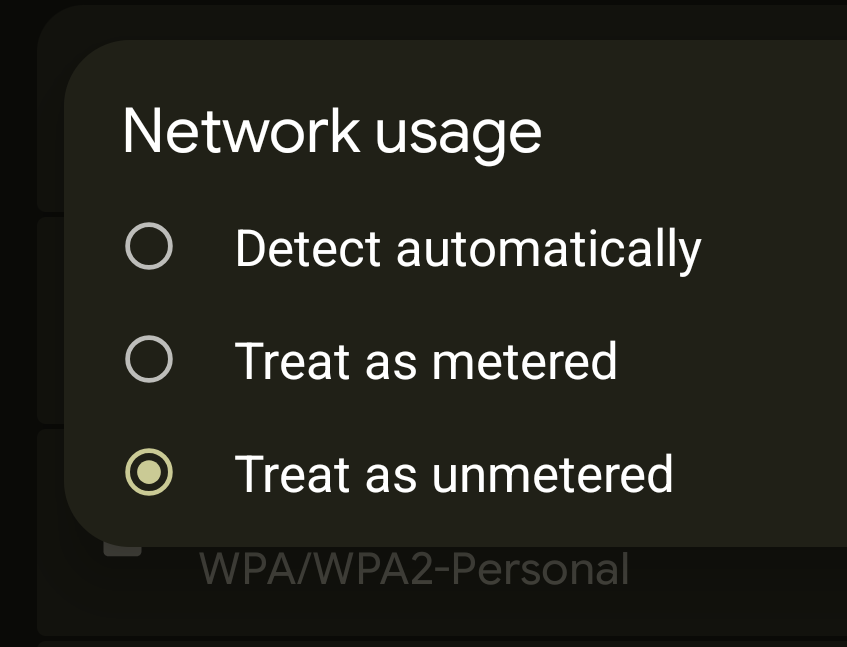
For me, after trying all kind of settings, reboot etc, changing the network usage settings for this connection unlimited solved the problem.
I habe no idea why that works