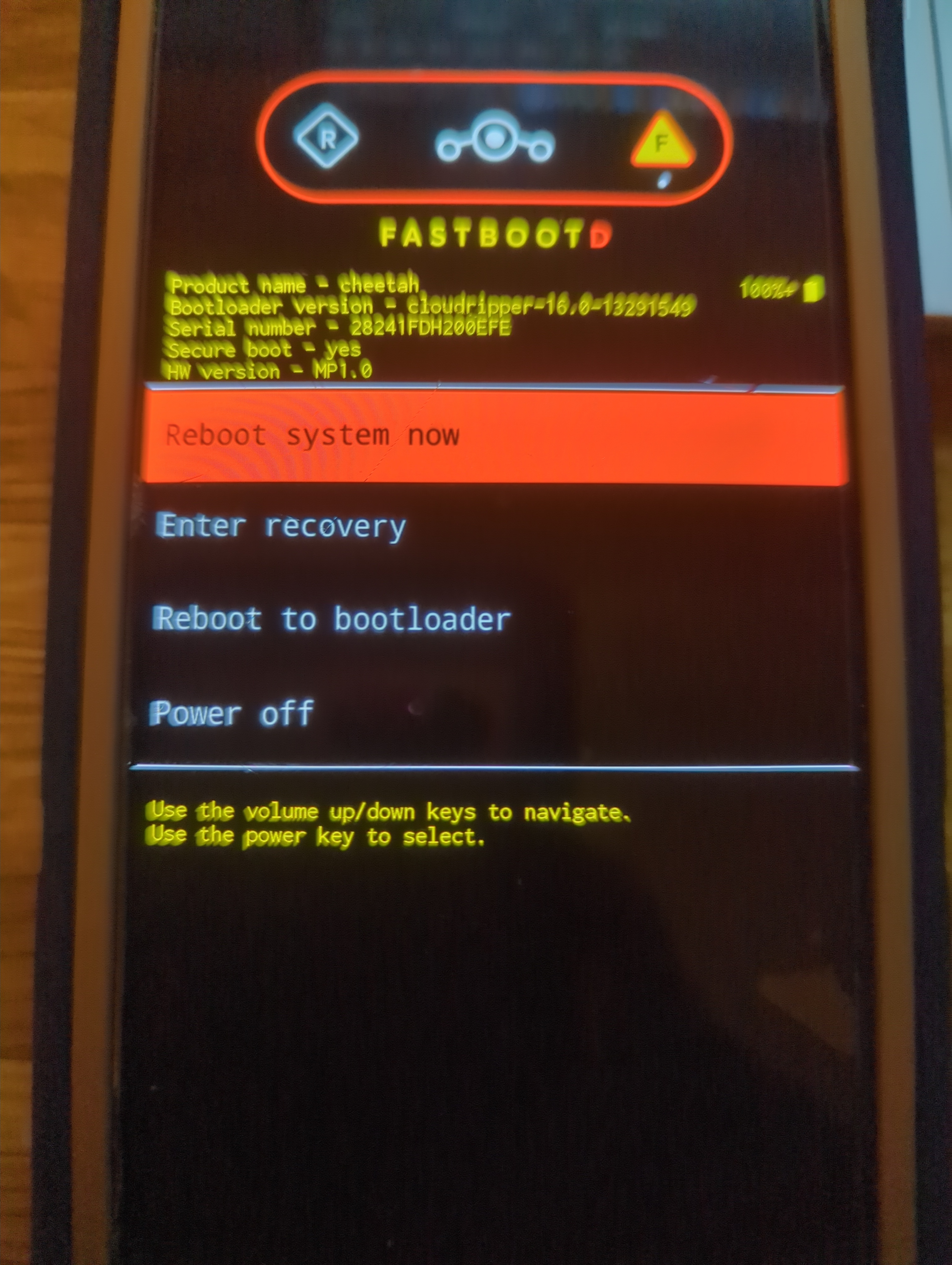
Setting current slot to ‘a’ OKAY [ 0.112s]
Finished. Total time: 0.113s
Warning: skip copying bootloader_a image avb footer (bootloader_a partition size: 0, bootloader_a image size: 14765832).
Sending ‘bootloader_a’ (14419 KB) OKAY [ 0.394s]
Writing ‘bootloader_a’ (bootloader) Flashing pack version cloudripper-16.0-13291549
(bootloader) flashing platform gs201
(bootloader) Validating partition ufs
(bootloader) Validating partition ufs
(bootloader) Validating partition partition:0
(bootloader) Validating partition partition:1
(bootloader) Validating partition partition:2
(bootloader) Validating partition partition:3
(bootloader) Validating partition bl1_a
(bootloader) Validating partition pbl_a
(bootloader) Validating partition bl2_a
(bootloader) Validating partition abl_a
(bootloader) Validating partition bl31_a
(bootloader) Validating partition tzsw_a
(bootloader) Validating partition gsa_a
(bootloader) Validating partition ldfw_a
(bootloader) Flashing partition ufs
(bootloader) Flashing partition ufs
(bootloader) Flashing partition partition:0
(bootloader) Flashing partition partition:1
(bootloader) Flashing partition partition:2
(bootloader) Flashing partition partition:3
(bootloader) Flashing partition bl1_a
(bootloader) Flashing partition pbl_a
(bootloader) Flashing partition bl2_a
(bootloader) Flashing partition abl_a
(bootloader) Flashing partition bl31_a
(bootloader) Flashing partition tzsw_a
(bootloader) Flashing partition gsa_a
(bootloader) Flashing partition ldfw_a
(bootloader) Loading sideload ufsfwupdate
OKAY [ 0.153s]
Finished. Total time: 0.549s
Rebooting into bootloader OKAY [ 0.000s]
Finished. Total time: 0.050s
< waiting for any device >
Warning: skip copying radio_a image avb footer (radio_a partition size: 0, radio_a image size: 82370700).
Sending ‘radio_a’ (80440 KB) OKAY [ 2.168s]
Writing ‘radio_a’ (bootloader) Flashing pack version g5300q-250320-250425-M-13407682
(bootloader) Flashing partition modem_a
OKAY [ 0.155s]
Finished. Total time: 2.345s
Rebooting into bootloader OKAY [ 0.000s]
Finished. Total time: 0.050s
< waiting for any device >
Erasing ‘avb_custom_key’ (bootloader) avb custom key: erase done
OKAY [ 0.024s]
Finished. Total time: 0.025s
Warning: skip copying avb_custom_key image avb footer (avb_custom_key partition size: 0, avb_custom_key image size: 1032).
Sending ‘avb_custom_key’ (1 KB) OKAY [ 0.000s]
Writing ‘avb_custom_key’ (bootloader) avb custom key: flash done
OKAY [ 0.023s]
Finished. Total time: 0.025s
Warning: metadata type is raw, but ext4 was requested for formatting.
mke2fs 1.46.6 (1-Feb-2023)
Creating filesystem with 16384 4k blocks and 16384 inodes
Allocating group tables: 0/1��� ���done
Writing inode tables: 0/1��� ���done
Creating journal (1024 blocks): done
Writing superblocks and filesystem accounting information: 0/1��� ���done
Warning: skip copying metadata image avb footer due to sparse image.
Sending ‘metadata’ (76 KB) OKAY [ 0.002s]
Writing ‘metadata’ OKAY [ 0.027s]
Finished. Total time: 0.048s
Erasing ‘metadata’ OKAY [ 0.024s]
Finished. Total time: 0.024s
Warning: userdata type is raw, but f2fs was requested for formatting.
F2FS-tools: mkfs.f2fs Ver: 1.16.0 (2023-04-11)
Info: Debug level = 1
Info: Trim is disabled
Info: Set conf for android
Info: Enable Project quota
Info: not exist /proc/version!
Info: Segments per section = 1
Info: Sections per zone = 1
Info: sector size = 512
Info: total sectors = 480424104 (234582 MB)
Info: zone aligned segment0 blkaddr: 512
Info: add quota type = 0 => 4
Info: add quota type = 1 => 5
Info: add quota type = 2 => 6
Info: format version with
“6.12.63+deb13-amd64”
[f2fs_init_sit_area: 714] Filling sit area at offset 0x00600000
[f2fs_init_nat_area: 748] Filling nat area at offset 0x01a00000
[f2fs_add_default_dentry_root:1365] Writing default dentry root, at offset 0x2c600
[f2fs_write_root_inode:1411] Writing root inode (hot node), offset 0x2c000
[f2fs_write_default_quota:1503] Writing quota data, at offset 0002c601 (1/2)
[f2fs_write_default_quota:1503] Writing quota data, at offset 0002c602 (2/2)
[f2fs_write_qf_inode:1554] Writing quota inode (hot node), offset 0x2c001
[f2fs_write_default_quota:1503] Writing quota data, at offset 0002c603 (1/2)
[f2fs_write_default_quota:1503] Writing quota data, at offset 0002c604 (2/2)
[f2fs_write_qf_inode:1554] Writing quota inode (hot node), offset 0x2c002
[f2fs_write_default_quota:1503] Writing quota data, at offset 0002c605 (1/2)
[f2fs_write_default_quota:1503] Writing quota data, at offset 0002c606 (2/2)
[f2fs_write_qf_inode:1554] Writing quota inode (hot node), offset 0x2c003
[f2fs_update_nat_default:1592] Writing nat root, at offset 0x00001a00
Info: Overprovision ratio = 0.300%
Info: Overprovision segments = 355 (GC reserved = 340)
[f2fs_write_check_point_pack: 940] Writing main segments, cp at offset 0x00000200
[f2fs_write_check_point_pack:1028] Writing Segment summary for HOT/WARM/COLD_DATA, at offset 0x00000201
[f2fs_write_check_point_pack:1042] Writing Segment summary for HOT_NODE, at offset 0x00000202
[f2fs_write_check_point_pack:1054] Writing Segment summary for WARM_NODE, at offset 0x00000203
[f2fs_write_check_point_pack:1068] Writing Segment summary for COLD_NODE, at offset 0x00000204
[f2fs_write_check_point_pack:1076] Writing cp page2, at offset 0x00000205
[f2fs_write_check_point_pack:1118] Writing cp page 1 of checkpoint pack 2, at offset 0x00000400
[f2fs_write_check_point_pack:1137] Writing cp page 2 of checkpoint pack 2, at offset 0x00000405
[f2fs_write_super_block:1170] Writing super block, at offset 0x00000000
Info: format successful
Warning: skip copying userdata image avb footer due to sparse image.
Sending ‘userdata’ (89 KB) OKAY [ 0.003s]
Writing ‘userdata’ OKAY [ 0.220s]
Finished. Total time: 0.350s
Sending ‘frp’ (512 KB) OKAY [ 0.014s]
Writing ‘frp’ OKAY [ 0.024s]
Finished. Total time: 0.040s
Bootloader Version…: cloudripper-16.0-13291549
Baseband Version…: g5300q-250320-250425-B-13407682
Serial Number…: 28241FDH200EFE
extracting android-info.txt (0 MB) to RAM…
Checking ‘product’ OKAY [ 0.000s]
Setting current slot to ‘a’ OKAY [ 0.057s]
extracting fastboot-info.txt (0 MB) to RAM…
extracting super_empty.img (0 MB) to RAM…
extracting super_empty.img (0 MB) to disk… took 0.000s
Writable partitions are not supported
extracting super_empty.img (0 MB) to RAM…
extracting super_empty.img (0 MB) to RAM…
extracting super_empty.img (0 MB) to RAM…
extracting super_empty.img (0 MB) to RAM…
extracting super_empty.img (0 MB) to RAM…
extracting super_empty.img (0 MB) to RAM…
extracting super_empty.img (0 MB) to RAM…
extracting super_empty.img (0 MB) to RAM…
extracting super_empty.img (0 MB) to RAM…
extracting super_empty.img (0 MB) to RAM…
extracting super_empty.img (0 MB) to RAM…
extracting super_empty.img (0 MB) to RAM…
extracting super_empty.img (0 MB) to RAM…
extracting super_empty.img (0 MB) to RAM…
extracting super_empty.img (0 MB) to RAM…
extracting super_empty.img (0 MB) to RAM…
extracting super_empty.img (0 MB) to RAM…
extracting super_empty.img (0 MB) to RAM…
extracting boot.img (64 MB) to disk… took 0.142s
archive does not contain ‘boot.sig’
extracting super_empty.img (0 MB) to RAM…
Sending ‘boot_a’ (65536 KB) OKAY [ 1.751s]
Writing ‘boot_a’ OKAY [ 0.123s]
extracting super_empty.img (0 MB) to RAM…
extracting init_boot.img (8 MB) to disk… took 0.020s
archive does not contain ‘init_boot.sig’
extracting super_empty.img (0 MB) to RAM…
Sending ‘init_boot_a’ (8192 KB) OKAY [ 0.220s]
Writing ‘init_boot_a’ OKAY [ 0.036s]
extracting super_empty.img (0 MB) to RAM…
extracting dtbo.img (16 MB) to disk… took 0.032s
archive does not contain ‘dtbo.sig’
extracting super_empty.img (0 MB) to RAM…
Sending ‘dtbo_a’ (16384 KB) OKAY [ 0.438s]
Writing ‘dtbo_a’ OKAY [ 0.045s]
extracting super_empty.img (0 MB) to RAM…
extracting vendor_kernel_boot.img (64 MB) to disk… took 0.138s
archive does not contain ‘vendor_kernel_boot.sig’
extracting super_empty.img (0 MB) to RAM…
Sending ‘vendor_kernel_boot_a’ (65536 KB) OKAY [ 1.764s]
Writing ‘vendor_kernel_boot_a’ OKAY [ 0.111s]
extracting super_empty.img (0 MB) to RAM…
extracting pvmfw.img (1 MB) to disk… took 0.003s
archive does not contain ‘pvmfw.sig’
extracting super_empty.img (0 MB) to RAM…
Sending ‘pvmfw_a’ (1024 KB) OKAY [ 0.032s]
Writing ‘pvmfw_a’ OKAY [ 0.025s]
extracting super_empty.img (0 MB) to RAM…
extracting vendor_boot.img (64 MB) to disk… took 0.149s
archive does not contain ‘vendor_boot.sig’
extracting super_empty.img (0 MB) to RAM…
Sending ‘vendor_boot_a’ (65536 KB) OKAY [ 1.764s]
Writing ‘vendor_boot_a’ OKAY [ 0.123s]
extracting super_empty.img (0 MB) to RAM…
extracting vbmeta.img (0 MB) to disk… took 0.000s
archive does not contain ‘vbmeta.sig’
extracting super_empty.img (0 MB) to RAM…
Sending ‘vbmeta_a’ (8 KB) OKAY [ 0.001s]
Writing ‘vbmeta_a’ OKAY [ 0.023s]
extracting super_empty.img (0 MB) to RAM…
extracting vbmeta_system.img (0 MB) to disk… took 0.000s
archive does not contain ‘vbmeta_system.sig’
extracting super_empty.img (0 MB) to RAM…
Sending ‘vbmeta_system_a’ (8 KB) OKAY [ 0.001s]
Writing ‘vbmeta_system_a’ OKAY [ 0.003s]
extracting super_empty.img (0 MB) to RAM…
extracting vbmeta_vendor.img (0 MB) to disk… took 0.000s
archive does not contain ‘vbmeta_vendor.sig’
extracting super_empty.img (0 MB) to RAM…
Sending ‘vbmeta_vendor_a’ (4 KB) OKAY [ 0.001s]
Writing ‘vbmeta_vendor_a’ OKAY [ 0.003s]
Rebooting into fastboot OKAY [ 0.000s]
< waiting for any device >