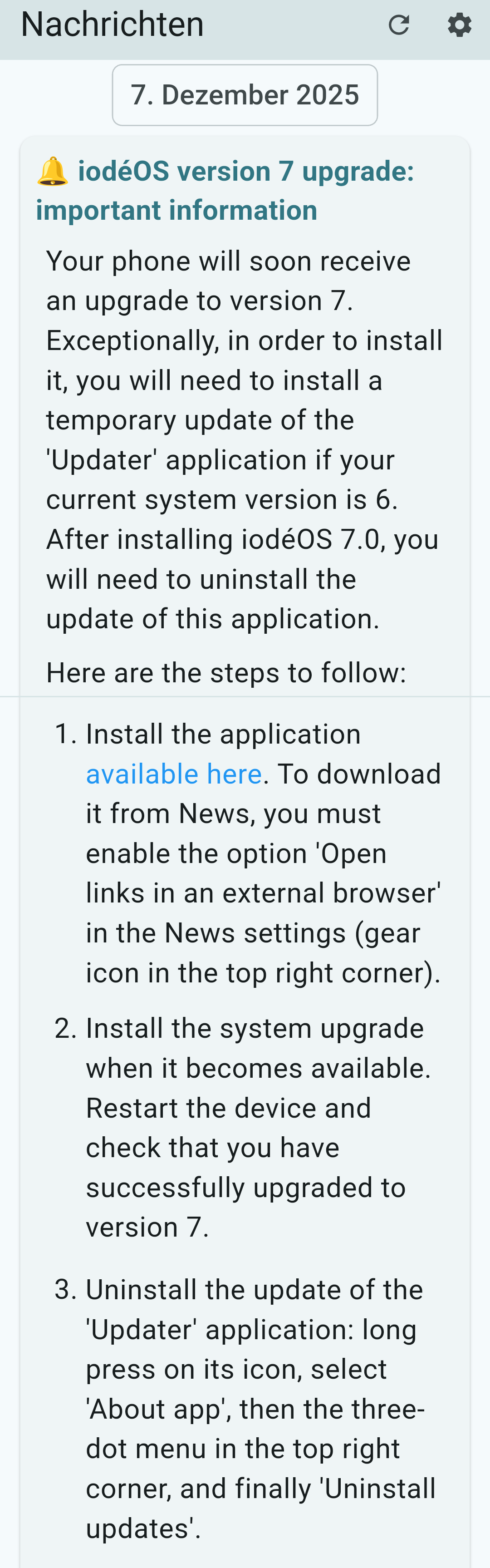
Are you writing about the iodé news app? Use that one. It has a message from Dec 7th. Title “iodéOS version 7 upgrade: important information”
There, they put a link (“available here”) for the updater-update that is necessary (Nollie gave an updater for beta, I would rather use the link in the news app).
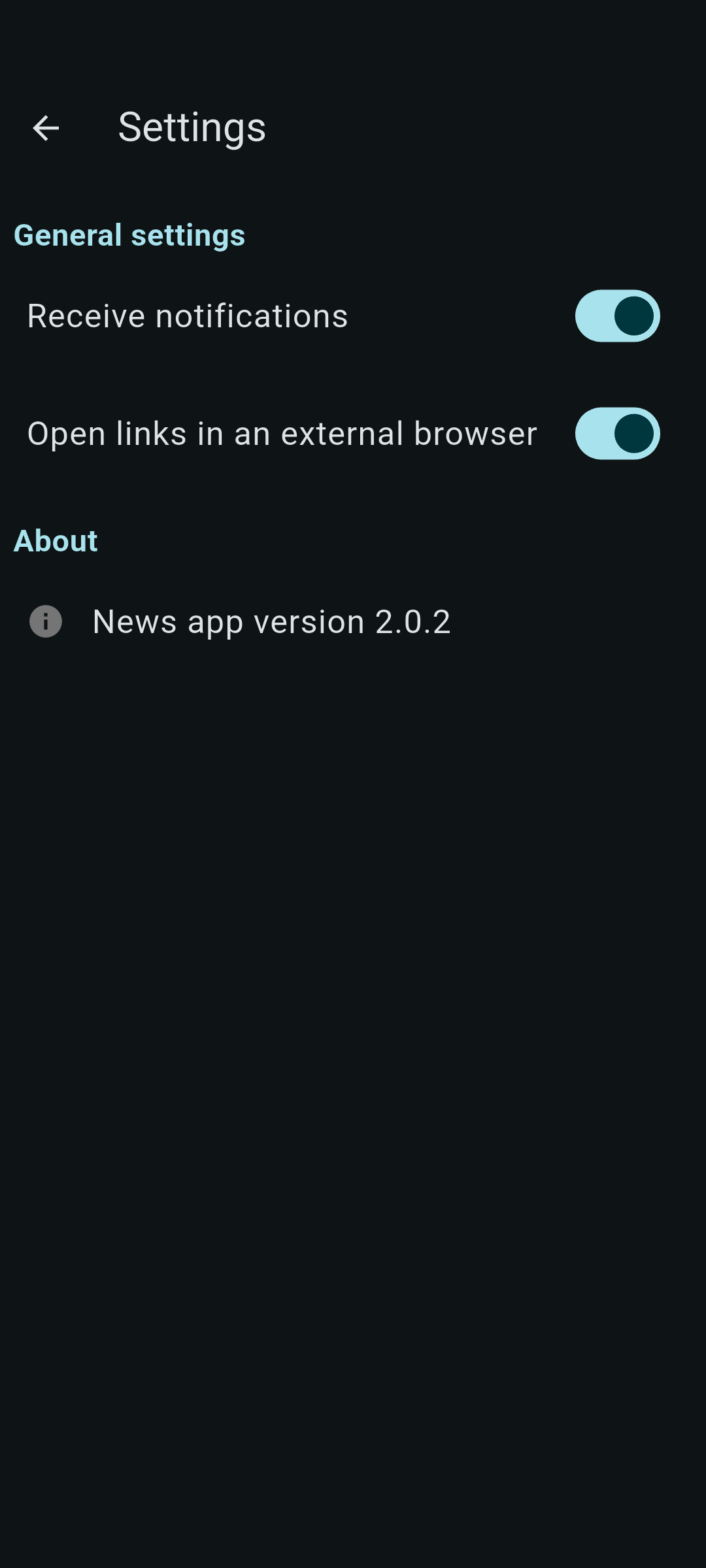
They even describe about “open links in an external browser” and every necessary step to upgrade. Don’t forget to uninstall (step 3) the update of the updater app afterwards. After you took the little extra way for the update to 7.0, the next version 7.1 will work by simply downloading and installing through the updater.
I found the description very helpful. Please let us know if it worked and don’t forget to backup your data before any system update - just in case.
EDIT: you did not specify your phone, I wrote this assuming that your phone can indeed update to version 7.0. Please check this list if it is possible for your device.
Don’t know too much about all the wizardy stuff you are doing with smartphones and builds and so on. You have been missed and I hope it was for holiday reasons and not for health reasons. Good to have you back!
That said, I’m trying to run the updater found on my Pixel 7 Pro, and I’m getting an error saying “There was a problem parsing the package.” Has anybody else run into this?
I was a bit behind on my updates, so my phone is currently running 6.6. Perhaps I need to take care of a couple incremental backups first. Just thinking out loud.
I hope I don’t have to install from scratch to make this work. Thanks!
I meant the link in the announcement link that is identified as the answer. I should have gone there, first.
At this point, the link in the News app takes me to a blank page that just has a back-arrow and says External Link. No opportunity there to do anything but go back to the news announcements.
 ). Thanks for your contributions!
 ).
).