andi
4 August 2026 06:14
1
According to this post we cannot report bugs in an appropriate tool, hence I try it here.
Steps to reproduce:
install latest iodéOS (7.7)
open browser
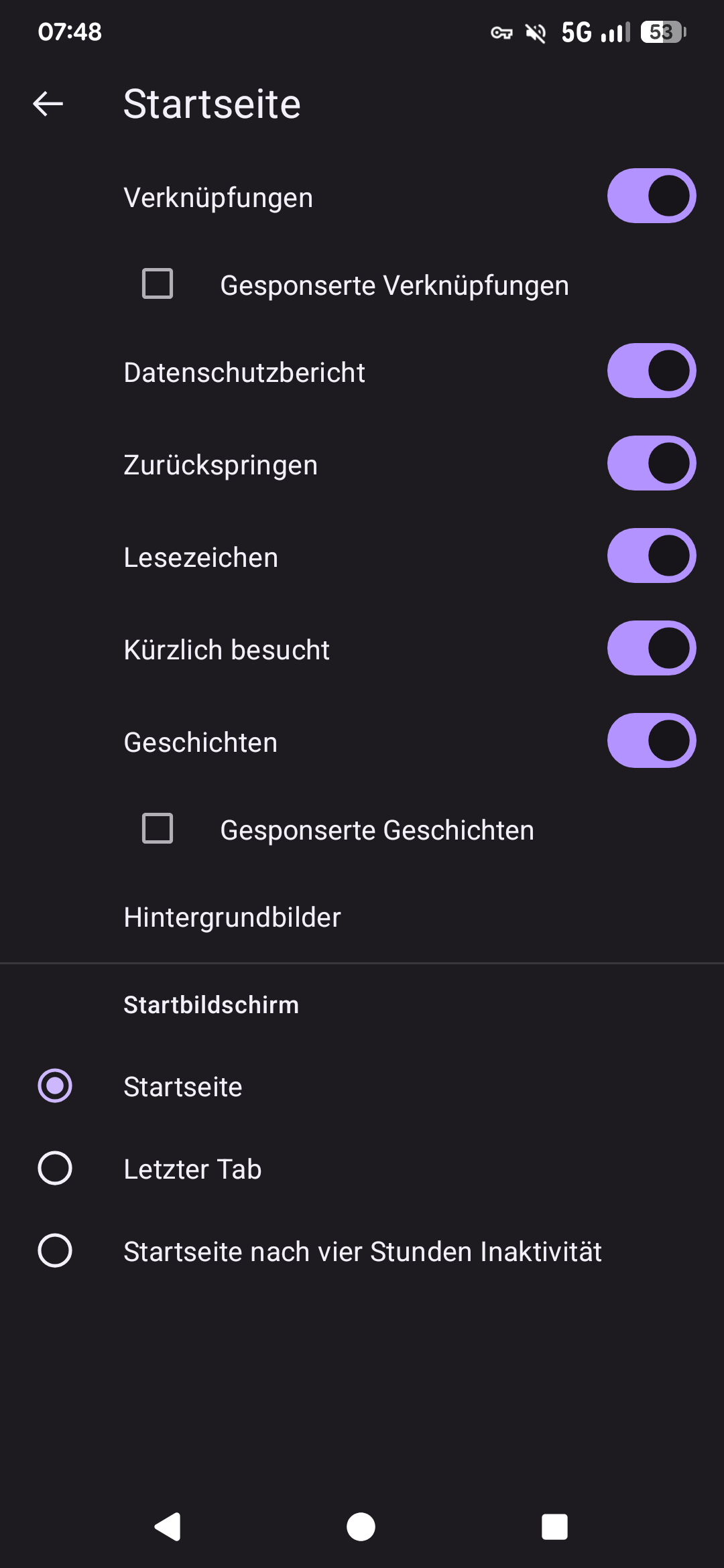
open 3-dots / settings / start page
change one of the settings, e.g. links
tap back button
open 3-dots / settings / start page again
expected result:
actual result:
workaround:
This bug is pretty annoying, as I don’t want to see any “fairy tales” on my phone’s browser.
That’s fixed in version 153.0.3-iode.169, available in ioDroid.
vince31fr:
version
Unfortunately update is not available / downloadable due to Server response 429
Beim Aktualisieren dieses Repositorys ist ein Fehler aufgetreten:
io.ktor.client.plugins.ClientRequestException: Client request(GET https://fdroid.iode.tech/repo/entry.jar ) invalid: 429 Too Many Requests. Text: "Retry laterhttps://fdroid.iode.tech/repo/entry.jar ) invalid: 429 Too Many Requests. Text: "Retry later
Solution:
Deaktivating iodé repository in all other Apps and devices.
1 Like
andi
4 August 2026 17:24
4
I had this issue several times today. I retried later and then the updates could be downloaded. I think we need to be patient with the new iodé fdroid fork.
rik
4 August 2026 17:52
5
It is related to web crawlers / ai scrapers flooding our servers. Mitigation steps are in place.
By the way, for future issue reports if you select the “Issues” category it starts with a template to fill. I am moving this thread there now.
1 Like