Pixel 7a black screen of death

I already have a Pixel 6 with iodé.
I had instaled it manually.

Today I tried to install iodé with the official Iodé installer for a pixel 7a.
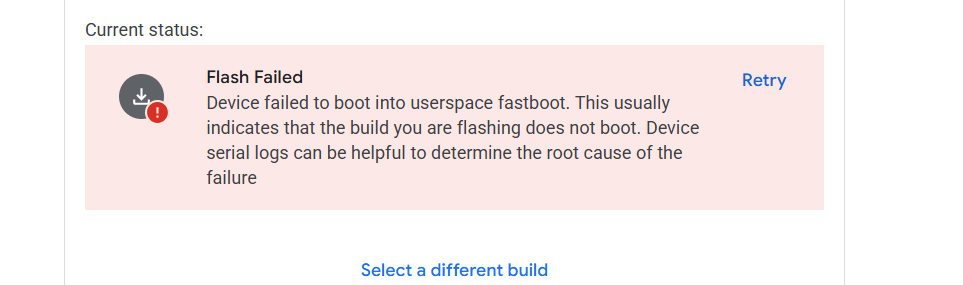
The installer was stuck during the installation and now the pixel 7a seems to be bricked :
It is stuck on black screen, even when I push Power + vol down, or Power + vol up, or even just power for 30 seconds and more, nothing hapend.
I had charged it for 30min in case of .

Is there an other way to unlock the phone ? Or can we say good bye to the phone ?

Thanks

1 Like

How long was it stuck? If you removed the phone mid-flash it could very well cause a hard brick. Sending it to Google at least with these, is a option, you should take advantage of

1 Like

For the phones I own the 'force power off` functionality comes from holding Power plus vol down, (or Power plus vol up) for 30 seconds or more: after 10 seconds it will vibrate once; a bit later it will vibrate three times and power off.

1 Like

You should be able to get it to show something if you hold power for a long time. After you get some response from it, I suggest going to flash.android.com using a Chrome(ium) based browser and flash it to Android 15, then again using the iodé installer.

1 Like

Hello, i’m trying to install iodé with a new pixel 7a.

I have done the manual installation via fastboot and iode-6.9-20251105-lynx-fastboot/flash-all.bat

The command has finish and I have relocked the bootloader.

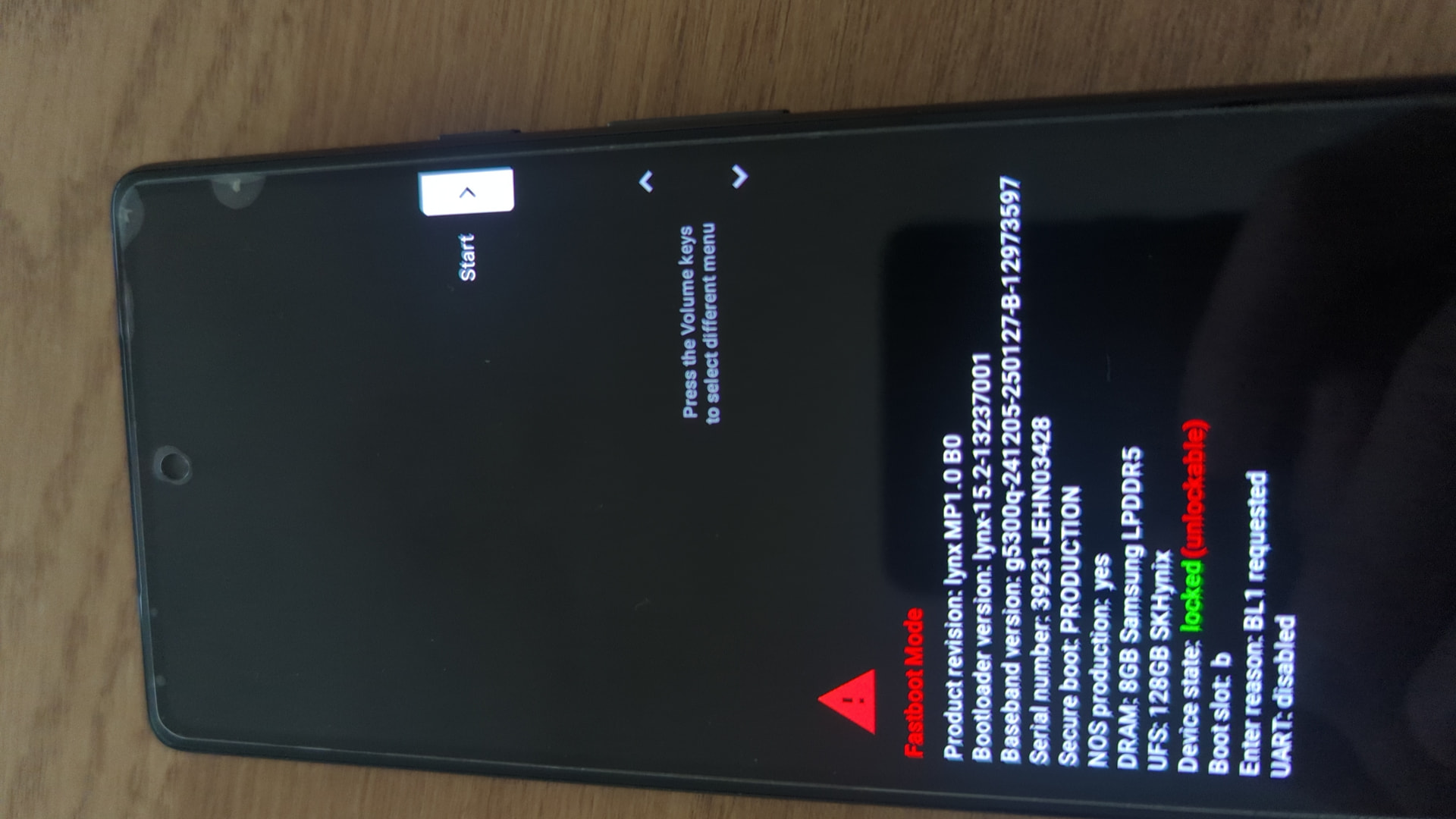
Now the phone always boot in Fastboot mode when I press “start” action (see photo above)

How to reboot in normal mode ?

My last try with the official iode installer has bricked the phone so I do not want to make any more mistake.

I’m waiting for your answer before doing anything

(sorry for the double message)

Hello, i’m trying to install iodé with a new pixel 7a.

I have done the manual installation via fastboot and iode-6.9-20251105-lynx-fastboot/flash-all.bat

The command has finish and I have relocked the bootloader.

Now the phone always boot in Fastboot mode when I press “start” action (see photo above)

How to reboot in normal mode ?

My last try with the official iode installer has bricked the phone so I do not want to make any more mistake.

I’m waiting for your answer before doing anything

Fastboot recognize the phone and I could execute the fastbook unlock again.

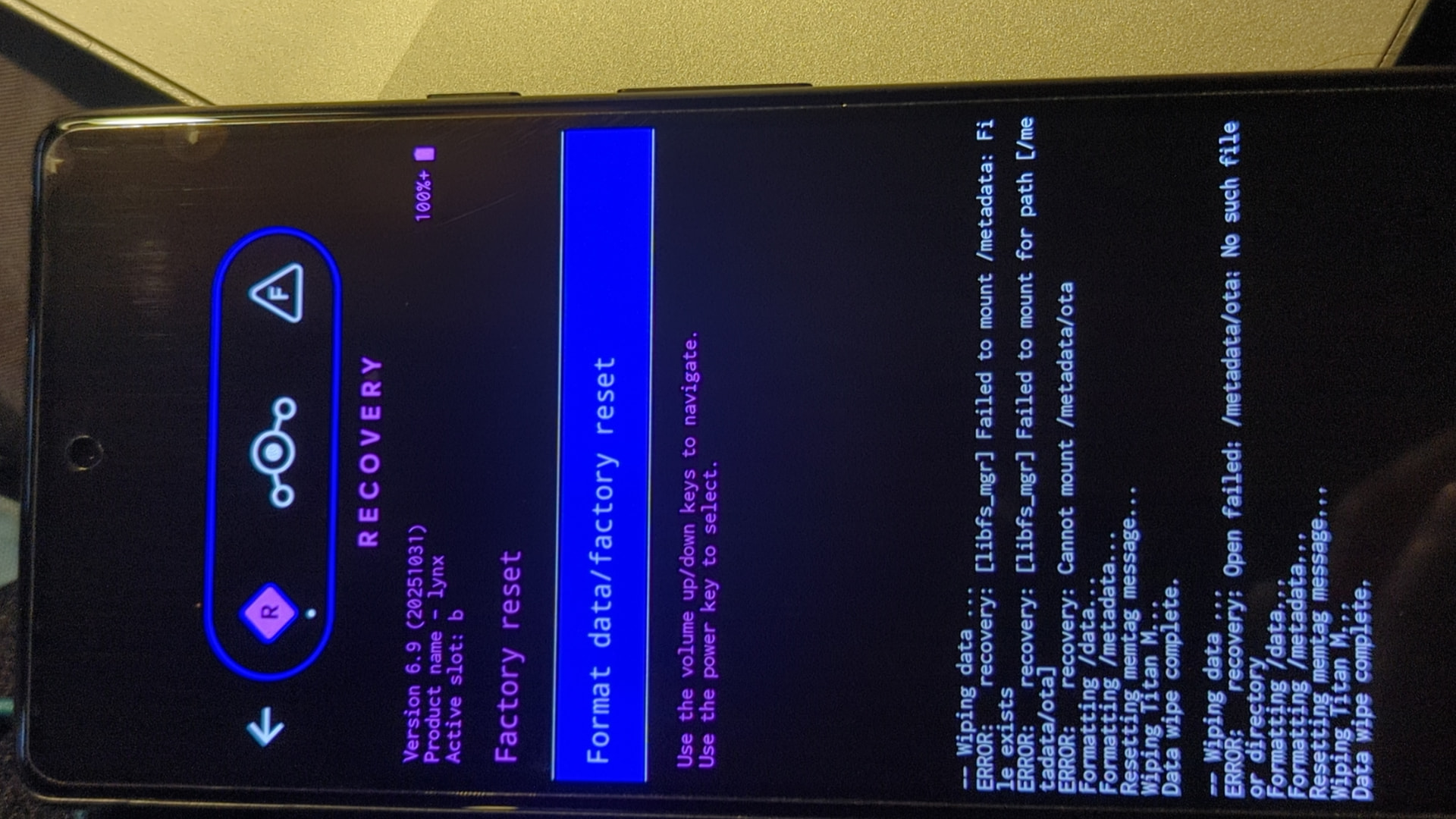
When I try to reset factory data from recovery I have those errors :

Did you flash stock Android 15.x before installing iodé as I note above? If not this is likely the issue.

There doesn’t seem to be any issue with the factory reset, the error is just indicating there is no pending OTA update to erase. But again if it is getting stuck at fastboot I suspect it is due to incompatible firmware / drivers due to the incorrect underlying base.

I’m trying to install Android 15 from flash.android.com, the device is having a loop boot on google splash screen.

The device isn’t accessible anymore from flash.android.com website.

May I force phone reset ?

Yes just get it to the bootloader and keep it there, then flash.android.com should work for you.

Sorry I may miss something.

Do I have to stay in fastboot mode? Or should I press “Restart Bootloader” from fastboot ?

There are a lot of builds, i’m not quit sure which one to choose.

May I try to manually flash the device ?
Which (and where) build should I use ?

Sorry for all the questions, i’m quit a noob with phone.

You want the newest Android 15 build from here: Factory Images for Nexus and Pixel Devices  |  Google Play services  |  Google for Developers

This should be a direct link to the correct build using flash tool: Android Flash Tool

The message you indicate is strange, but if you just follow along from the guidance they give on what to do next it should work?

Andriod 15 has been installed correctly.
After another try of iodé installation, it seems completely stuck on black screen.

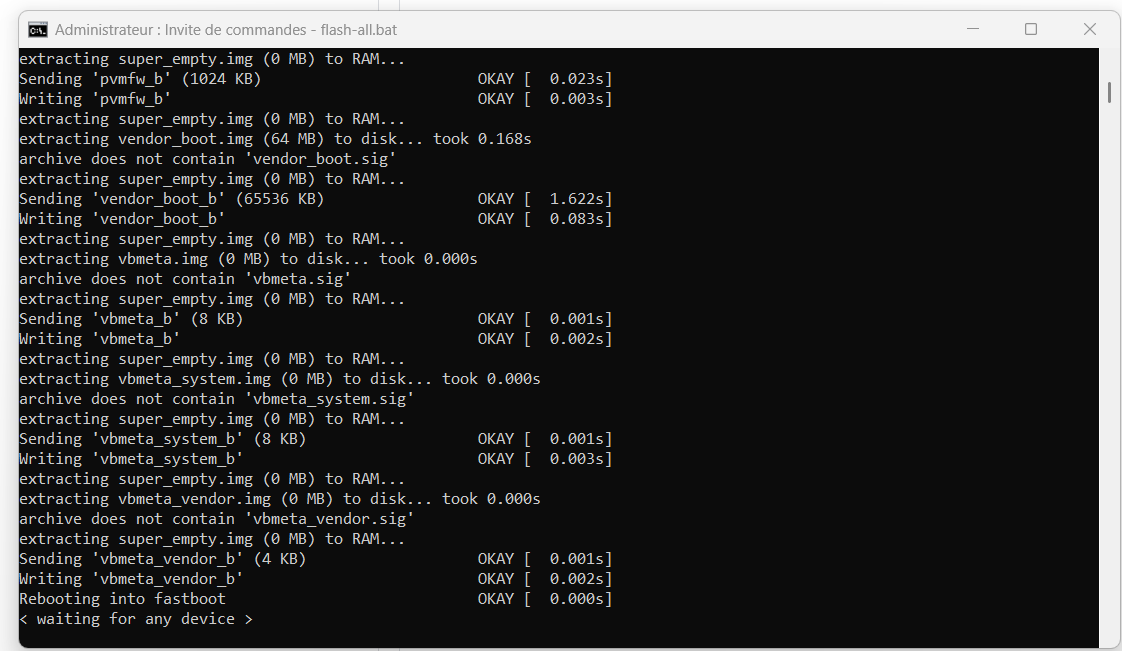
Installation is stuck at this point.

Event android flash tool does not recognize the phone.

I’m quit afraid of the situation.

The situation is quit the same than my first post here 4 oct.
Second device bricked with Pixel 7a installer. It may have a problem.

To encourage you, I don’t think either of these are actually “bricked”, they may just have a problem with the install and need reflashing. My only understanding of a true “hard brick” is if after install you go into Developer Options and disable ‘Allow OEM Unlocking’ and then after that your system becomes corrupted (and then also can’t get back to the previous good system which it should revert to if a simple update was corrupted). So it is hard to to.

It should be possible with a long long power press while holding down volume down for it to enter the bootloader again. Even in the case of the hard brick above I mention, it would still be able to enter the bootloader and be detected by the installers (but in that case it is locked and not unlockable).

To your issue: How long are you waiting when it says waiting for any device this can take a bit as it reboots into fastbootd mode (orange header at top saying fastbootd)? Give this some time! If it really is getting stuck there, what about your USB cable, is it usb-c-c or usb-a-c? I previously had issues with c-c cables in the same place where it wouldn’t get into fastbootd mode and got confused, whereas traditional a-c cables were more reliable. But recently on a few other pixels the same c-c cable has been fine. Just wondering what you situation is.

1 Like

Thanks for your help. Actually I have left the phone more than 10minutes waiting for fastboot restart.

Now all buttons combinaisons, even more than 3 minutes does not give any answer.

I’m not sure that another usc cable will wake up the phone

Correct USB cable won’t affect it restarting or not. Just long hold power only it will reboot.

Also please confirm which image you were flashing from the flash all script. I sure hope it is for lynx (7a) not the wrong device!

First try was with the iode installer application, and the second wih this fastboot package.

I’ll give you some news if the device finally wakes up.

I’ve seen “Waiting for Any Device” many times in my installations with Iode. I install on Windows.

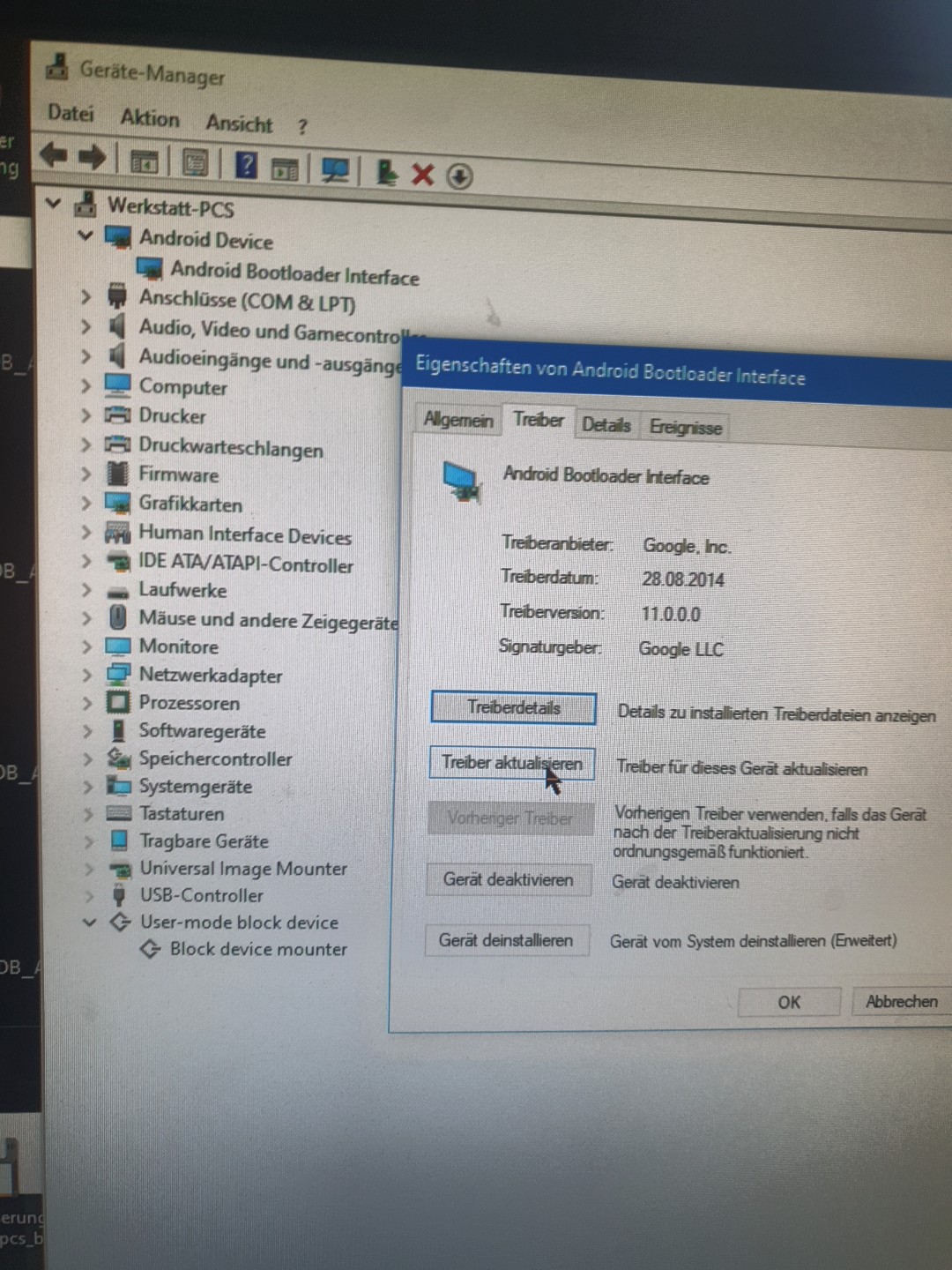
And it’s always the same reason, when the device goes into fast boot mode, the wrong driver is installed in Windows, after the device starts in fastboot mode.

Check this in the device manager and assign the correct driver, then it will finish the installation correctly.

2 Likes

Intressting.

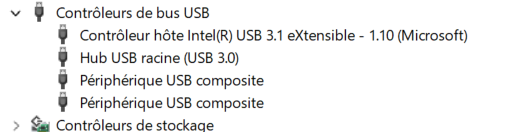
Actually when I plug the phone to my windows computer, it seems to be find (Périphérique USB composite).

I tried to install google usb driver here https://developer.android.com/studio/run/win-usb?hl=fr

Maybe I still don’t have the good driver ?

I’m a bit afraid to restart the computer, the flash_all is still open on “waiting for device”.

1 Like

the other interesting stuff is when a press power + vol down, the device manager window refresh the list in the USB controller category.

Same when I unplug/plug the device.

It seems to answer a little, but I cannot communicate with it from my win11 computer.

Another computer raise a plug infos, the device is reconized as “Pixel ROM recovery”.

Any idea ?

Download Google USB Driver:

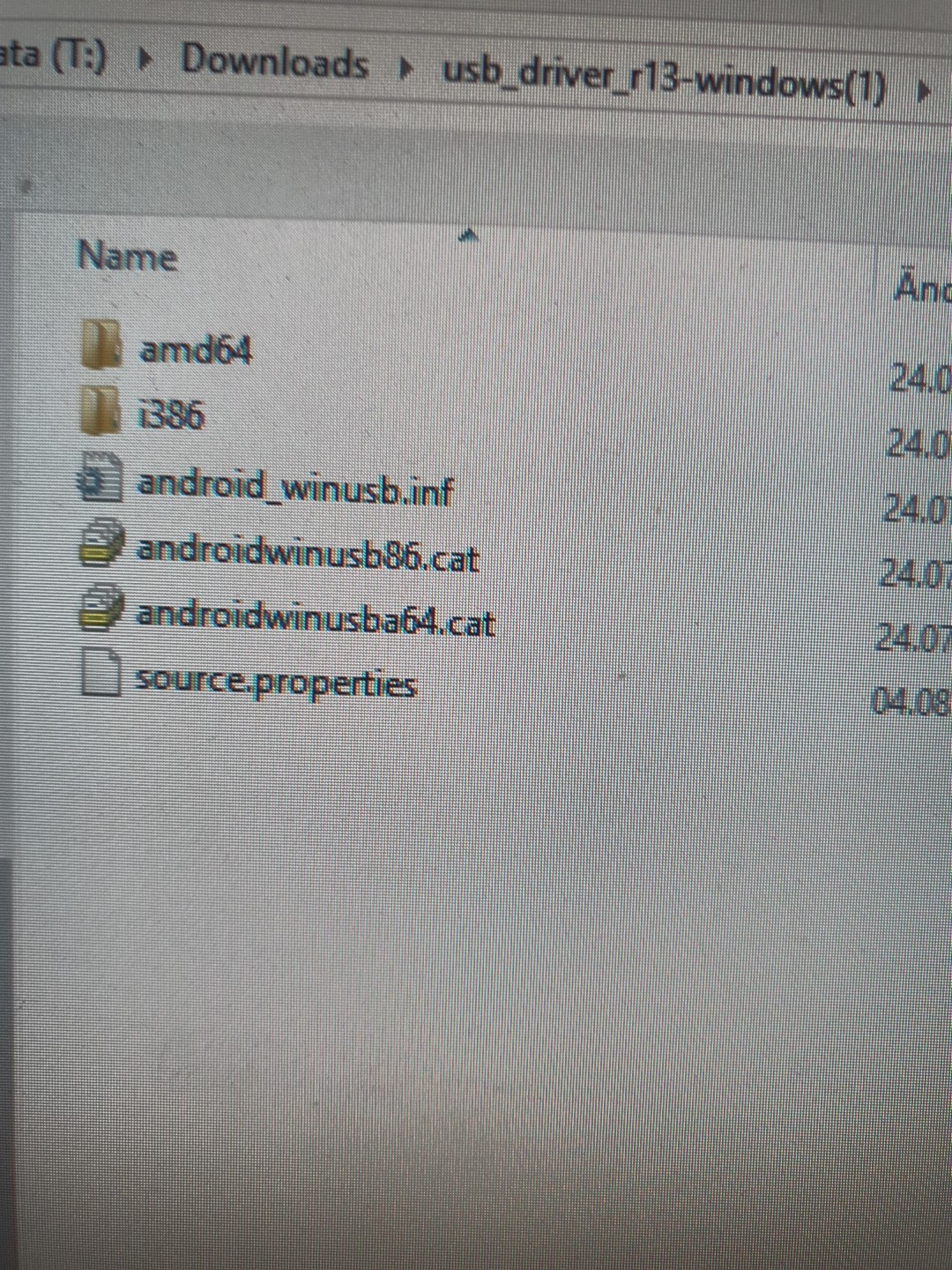
Unzip … You can see:

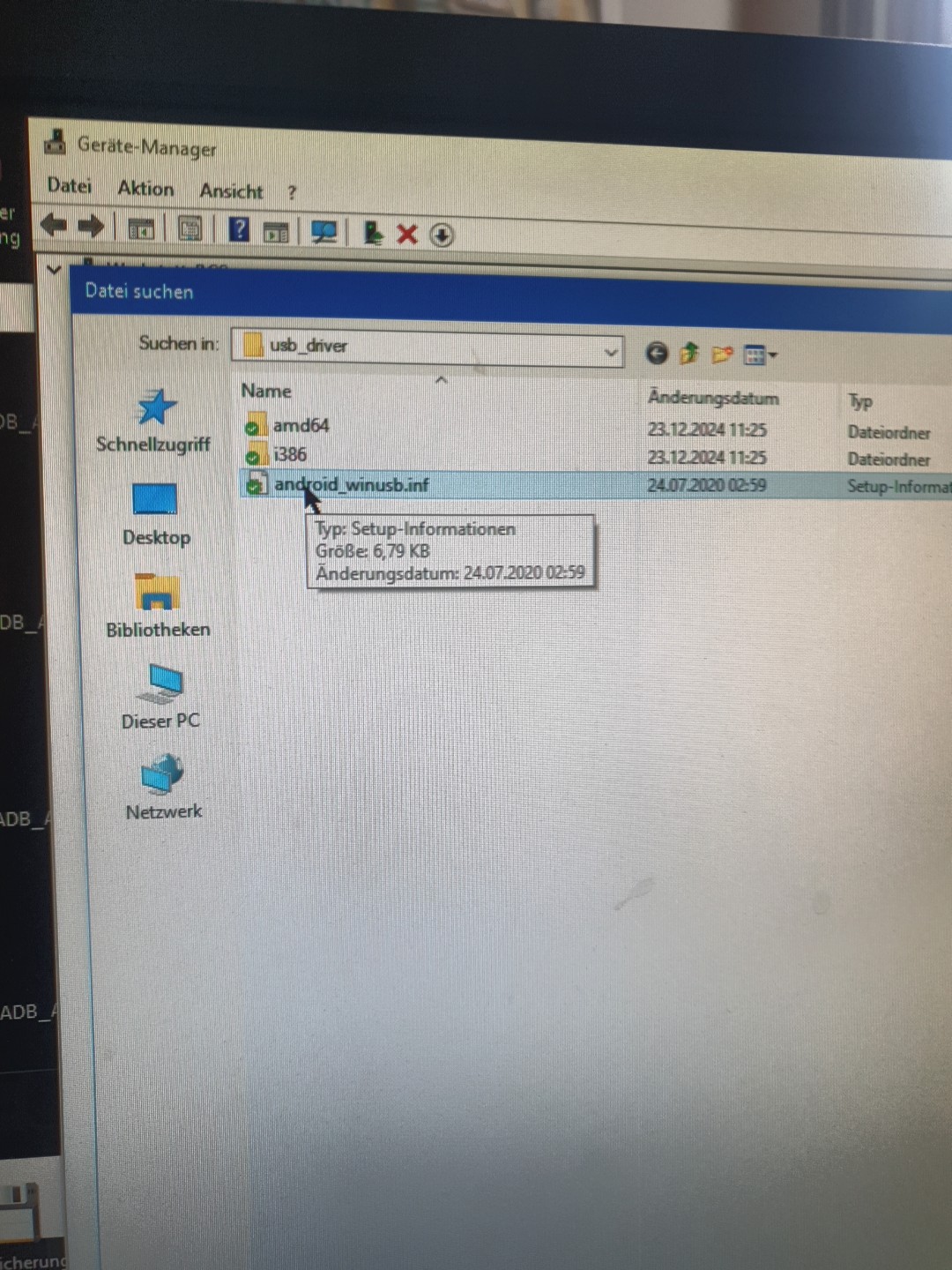
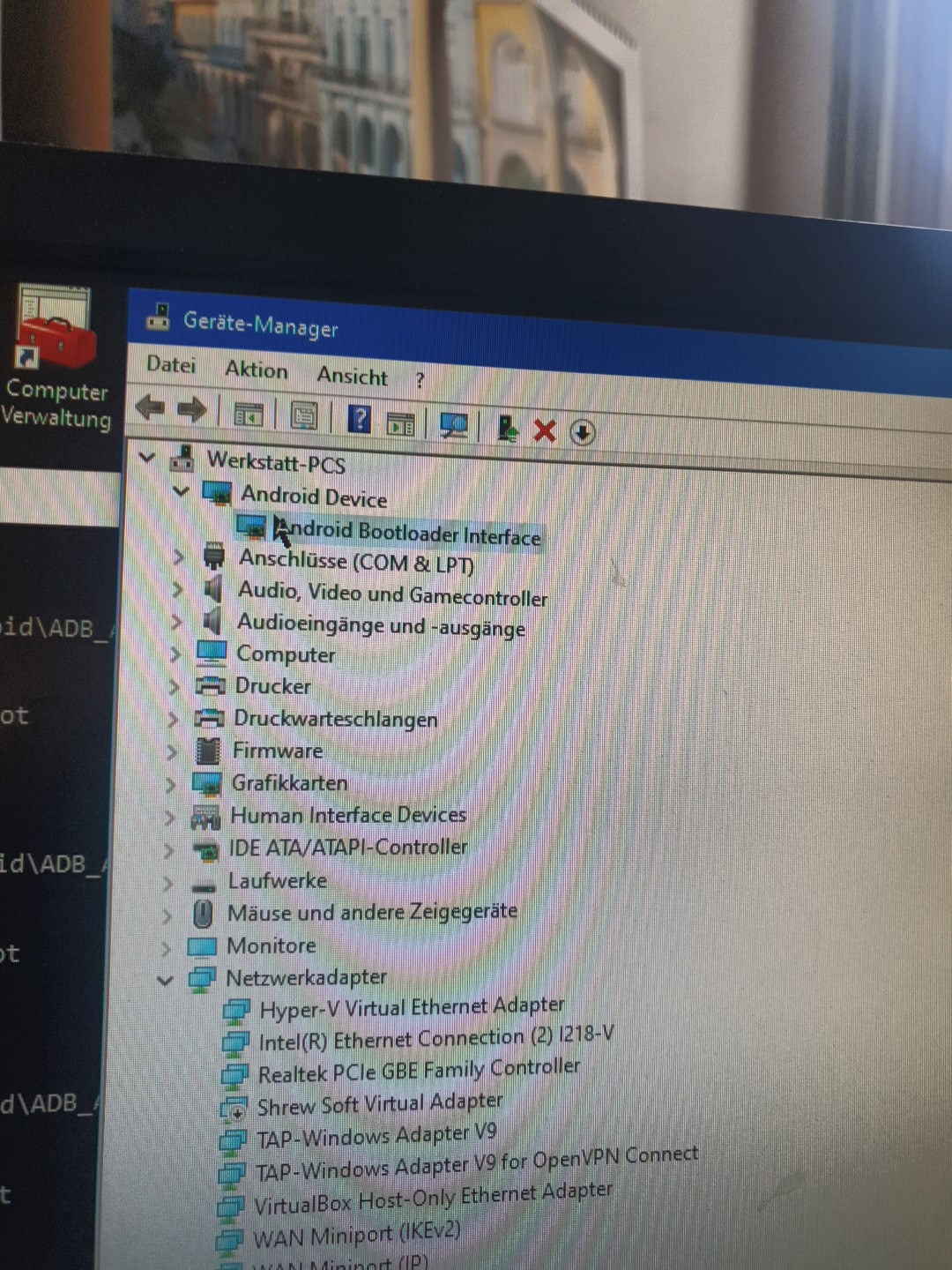
Go to device manager,
find your device,
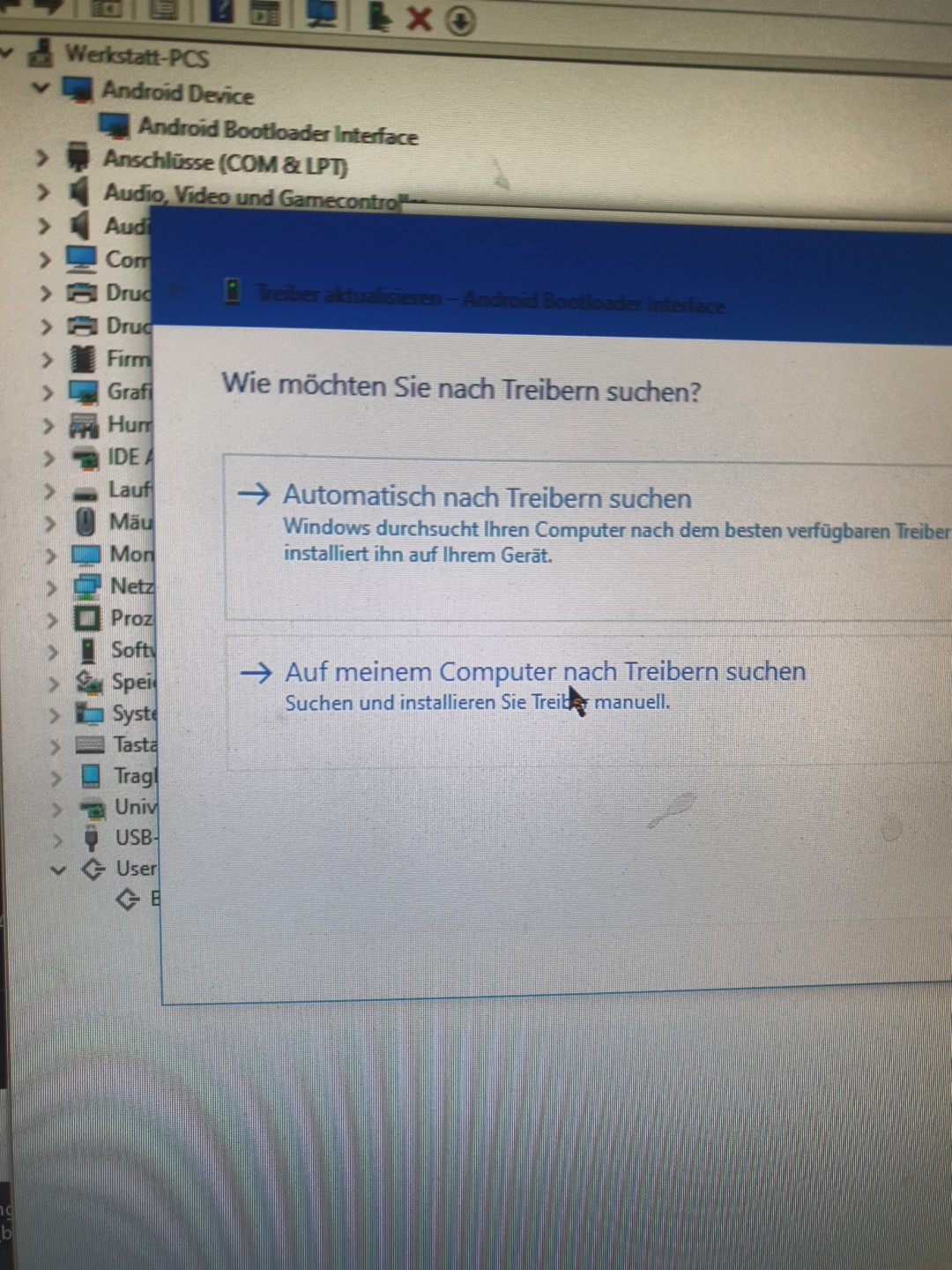
right click, update driver,
“Search on my device for driver”
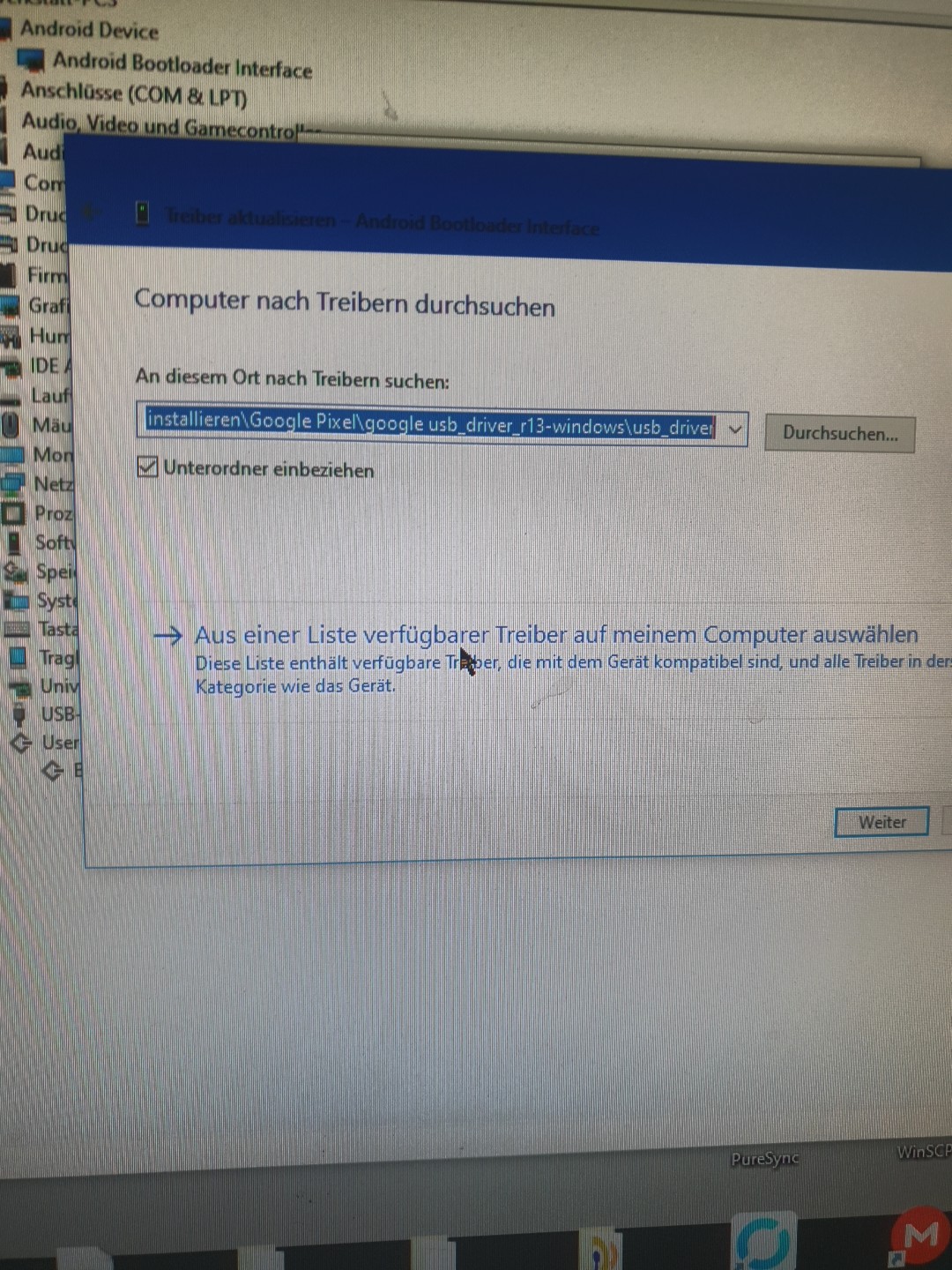
“Driver from a list on my computer” and select Filemanager,
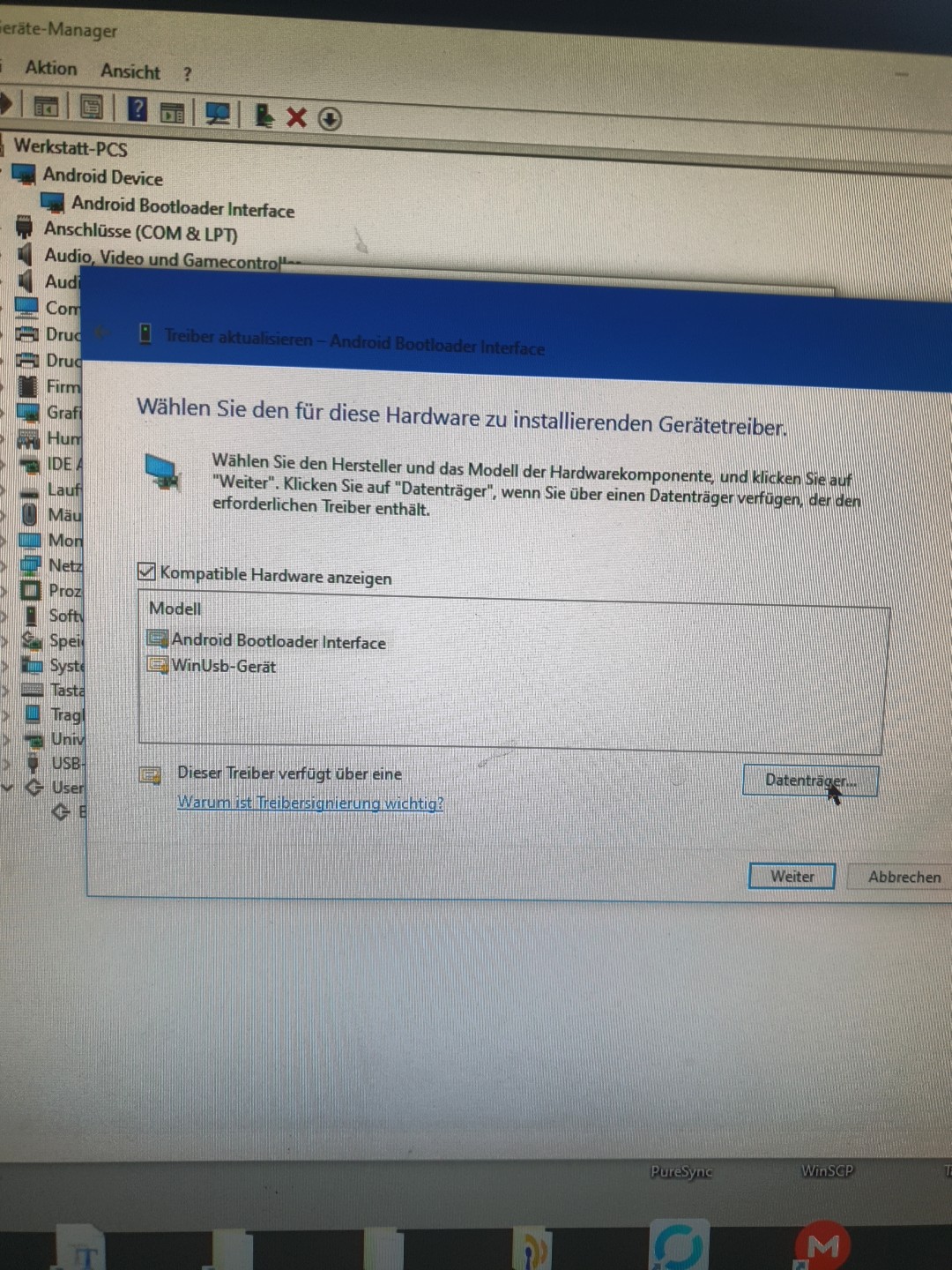
(select the path of your zip extracted folder) and find “android_winusb.inf” and select - Click ok.
It shows you: “Android Bootloader Interface”
Click Next -click Finish.

Check:
When your device is in fastboot mode:
Open a CMD - Write:
fastboot devices
(it should show you a device id)
Pictures… Example …

2 Likes