I did set the charging speed to slow in the charging control settings on my Fairphone 6 running iodéOS 7.1. Still, the phone shows fast charging (Schnelles Aufladen) when I attach it to a USB-C charger. Thus I’m a little confused what is happening, did I misunderstand the settings, is it a bug?
See screenshot below:
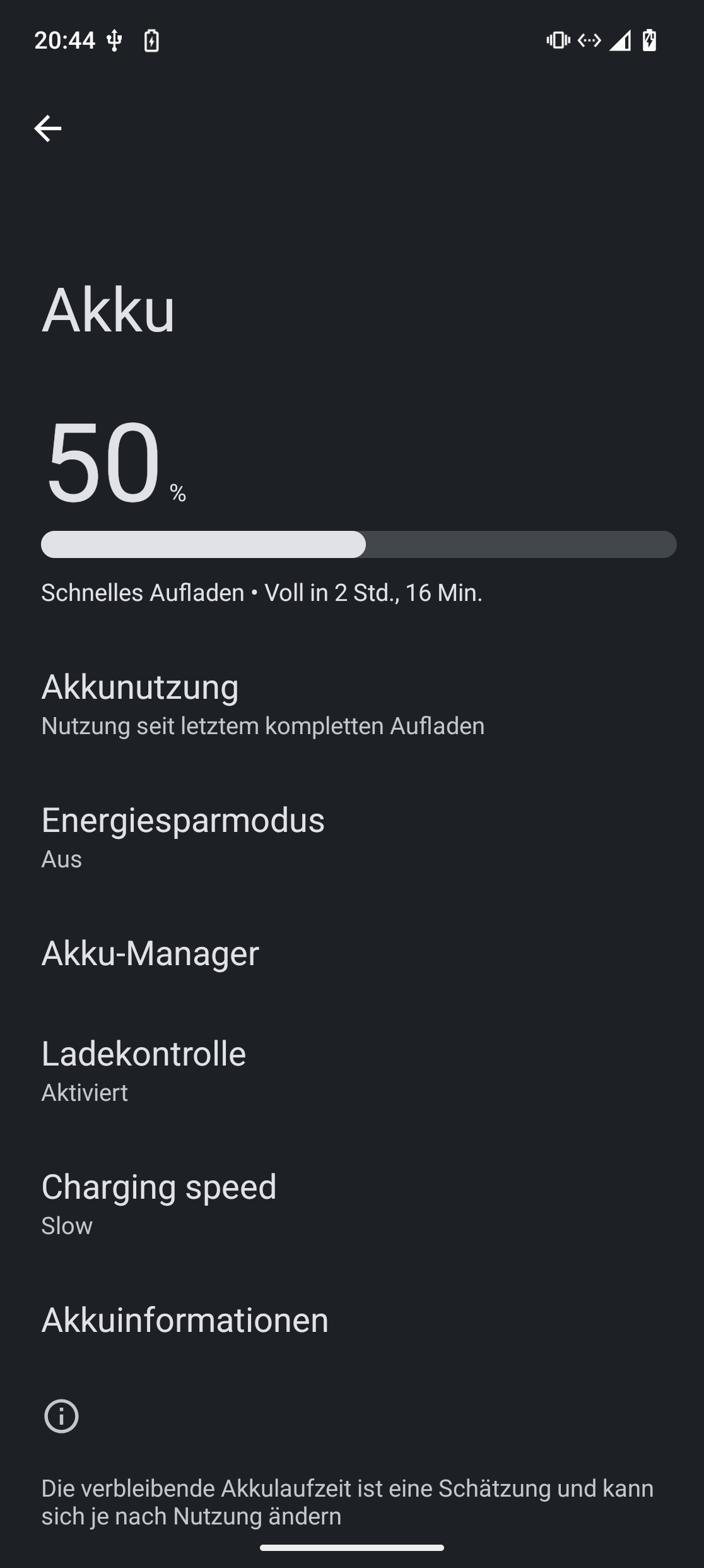
Did you restart the phone after changing the settings to slow?
I have encountered exactly the same problem. I think I have restarted the phone in the meantime, but I’m not sure. However, the alleged “fast charging“ seems to be very, very slow. Maybe it is just a display bug?
1 Like
I not sure, so just did a reboot and the problem persists.
I have the same feeling, looking at the remaining charging time indicator.. But I also noted, that the expected remaining charging time was like 1h or so at 70-something percent charging level, and I did set a charging limit of 80%. So the numbers seem to be of somehow anyway.
If you connect it to a computer and let it charge there (with my smartphone, it says charging slowly), what expected time is indicated? Is it more or less than when you plug it directly into the charger?
That way you could tell if it is just a display error.
I now tried with three charging options:
- computer (USB 3, type A)
- wall charger 5V 1A
- laptop charger 45W
With all three it says fast charging and the same time. About 1:11h for the last three percent from 77% to 80%…
OT: Also with the FP6? Could you then maybe test/confirm another issue I came across:
I had that with the FP5. I had to completely discharge it once and then fully charge it. After that, it charged quickly.
1 Like
Note: See my first post, it’s not about the phone not charging fast. The issue is, that it says charging fast although it intentionally was set to slow charging. Thus, the expected behavior would be to also display slow charging (instead of wrongly displaying fast charging). As @fezzy noted probably a display bug.
Also the remaining charging time display seems to not take the charging limit of 80% into account.