Hey all,
I switched to IodéOS a few weeks ago (because of the CalyxOS hiatus) and don’t get my banking 2FA app to work. It consistently worked under CalyxOS though and I thought it may have to do with IodéOS. The actual banking app is working, but I cannot log in because the authenticator app does not work. More specifically, it is a SecureGo Plus app that installs fine but when I open it, it directs me to a webpage saying that the app has been closed due to security concerns and that I should consult my bank’s personnel. This authenticator app is the only way to authenticate with any form of online banking at my bank, so as long as the authenticator app doesn’t work, I cannot login to my online banking at all.
So I guess the underlying problem is that my phone doesn’t pass some integrity checks with google and is therefore labelled as unsafe by the authenticator app. I’ve found that this is done via safetynet checks by google and they’ve apparently worked out of the box with microg and calyxos. I looked at the microg settings and ran the safetynet attestation test multiple times (and after restarting etc) and it consistently fails.
Searching a bit online, I found that google recently retired the safetynet functionality and has a new way of checking for the device’s integrity (via PlayIntegrity API?)
See here:
Has anyone of you an idea how to get this app to work? Because otherwise I cannot do any online banking and the only way to even look at my account is by physically going to my bank, which is obviously not a long-term solution.
My version now shows the same behavior. A couple of weeks ago, SecureGo Plus worked even on my rooted device.
Installed is version 4.2.0
The only change was an update to iode 6.8.
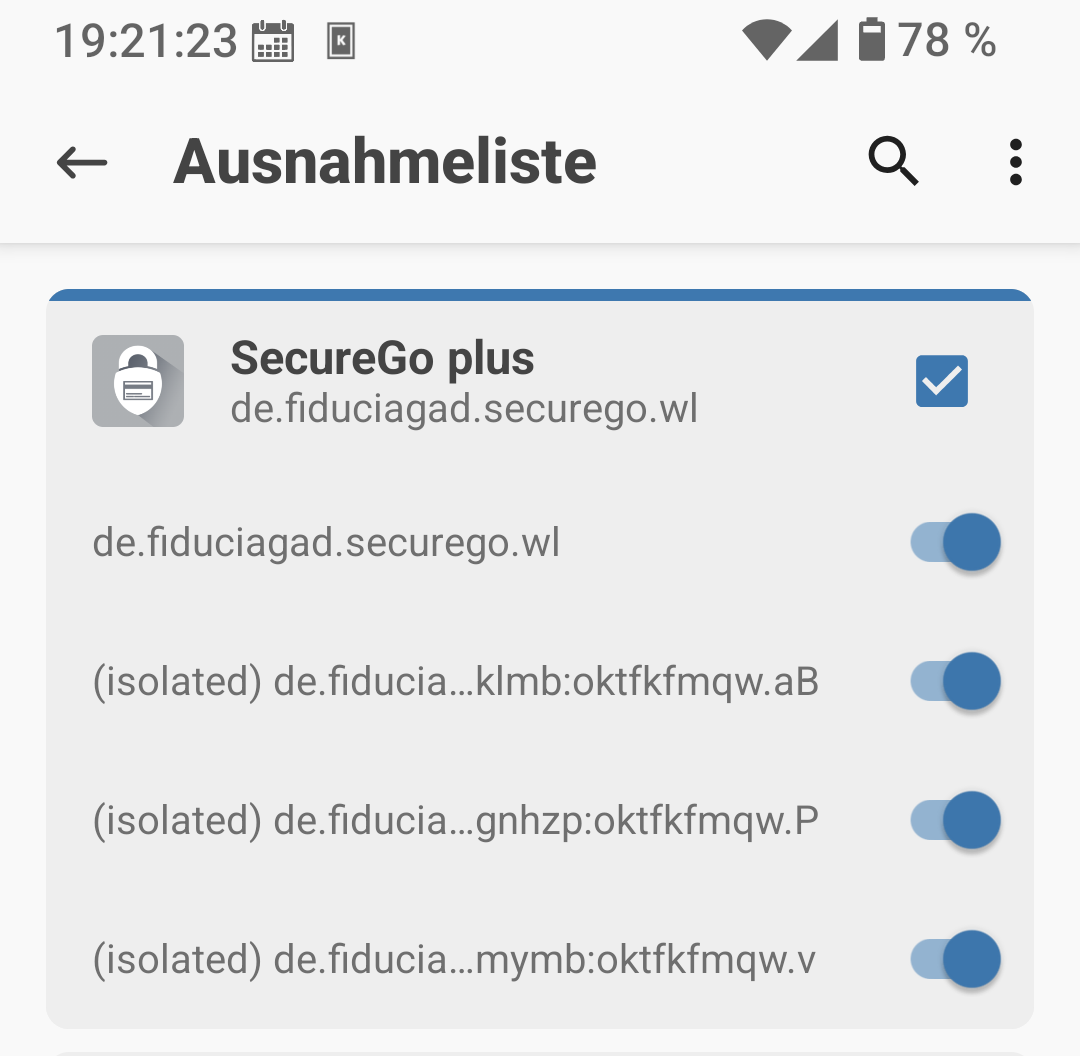
It works again, in the Magisk settings, I had to reenable certain addresses.
Since your device is not rooted, that won’t help you. But it works with 6.8
Ah OK, thanks! That confirms at least that it is a new behavior and suggests that it is probably independent of the OS. I would really like to avoid having a permanently rooted device because of security issues (but maybe I’m wrong in believing so?). Maybe it is just an issue that is going to be resolved in a few weeks/months when microg gets updated to the new integrity checks…
Interesting. I thought the update of the SecureGo+ app was causing the issues and maybe detecting root or unlocked bootlaoder. After I lost root unintentionally a few days ago, I decided to set up the phone from scratch without root and with locking the booloader. Had I tested at my wife’s unrooted Iodé phone, I would have known that was not the reason.
I had Magisk with PlayintegrityFix.
So please let me know: what do you mean with “reenable certain adresses”?
Maybe I will root my device again. (I use rooted devices since I owned my first smartphone.)
I know this options and I set them after every update of the app.
In my case this did not help.
Now I use the phone without root, so there’s no need and of course no possibility to hide root. And SecureGo crashes nevertheless with opening a browser window and the message: “Aus Sicherheitsgründen … wurde geschlossen”.
Tested SecureGo+ and VR SecureGo+. Both don’t start with version 4.2.0 or newer but do start with the first older version 4.1.5.
But I can imagin that at some point they won’t work anymore without updating.
I have also issue with “VR SecureGo plus” since either upgrade to 4.2.0 (also 4.2.1) or iodeOS 6.8 - on app start it triggers the browser which redirects to a page “contact your bank”.
Phone is not rooted and the by app catachable FQDNs were enabled again.
anyone knows the download code version 415xxx of version 4.1.5 to try to downgrade with Aurora Store (if still available). Aptoide has 4.1.5 in repository, but I assume if installed via browser/file manager, the user data will be lost.
I can confirm that the version 4.1.5. (415004) does work and I could just manually install it although I had the newer version installed before. It doesn’t give me the security warning and I’m able to do the normal setup. I couldn’t test out if it actually functions though because I’m waiting for the activation code from my bank.
Hope this keeps working for now and there will be a update that restores functionality in future microg versions (well, if it really is due to microg).
Just si you know, I couldn’t use my banking app on iodé 6.x because of safetynet issue.
I rolled back to 4.25, and I got a error with my banking app registration, but eventually it worked.
“VR SecureGo Plus”: received update from support of my bank: with 4.2.0 a too sensible security component was introduced. It was removed with 4.2.1 (that was potentially the reason why it was so quickly published after 4.2.0). Nevertheless even 4.2.1 has an issue on (at least) iodeOS and a ticket was created now. Hopefully soon 4.2.2 will be available and usable again.
Side note: the redirect to this web page is triggered by application crash or “frozen”.