I am new to the whole custom ROM world, decided to run away from the data vampire Google. However not spending money on some new phones just to discover some new unsuitability and/or uselessness… So I dug in my old phone stock and found a pretty solid Oppo 10x and Samsung 950F. But the project didn’t start well…
I tried to install the IodeOS installer on my Windows, and it literally freezes the Win! I can’t recall the last time some application crashed my Windows last time, I think it was in 2007…
I tried just about every technique (disabled protections, admin, etc…), all but starting it under safe mode, which I find has no point of even trying.
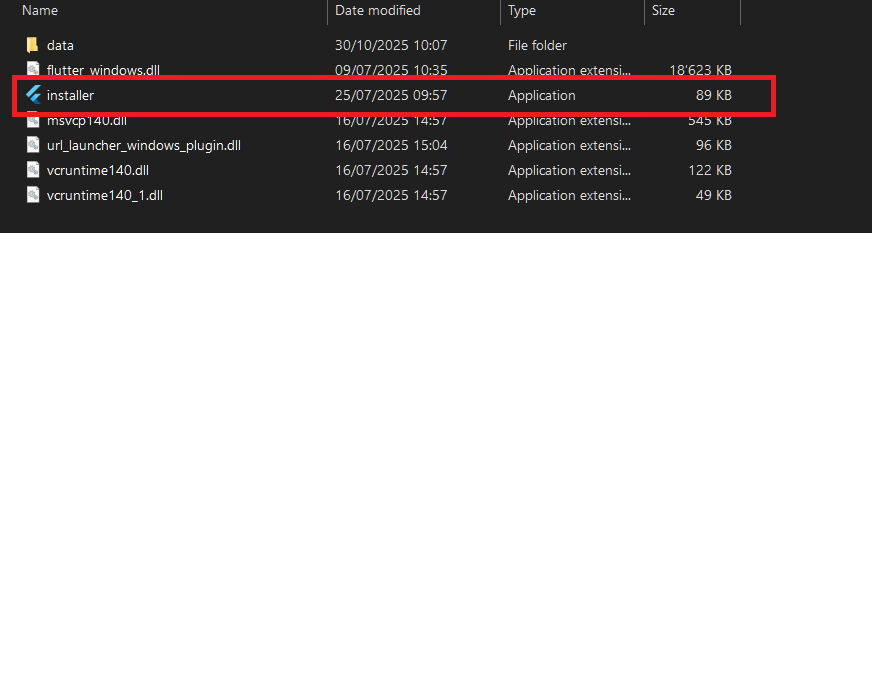
I noted the 89Kb size of the installer, which I presume is just a link, or maybe even a corrupt download?
I know there is an option for manual install, but, this won’t work for me since 1. I only manage it to the 2nd instruction; thereafter, I have no clue what it’s all about. 2. As I managed to read out, only Iode 4.25 could work normally, and I don’t even know where to get the older versions.
I did ask the AI but you probably know this story already. It would love to start some supercomputer programming first, just for later on remind itself that the task is impossible on my PC configuration, which usually happens after 24h behind the pc and 100gb´s of unnecessary downloaded and installed software…
@Doug76, to add to Vincent’s comment, the GSI documentation is here: GSI - iodé it is pretty basic, but head to the GSI support post for more info on confirmed devices, help with installing it, etc.
I saw in some older review video that the guy had an Oppo on the list of the supported devices… I thought if it was supported once, then maybe it still run today… If I am getting this right, this OS will only run until you support a device. Technically, after you stop supporting it, one can only run the last version of the still-supported one? What changes after that? Would Gremlins eat my phone after that? If not, where could I find the version that still supported Oppo, for test purposes only.
Sorry to be a bringer of bad news, but I don’t think an Oppo phone ever had an official or even an unofficial port for it, as there are no Lineage builds that I can easily find (and iodé is built on top of Lineage). If you can find the lineage source tree somewhere, then possibly an unofficial build can be made, but without that it isn’t possible. Does it even have an unlocked bootloader?
My guess is the review video you saw was using the GSI build as we point out above: if you aren’t familiar with it, it is a “Generic System Image”, not a specific build for a single device. This means there can be some hardware issues with it, but with the Android architecture it is technically possible to swap out *just the /system partition, which is what a GSI does.
In addition, unfortunately graphical installer you are attempting to run will only install to officially supported devices, so it won’t be of use to you.
So if you do want to explore using the GSI, please look at the links I posted above for more understanding of how to install it and if it would possibly work for either of your devices.
Depends how you define ‘easily’ “) If you go to the LineageOS Devices page, and deactivate the ‘Hide discontinued devices’ filter, then six OPPO phones appear. However, the most recent version of LineageOS that was supported for any of those phones was 16.0 (Android 9), which equates to Iodé version -1 So, definitely no official IodéS version for any OPPO phone.



 So, definitely no official IodéS version for any OPPO phone.