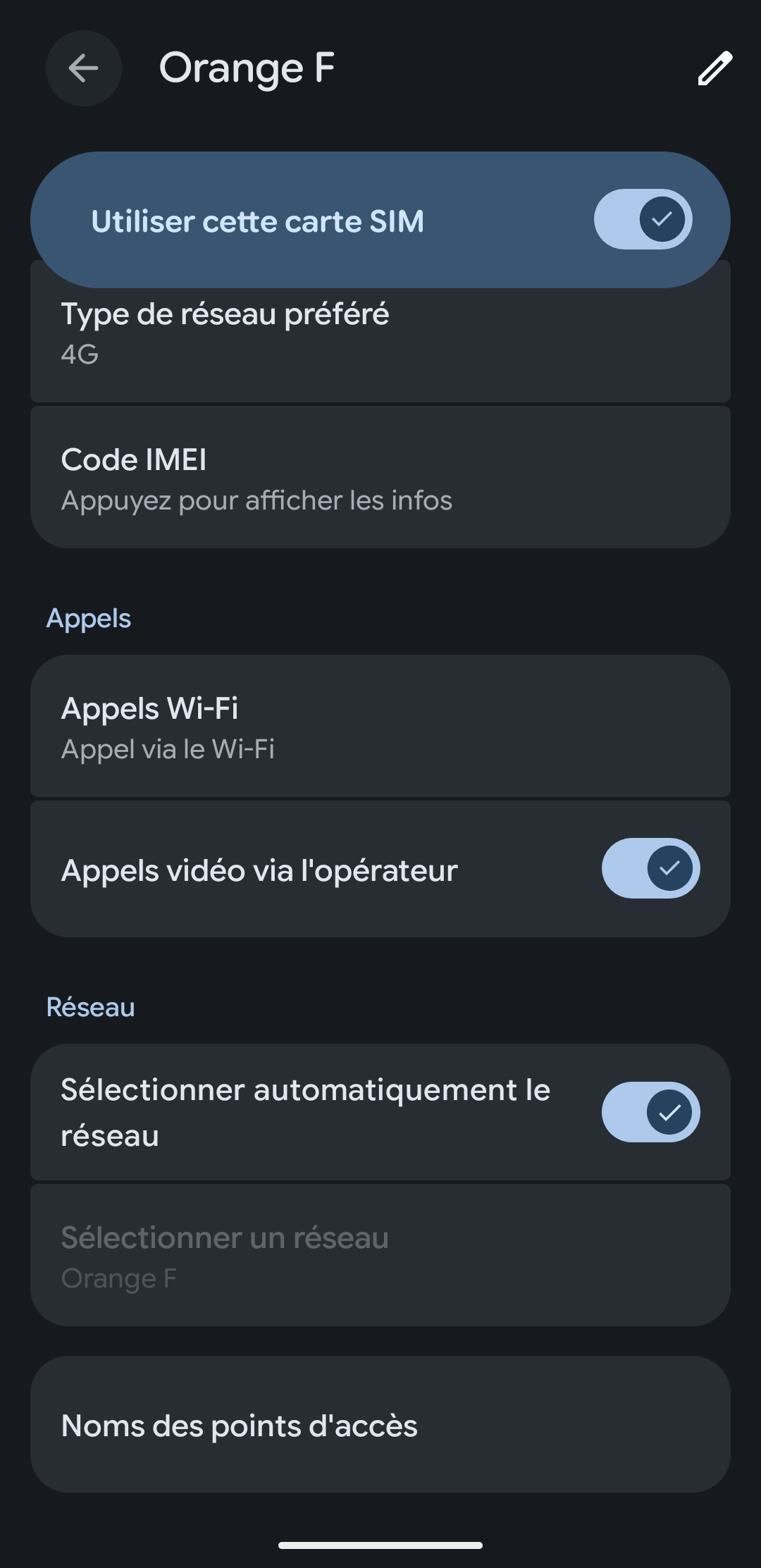
I recently switched my Pixel 5 (redfin) with an Orange France SIM from stock Android to iodéOS (7.7 then 7.8). On iodéOS, the setting to enable Wi-Fi calling – which was available on stock Android – is no longer there by default.
As I have poor signal reception at home, I really need this feature and have spent a lot of time looking for a solution. I eventually managed to retrieve the setting for Wi-Fi calling by using a combination of Shizuku and Pixel IMS 5G, to ‘Enable VoWiFi’. With this, Wi-Fi calling works, but the downside is that I have to repeat the process every time I restart the device.
From what I’ve read on the subject, I understand it’s possible to write the setting in the operators’ configuration services. Is this something that could be considered for a future release of iodéOS?
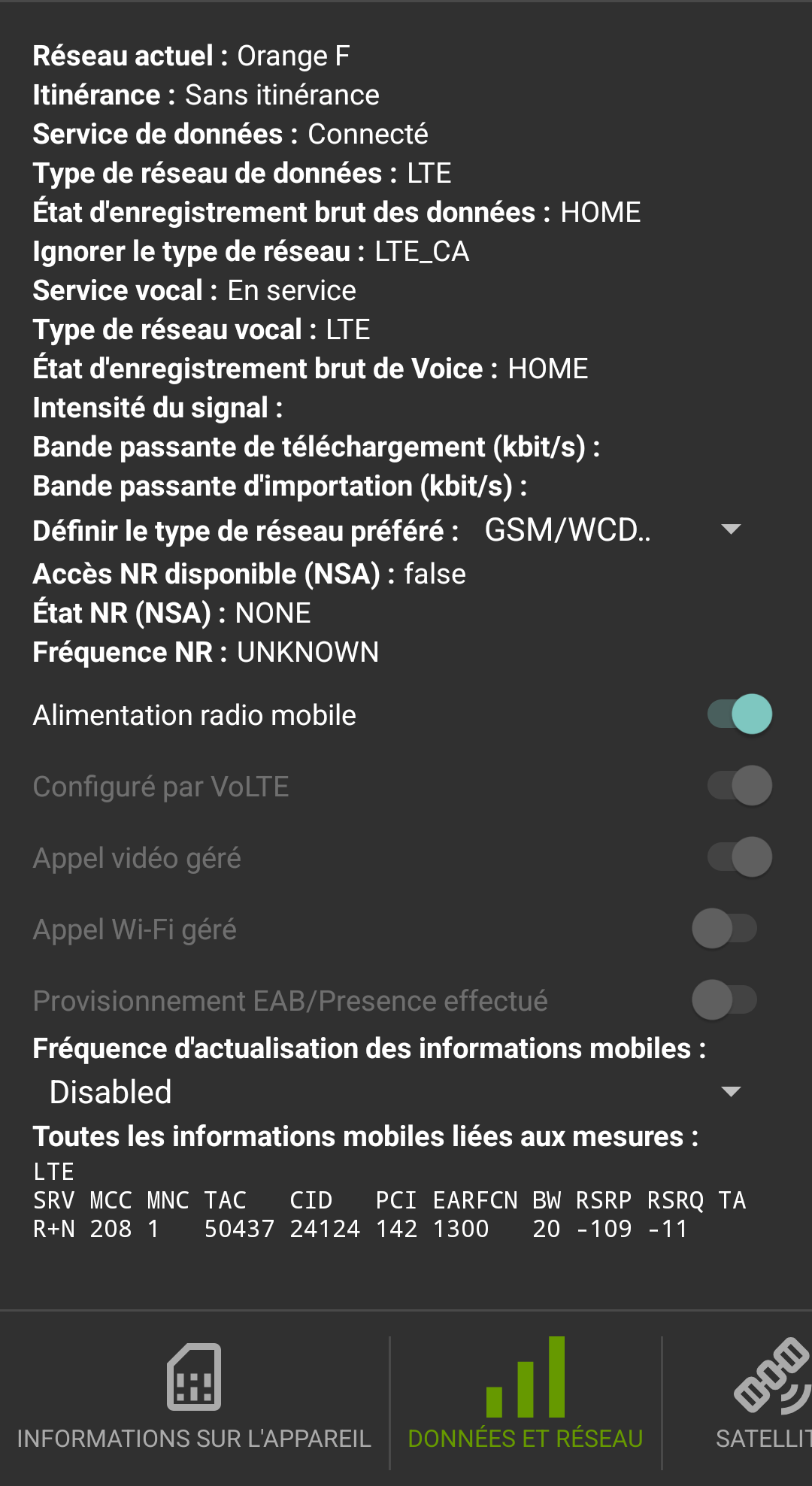
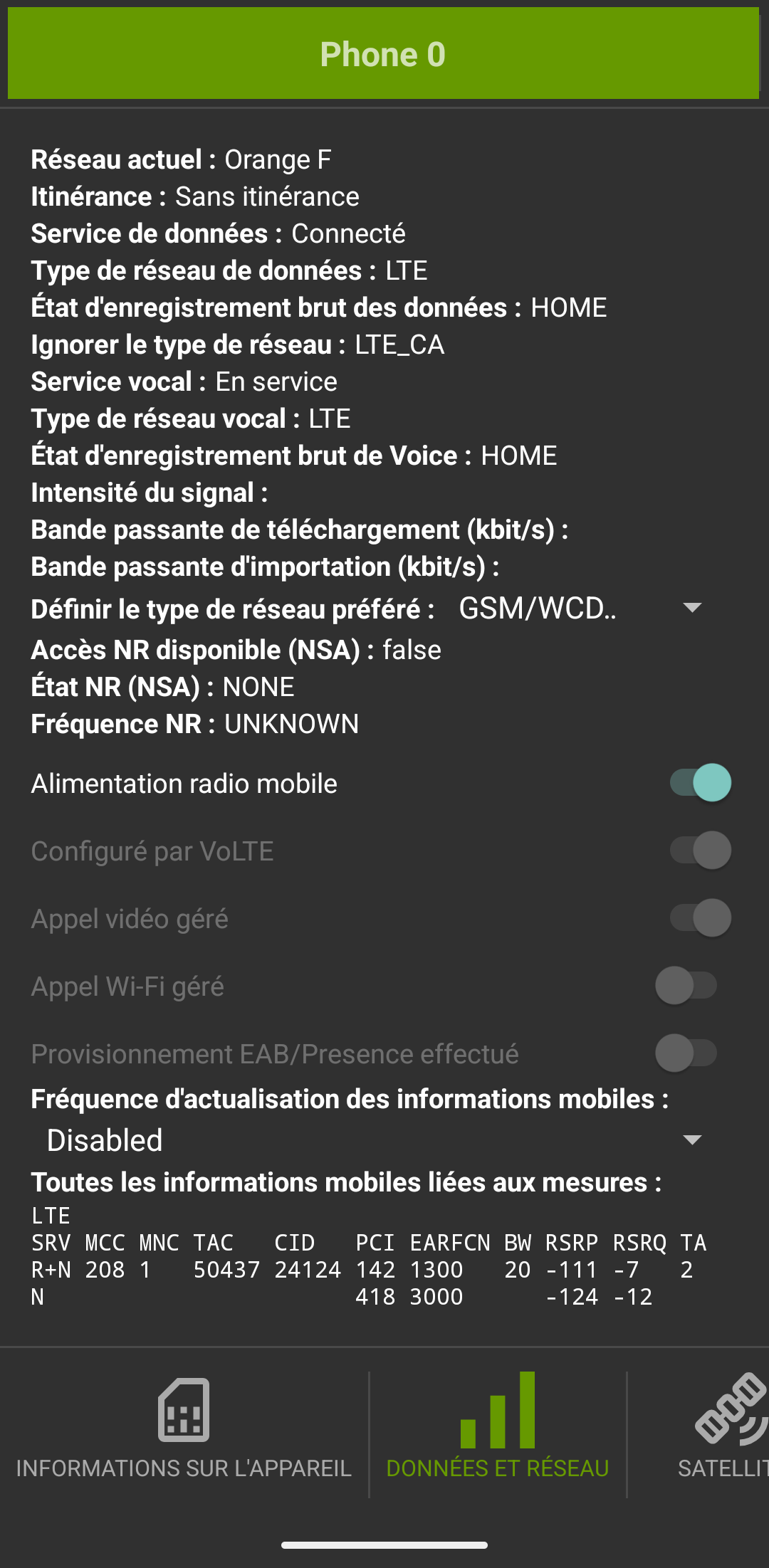
I came across this old thread where the same issue is discussed for the Pixel 6 and it’s stated that it doesn’t work for the Pixel 3, 4 and 5, but with my workaround I was able to see that it does work – the system setting is simply not visible. I’ve attached a screenshot showing the mobile network information provided by the phone in my case (here, before applying the ‘Enable VoWiFi’ patch).
I wonder if your preference for GSM is a problem here? VoWifi works under LTE / 5G only. I see that it seems to be connected to LTE, but I see “GSM/WCD..” farther down. Can you change this to a NR / LTE / GSM for 5G / 4G / 3G there?
Thanks for your reply, rik.
The full name of the preferred network I’m using is GSM/WCDMA/LTE (PRL), so LTE is definitely included in that. After a few tests, I noticed that this is the network name that appears when I select a preferred 4G network rather than 5G in the phone’s settings (I get the impression that 5G uses up more battery and I don’t need it). This was also the option I had on stock Android when VoWiFi was working.
I did, however, try setting the 5G network as my preferred one, which changed the full name to NR/LTE/GSM/WCDMA. After restarting, the option for Wi-Fi calls is still not available.
After some more in-depth research with the help of AI, I eventually discovered that the culprit is the setting carrier_wfc_ims_available_bool = false, retrieved via adb shell dumpsys carrier_config.
I couldn’t find CarrierConfig on the iodéOS GitLab repository, but on the LineageOS one, for example, I can see that for T-Mobile US it is hard-coded as <boolean name="carrier_wfc_ims_available_bool" value="true"/>. For the network operator I use, there is no value specified and the default is false. Without this, I understand that there’s nothing I can do on my end without root access.
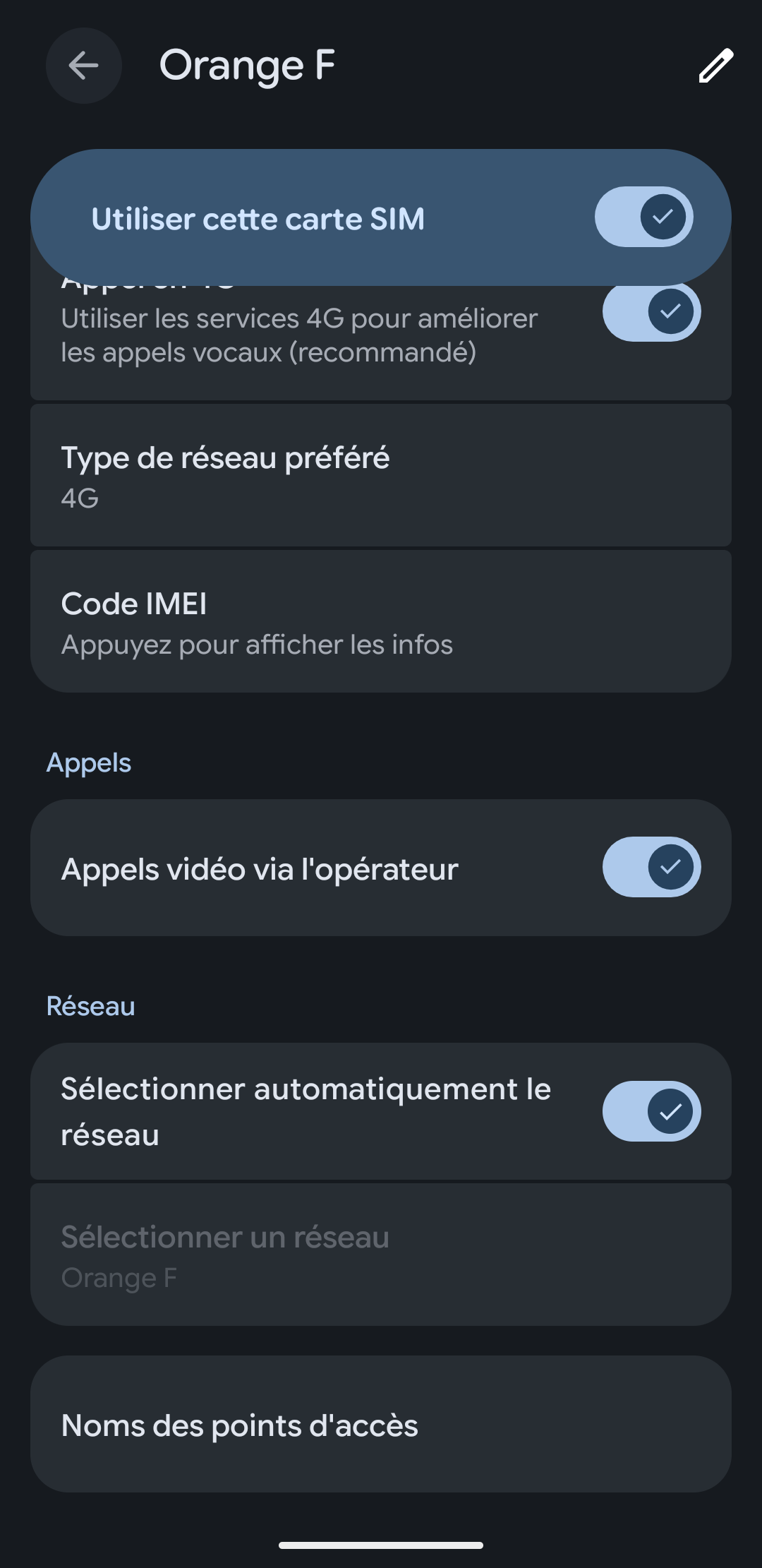
So under “System Settings > Network & Internet > SIMs > (your SIM)” there is no “Wi-Fi calling” entry? Or it can’t be enabled? Or it is enabled and configured but then doesn’t show as available under “IMS” in the *#*#4636#*#* section?
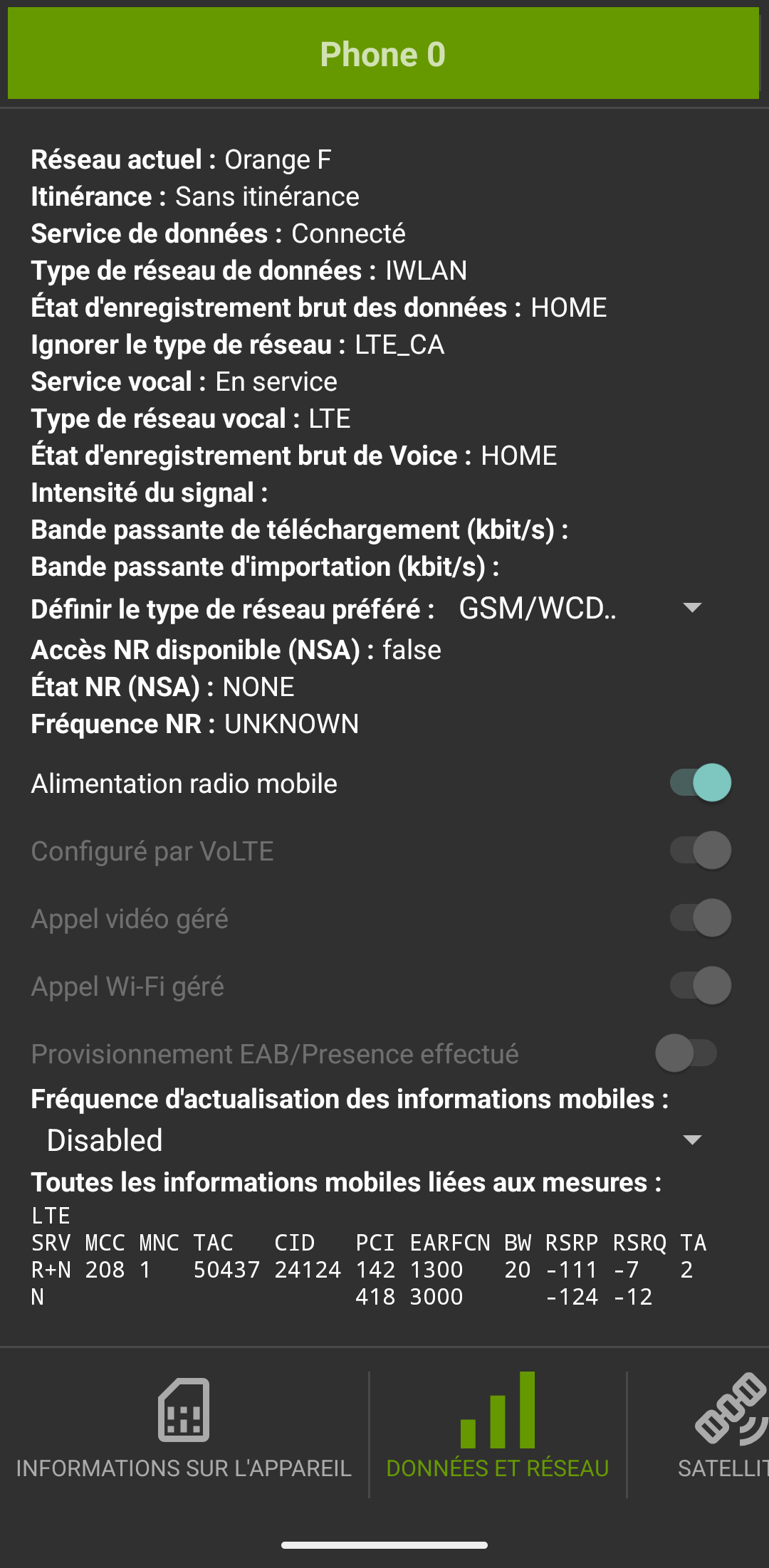
After I apply the VoWiFi override with Shizuku + Pixel IMS 5G, the ”Wi-Fi calling” setting appears and the Wi-Fi calling actually works, I can receive and emit calls on Airplane mode + Wi-Fi.
I dumped and compared the output of the adb shell dumpsys carrier_config command before and after, and the only difference are those lines (and some log):
So I’m very confident my phone and carrier are compatible with VoWiFi but the setting to activate it is not available in my specific carrier config file in iodéOS.
You can not tap on “Appels Wi-Fi” to then enter the Wi-fi calling sub menu? That is where the toggle to enable it is found, it is not a toggle directly seen at the SIM settings level.
To clarify: it’s not that the toggle is hidden in a sub-menu. Before the workaround, “Appels Wi-Fi” doesn’t even show up as a row in Settings (see the first screenshots). There’s nothing to tap into.
It only appears and works fully after I force carrier_wfc_ims_available_bool = true via Shizuku + Pixel IMS 5G. So the phone and carrier are VoWiFi-capable. iodéOS’s default carrier config for this SIM just doesn’t expose the setting at all.