This device is now officially supported by LineageOS (LOS22.1)!
Hello iodeos, any plans to release new builds for a21s? It’s officially supported by lineageos/microg.
I am not sure if @ronnz98 is making builds for it or others anymore. He may reply if he gets a chance. If not, you can make an unofficial build request and see if another community member would step up to build them.
1 Like
Thanks for the tip, I’ll try to ask over there!
Please see latest 7.x iode build:
Sources and install instructions:
2 Likes
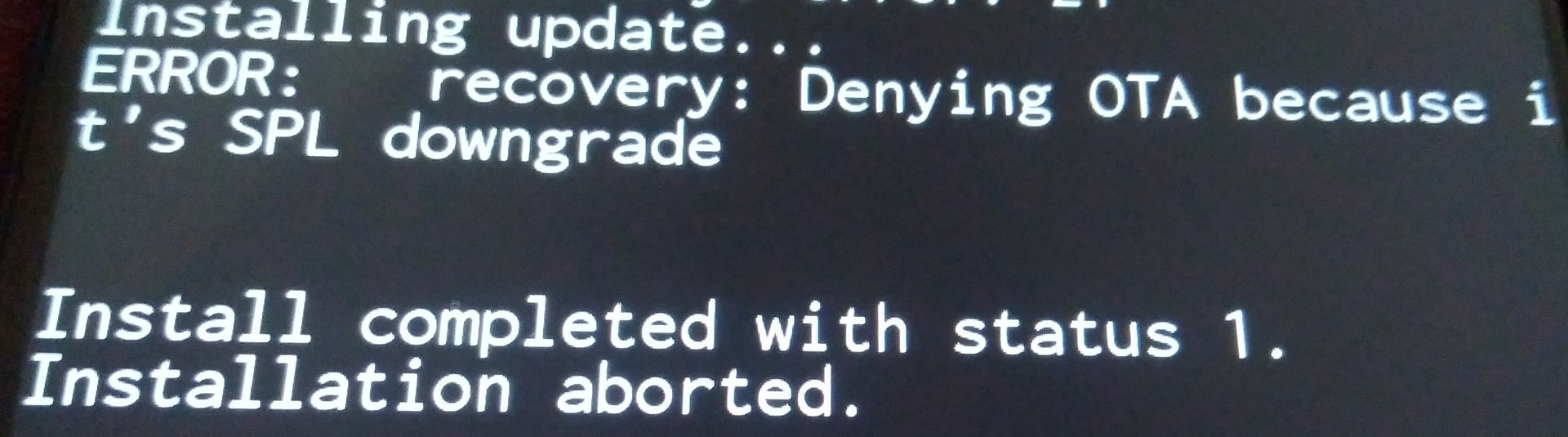
I was trying to figure out how to get around SPL downgrade error, but I didn’t find any solution for that. The problem is that I updated to the latest release of los-microg which is from June and iodeos is from May, and it won’t let me fash iode now. Any easy way to pass that on Samsung devices?
Try to downgrade the recovery too
Flash the los4microg recovery from May, available at https://download.lineage.microg.org/a21s/
You can also try this build:
https://sourceforge.net/projects/eosbuildsronnz98/files/OtherCustomROMS/iode/iode-7.5-20260607-a21s.zip/download
I added now the open source VoLTE for LineageOS on Samsung devices implemenation:
2 Likes
Question to the Devs:
Can this be integrated as standard in LineageOS or iodéOS?
That would also be a game changer for Samsung devices…
Thanks for quick replies! My knowledge is definitely limited, I’m just an average user who doesn’t like bloat and tracking on my phone.
Blocked by SPL downgrade again.
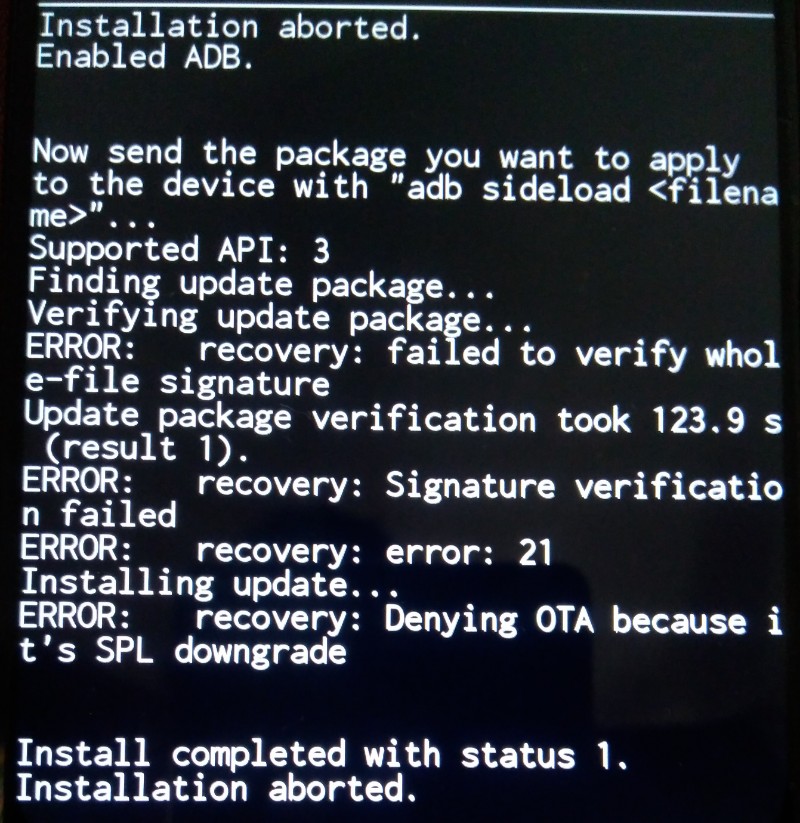
Brief summary of what I tried or not so far.
I tried to downgrade Recovery.img through Fastboot but while flashing, it became unresponsive, it always gets stuck & no progress is being made or throw some not enough space available error.
Also found some other info that I needed to downgrade 2 images, dtbo.img and vendor_boot.img in order to circumvent SPL downgrade, but there is only dtbo.img & boot.img files in Samsung’s los, no vendor_boot.
Other recommendation was to load back Stock rom and then re-do everything to bypass SPL downgrade (???), and for that I would need to do it through Odin, which requires Windows and a copy of original Samsung’s stock rom file that I couldn’t find anywhere for free because is behind premium access only.
I remember when I was using TWRP I was having much more options & I could switch between OSes in no time, any time, no date dependencies or any other roadblocks, by simply erasing entire OS and loading back whatever I wanted.
When on Stock rom, Samsung was communicating through Heimdall in order to load recovery and other files, but once you are on Custom rom I’m not able to use neither fastboot nor Heimdall anymore.
btw you can pm me or explain here out in the open, with commands examples, how can I do a simple SPL downgrade workaround. I couldn’t find any straightforward info on that. I’d like to know the how-to, can I do that with simple ADB command?
Side note for anyone considering buying a21s, los & los-microg are having local network bug. I emailed official maintainer thorough 2 different emails, but didn’t get any reply up till now.
Samsung Galaxy A21s + VolTE + Wi-Fi calling
SM-A217F/DS (a21s)
Firmware A217FXXSCDXE2 Android 12, One UI 4.1
ROM (A16) iode-7.5-20260607-a21s by @ronnz98
iodé-Recovery 7.5
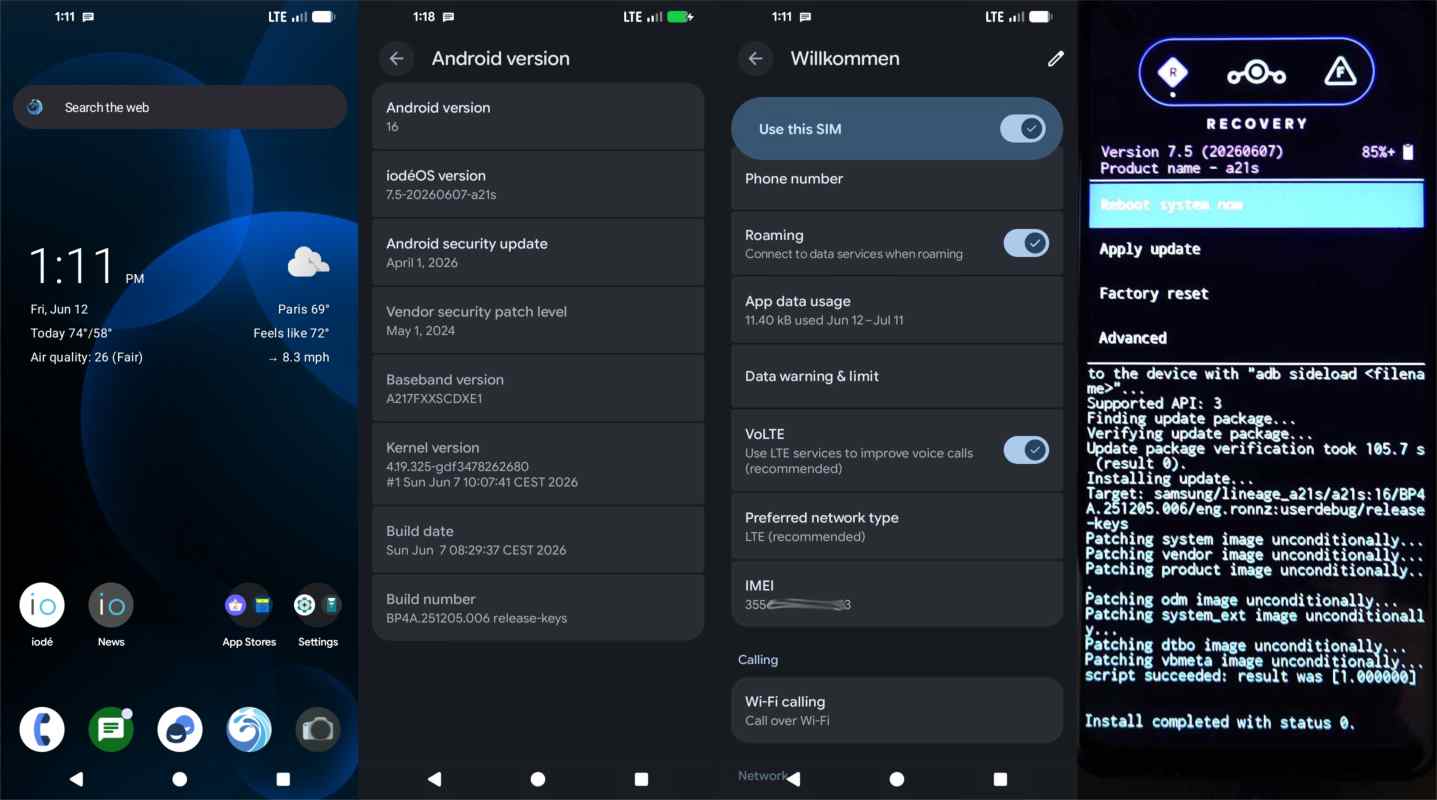
Flawless installation of iodé-Recocery and iodéOS-ROM
Great job, Ronald.  for you
2 Likes
So you can confim VoLTE registration with *#*#4636#*#* > Phone Information (v2) > IMS? Wow!
That would be great. I don’t use a Samsung myself, but it would really help iodé if they could at least tell interested customers: ‘You can’t use VoWiFi, but you can use VoLTE or Vo5G.’ For users in Switzerland in particular (who no longer have 2G or 3G at all), that would be a game-changer.
1 Like
-
what was your previous OS/Custom rom before you installed iodeos on your phone?
-
are you getting disconnected on local file transfer through your network?
-
do you have any screen tearing, did you turn off animations to fix it or did something else?
thanks