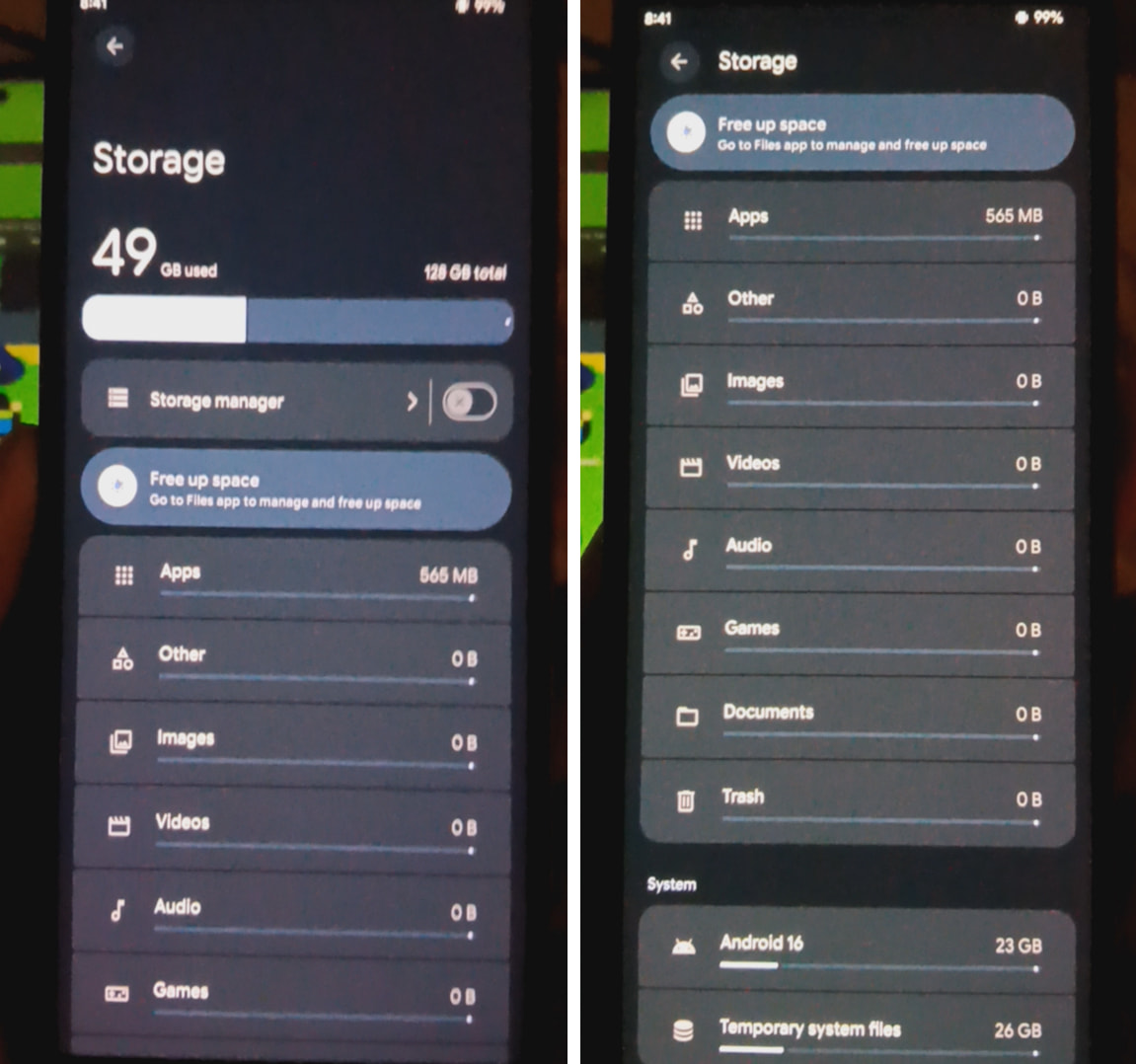
After a fresh installation with a lot of technical issues I finally got everything booting properly but I have way more storage used than I expected. Is this normal? What could I do to clear or reclaim the used space?
Right, that’s why I included it in the post. It doesn’t provide anyway to clear it, it just explains what the temporary files are and says the amount used may change over time. I was hoping to get help locating the files and deleting them myself.
This is a fresh install I did a few months ago and turned the phone off and put it back in the box after I was done, none of the applications have any data. When I was flashing the recovery I remember had some hiccups caused by some a/b partition nonsense but I was hoping I would be able to fix this without having to re-flash because I honestly can’t remember exactly what I did to get it working and I don’t want to have to put in more sleepless nights if I end up messing something up.
Do you have a work profile / shelter / etc. enabled? (PS I moved this to the broader discussion “System and Apps” category for discussion. if there is a valid issue here we can move it back).
Sorry for the late response, but this is just a side project so I kind of forgot about this for a while.
But to answer you, no. This is a completely fresh install with absolutely no changes made or anything done to it past the opening setup. It hasn’t ever even been connected to the internet. After I completed the install this is how it turned out. But as I mentioned above, it wasn’t a super smooth installation so I assume there’s some data or files in some hidden folder or partition and I’d appreciate if anyone could help me use adb or something to locate where it is and remove it.
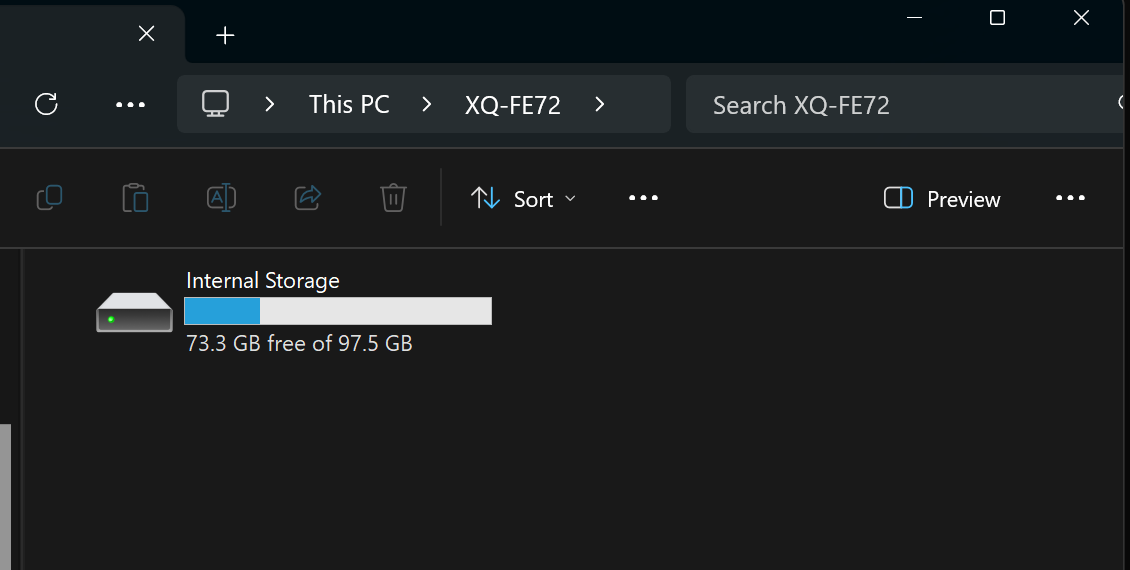
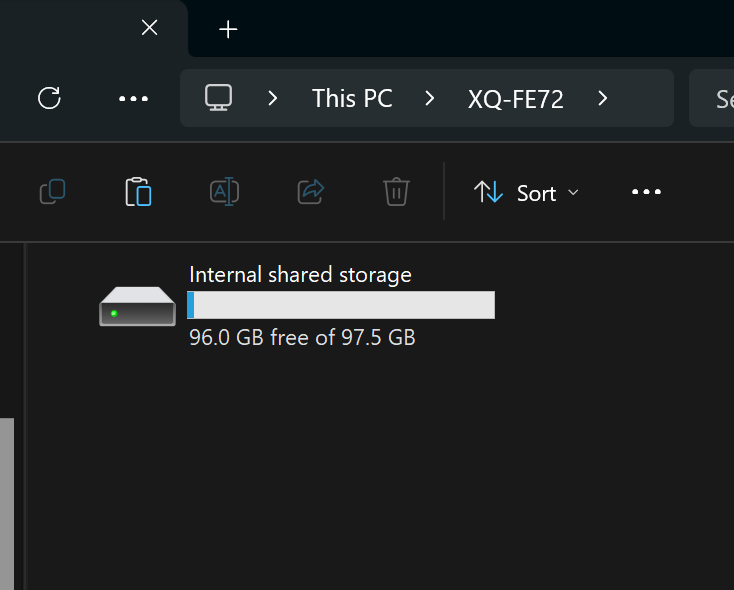
To illustrate the issue as clearly as possible the device is supposed to be 125GB storage but only shows as 97GB total.
Or alternatively would anyone be able to provide clear guidance on properly flashing this device? I actually had to use a guide for a Lineage Rom and figure it out as I went along since there isn’t an official Rom for my phone and I have to assume that’s the source of the issue because of trial and error with jumping between slots and flashing multiple img files to get it to finally boot.
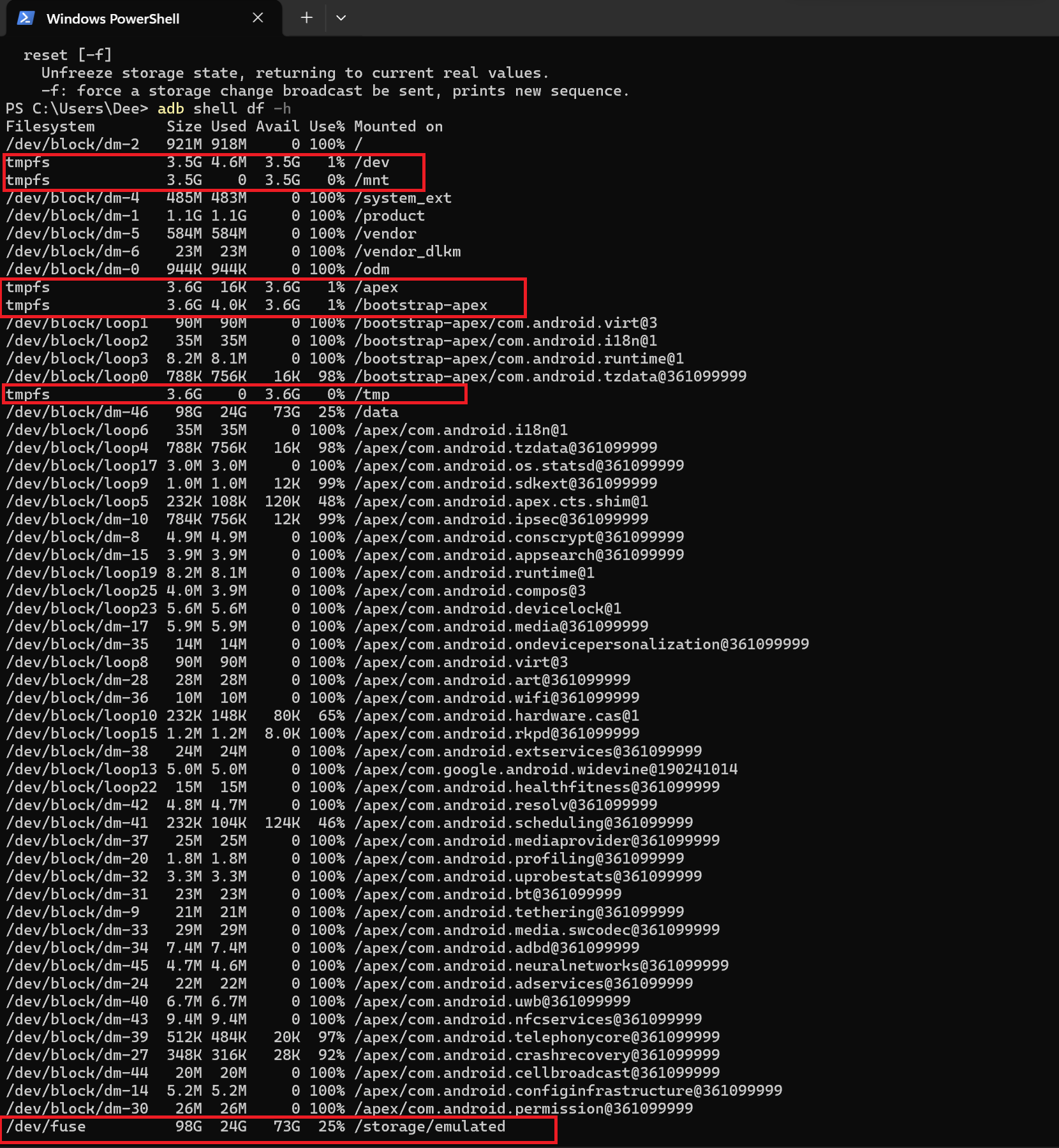
OK, so with adb shell I can see these random temp file partitions as well as fuse in emulated storage. None of them add up exactly to the nearly 30GBs that’s missing but I’m sure they responsible in some way. Is there anything I can do now?
I can’t advise what to do there, but it seems to me that something might have gone wrong with your installation. The screenshot in your top post shows the full drive capacity, yet your Windows screenshot shows a reduced capacity.
So what does Storage in your phone settings actually show now? If it’s the correct 128GB, and you still have that 26GB locked up in temporary system files, have you tried the suggestions from post #4?
If the device itself shows the wrong capacity, and you’re sure you have the correct build for your model number, then you might want to just install the build again and see if it corrects itself. (Note that I don’t have any history with instructions involving partitions, so research how to handle that, whether you need to re-do it, etc. Maybe ask here how best to handle it.)
Other than that, I’ve seen some articles on the internet about resizing the partition, but maybe that’s not something you need to do.
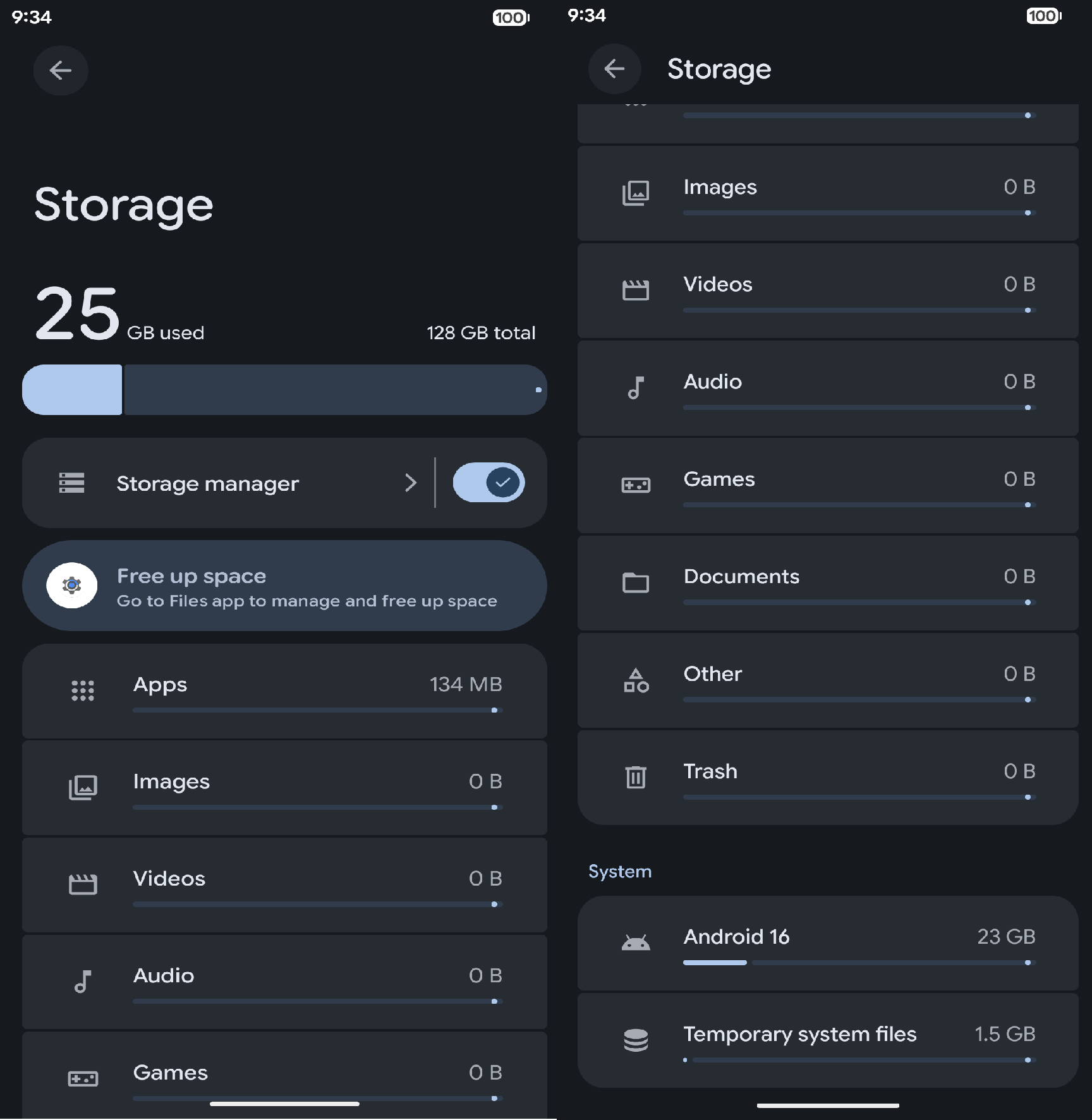
So I went ahead and reinstalled the rom. There was some improvement since the temporary system file space appears to have been cleared up , but the android system itself is still taking up more space than I assume it should and even when I went back to stock before reinstalling iode, it was still taking up about 25GB.
In my 9-year old Sonys running iodéOS (Android 14) - one 64GB dual-SIM, one 32GB single SIM - System takes up 11GB and 10GB, respectively, so it might not be so unusual for your very recently released Android 16 Sony with more advanced features to use a lot more space for System. I suppose that’s a question for other Xperia 10 VII users here, or in other custom ROM forums.
OK, but that’s your PC.
It also says you have 96.0 GB free of 97.5 GB, and you obviously have used more than 1.5 GB on the phone. This seems to be a Windows issue to me. Possibly it’s just excluding the System files from its declaration of drive size. Maybe connect the phone to a computer running a different OS or a different version of Windows. If you don’t have one handy, you could easily write (e.g.) Linux Mint to a USB drive, boot into it without installing anything, connect your phone and see if it’s different.
I have another phone comparable to this one with the storage issue and it’s running a similar custom android 16 Rom and it only takes up 9.6 GB. I’m positive that a stripped down debloated OS shouldn’t be more than double that size.
I also overlooked that the device would only show up on my PC with the potential free space minus the storage taken up by the system.
Super anti-climactic conclusion but I just got confirmation from another forum that the system size is correct. Not sure why it has to take that much space but at least know I can stop wondering if there’s something wrong with the phone.
Firmware blob size is my speculation. Maybe there are massive blobs that they have for their full device range or something and not stripped down for each device?