Hi,
I recently upgraded my samsung s10e from iodé 4.x to iodé 6.6.
I’ve had several issues with apps that used to work fine, among them is my banking app.
Fiddling around I noticed that micro-g checks are OK, but SafetyNet attestation test is reported as failed.
Now I suspect many of my problems come from this SafetyNet attestation issue.
Any guidance to solve this issue would be appreciated,
Thanks in advance
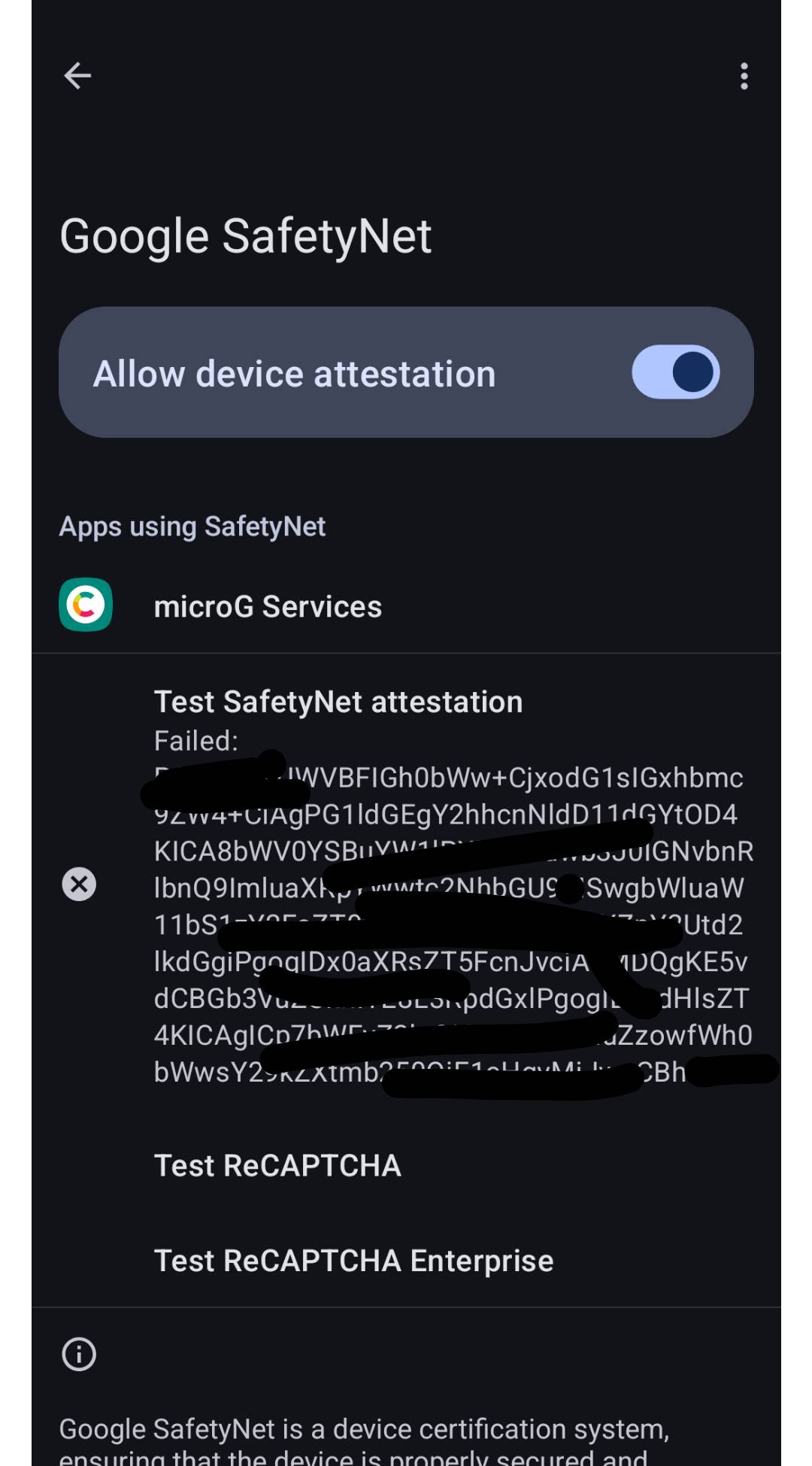
Just to say I have now the same issue with my FP5, iodé 6.6
I am not able though to pin point when it has started to fail. I thought it might have been related to Magisk un-installation, but not sure anymore.
Sadly, my understanding is that in the past few weeks Google shut down the SafetyNet server. It has been “deprecated” for some time, but it was still valuable for us as microG can’t pass full Google Play Device Integrity checks.
I am not sure if there is anything we can do, but just noting it isn’t other parts of reinstalling, upgrading, etc. that caused the issues, instead Google just took their ball home so we can’t play anymore.
Interesting news. Thanks for sharing @rik
Too bad. Thanks for the info.
I read safetynet was being deprecated, but I didn’t know I would be affected.
I wish I’ve had the time to upgrade my phone a few months ago, but it involved a reinstall and quite some time to set everything up again… So I had to find the right moment to do it.
I just wish I had been warned about this beforehand.
With such an issue, it’ll be difficult to promote alternative android ROMs.
Hoping for a fix.
I don’t exactly follow you here: if you would have reinstalled a few months ago it would be the same issue: it isn’t the install itself it is the backend at Google that was shut down. So on my same install Safety Net passed until a few weeks back, now it doesn’t (due to no server to pass the test).
Well it used to work on iodé 4.x, so in my case I believe it’s a one-time validation: once the app is set up and working, it keeps working.
Upgrading with a full reinstall is like getting a new phone, which has to be validated.
Hence if I had installed iodé 6 earlier enough, I think I would have been able to set up the banking app and validate the phone before google shuts off its backend.
The same thing is happening to me, and I think an app isn’t working because of that error. Is there a solution or temporary fix?
Which app? Most of the apps I use have continued to work since Gogle took the SafetyNet API offline. It has been deprecated for long enough that app developers should have changed their apps to use different attestation methods.
The ‘solution’ would be for the app developer to release an updated version of their app
Or microG being able to pass google play device integrity checks.
Or app developpers stopping to use these.
Or google stopping messing around, and trying to get rid of alternative ROMs.
So basically there’s no fix at the moment.
I found several apps that don’t work properly.
The “Mercadona” supermarket app doesn’t log in.
The Glovo riders app crashes when loading or trying to load the map.
The Freenow taxi app doesn’t load the main page where the map is located.
These are the ones I found, and they are all related to Google and, I imagine, to microG.
There never will be a fix as the proliferators of the virus commonly referred to as google will just respond with another ‘security upgrade’ so as to thwart any further attempts to mitigate the problem. There is only the one effective fix available to us in reality and that is to accept the fact that if you want the benefits of privacy that open source OS’s bring, you have to be prepared to give up your dependencies on screwgle.
I would think map related errors are due to no Google Maps (which … !yuk! you could install if you want). Do you have “Location” settings active and enabled in microG?
Or I wonder if you tinker and add *.maps.google.com as links that open with CoMaps etc. if that would help?
Another possibility is installing the “Google Maps stub”, this has no network connection it just helps the phone report that it is installed (but it isn’t of course :-). You can get that from here:
Thanks for the support, Rik. The funny thing is that I do have Maps installed, but unfortunately it’s the only Google app I can’t get rid of.
OK so I guess that isn’t the part that is causing the problem 
Just to confirm, what about your microG settings, are all bits enabled in the “Self Check”, “Device registration”, “Cloud Messaging”, “SafetyNet”, “Play Store Services”, and “Location” sections?
everything activated, safetynet certificate gives an error but everything is activated.
They also fail me on my pixel 9 with iodeOS
Hi. I might be facing a similar issue with Garmin Connect. To be confirmed though, as it started to fail launching just after a recent update.
See GArmin Connect app: latest verrsion not working, but workaround available - #5 by brazzmonkey
And downgrade to garmin connect 10077 for the time being.
Ohh, SafetyNet is obsolete? I guess I re-locked my bootloader for nothing then…