Preinstalled applications that are disabled cannot be installed again.FP5, iodéos 6.6
THANKS
1 Like
More information needed: Do you mean under System Settings > Apps > Preinstalled apps they can’t be re-selected? Or other?
yes, in “settings”, “applications”, “pre-installed applications” I deactivated some applications, the applications are uninstalled, then I wanted to reactivate them, in the menu it works but in reality no program is visible among the applications.
Merci
Did you try rebooting the system? Changes in system apps require a reboot.
1 Like
I got a problem which is more or less equal:
- First boot Wizzard, i installed F-Droid (but not CoMaps).
- Then i install over fdroid CoMap and Setup Private Space. (And Reboot)
- Then i deinstall fdroid over settings and reboot.
After that i have the shown Problem: Icons of not installed application appear (of the preinstaller iodeos) in Launcher. Install official Fdroid over Browser does not work (it try to update, but Signaturen failure), but there is no fdroid in launcher.
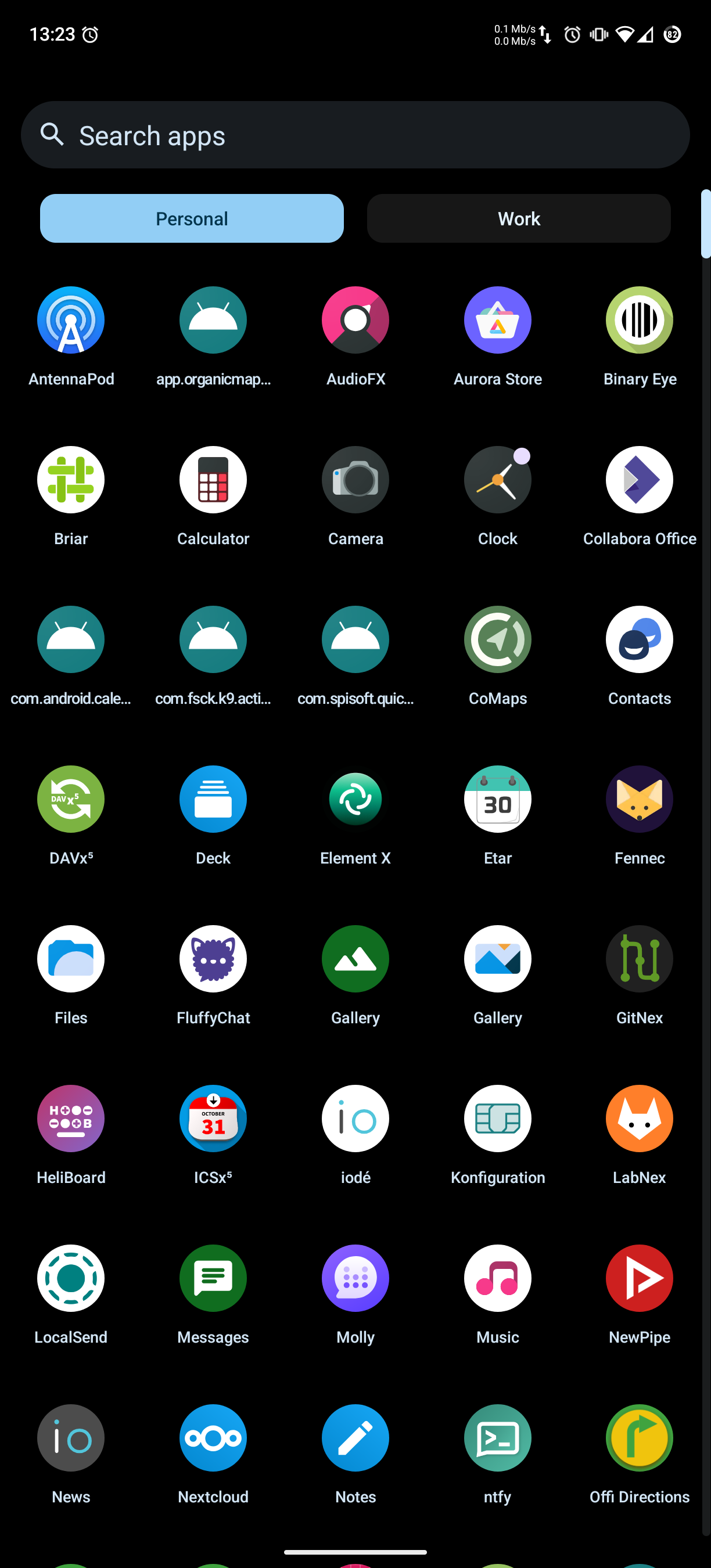
No one in the Matrix room could help me, so i signup here and hope this helps. (Not a nice Start after switch from calyxos …)
So the preinstalled application manager has also problems withicon and namens:
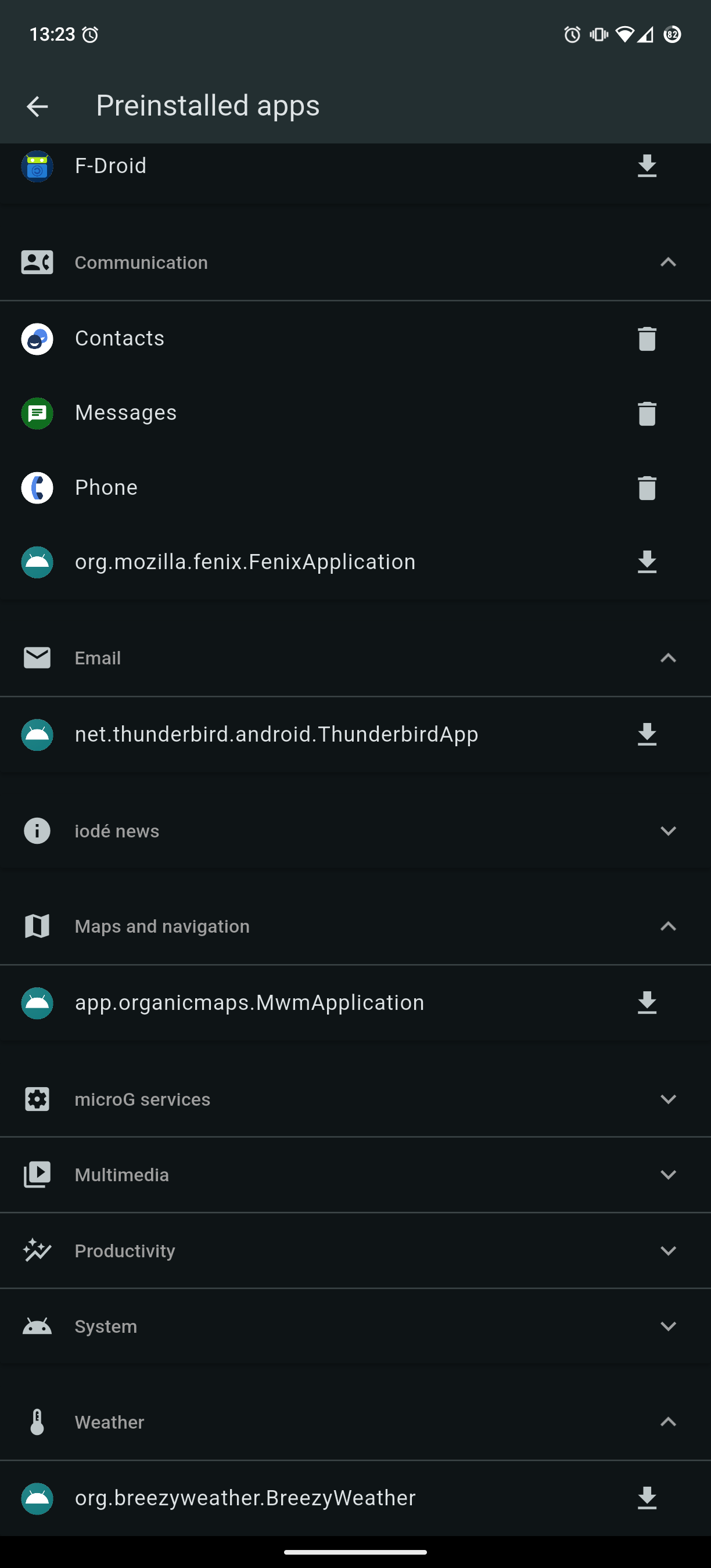
PS: an extra reply because i could not upload two pictures
Hi.
Have you tried to install the same apps using F-droid repo and not iodé repo, before restarting the phone?
Because it is what I did with Aurora (wanted to downgrade version by using F-droid one).
It ended up with not being able to install Aurora again; actually, installation process seemed to work but no application was visible.
I solved it by uninstalling both F-droid and Aurora through System Settings > Apps > Preinstalled apps , phone restart, installation again of F-droid and Aurora through System Settings > Apps > Preinstalled apps and one more last phone restart.
I think the scenario is a bit complicated, that is why it got “hard to reply to” on the Matrix room, it isn’t a great format for back and forth troubleshooting sometimes.
The key concept that makes it a bit confusing is that by using the Preinstalled Apps menu it controls adjustments to what is accessible in your user session to/from the base image overlay, it doesn’t truly uninstall the app in the normal way (since they are part of the base images). Instead, on next reboot, it will deactivate the app and disconnect it from your user session (I think this is how it works). You can still find it after reboot if you open **Apps > All Apps > Show System > search", but it will report a size of 0. This would then stay persistent after OTA updates, since again the read-only root system would have the app, but it is effectively disabled and disconnected from your user session according to the Preinstalled Apps configuration.
To your questions, for the app names still showing their package names in the main menu, I have seen others with that issue, but I can’t reproduce it. This is after you restart once you “delete” them from Preinstalled Apps?
About F-Droid installed from a downloaded .apk after deleting from Preinstalled Apps, this is a bit of complicated scenario. Is the motivation you want to ensure it is the correct upstream source for trust? I would have to check on how to do that, I do see an error like you see, but can’t work out why.
I think this is expected for “deleted Preinstalled Apps” as the package isn’t accessible from your user session anymore it doesn’t read the package metadata to get the icon, friendly display name, etc.