Hello, I found a problem on my Pixel 9a concerning incoming calls.
When there is an incoming call to my phone, the call does not ring and just shows “missed call“ notification. For some reason, calls from T-Mobile show the missed call notification and also ring (i have T-Mobile CZ, so maybe that is why it works). I can make outgoing calls to all numbers no problem.
This problem seems to “get fixed“ for a few minutes (up to 30 minutes, but sometimes less) after restarting the phone. Turning airplane mode on and off does not help.
I tried using another SIM card and the problems were the same. Using mobile data works with no issue. There is an “‘!“ next to the 4 bars showing signal strength.
I am running the latest iodéOS on a new Pixel 9a. I had the bug in the previous version of iodeOS as well. If anybody can help, please contact me, if you need some settings of logs, feel free to ask, but I do not recall changing anything regarding SIM/calls since installation.
Likely your Access Point Name (“APN”) settings need to be adjusted to accommodate your carrier. You can find these settings under “System Settings > Internet & network > SIMs > (your sim) > Access Point Names”. Let us know what is listed there.
But since cellular data works it is a bit more confusing, that should mean your APN is correct. But since you report a ! that is typically what shows when cellular data is not connected. So again a bit of confusion here!
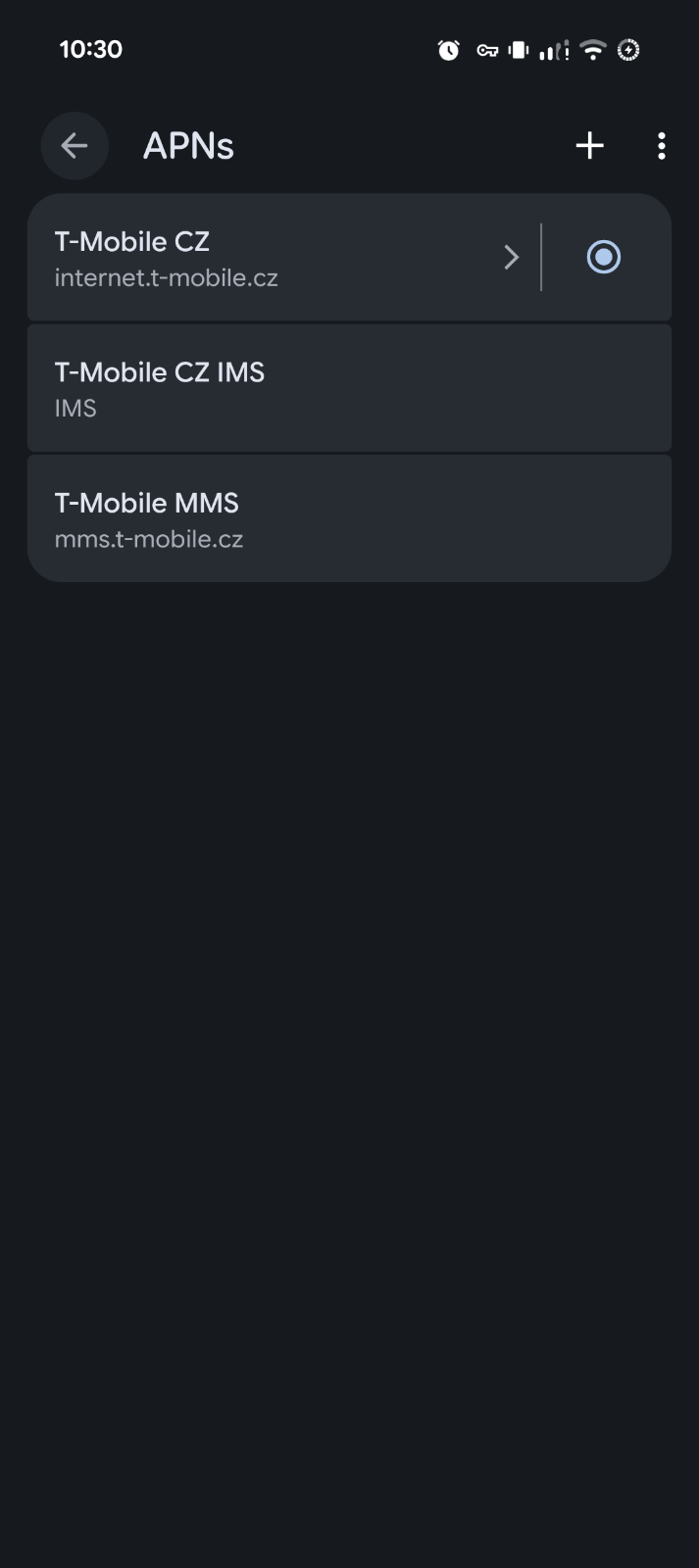
Here is a screenshot of my APNs. I have used the came SIM card in a Pixel 7a with CalyxOS and both calls and data worked with the “!“ being there. So I don’t know what might be the issue. I did not change any of these settings since installing iodeOS. The forum doesn’t allow me to post multiple pictures so the detailed settings are here:
I had a hard time translating all of Návody k zařízení - T-Mobile in order to get more definitive APN settings, but I do see several places saying you do not need a username / password / server filled in (you have a 1 character server name that is strange). But that is for the “internet” one, which gives mobile data. If that is working I guess don’t mess with it.
The “IMS” one is how VoLTE (“4G Voice Calls”) is registered btw: and I see that you have “Unspecified” in the “Network Type”. You will want something there like 5G / 4G / etc. So start by changing that (after a change, you will want to go to airplane mode for some seconds then re-enable). You can then check the status of VoLTE registration by using *#*#4636#*#* and then going to “Phone Information > 3 Dots > IMS Status”