Lots of unused space near screen edges, harder to hit buttons (Shift8)

I don’t know how much of this is because of Iode or Android 16 or this phone model, but compared to my previous phone, I notice a lot of unused space, mostly at the sides and bottom of the screen. That also makes it harder to hit buttons, because their hitboxes end slightly before the edge of the screen, so touching the edge does nothing.

Here are some examples, with “show layout bounds” enabled:
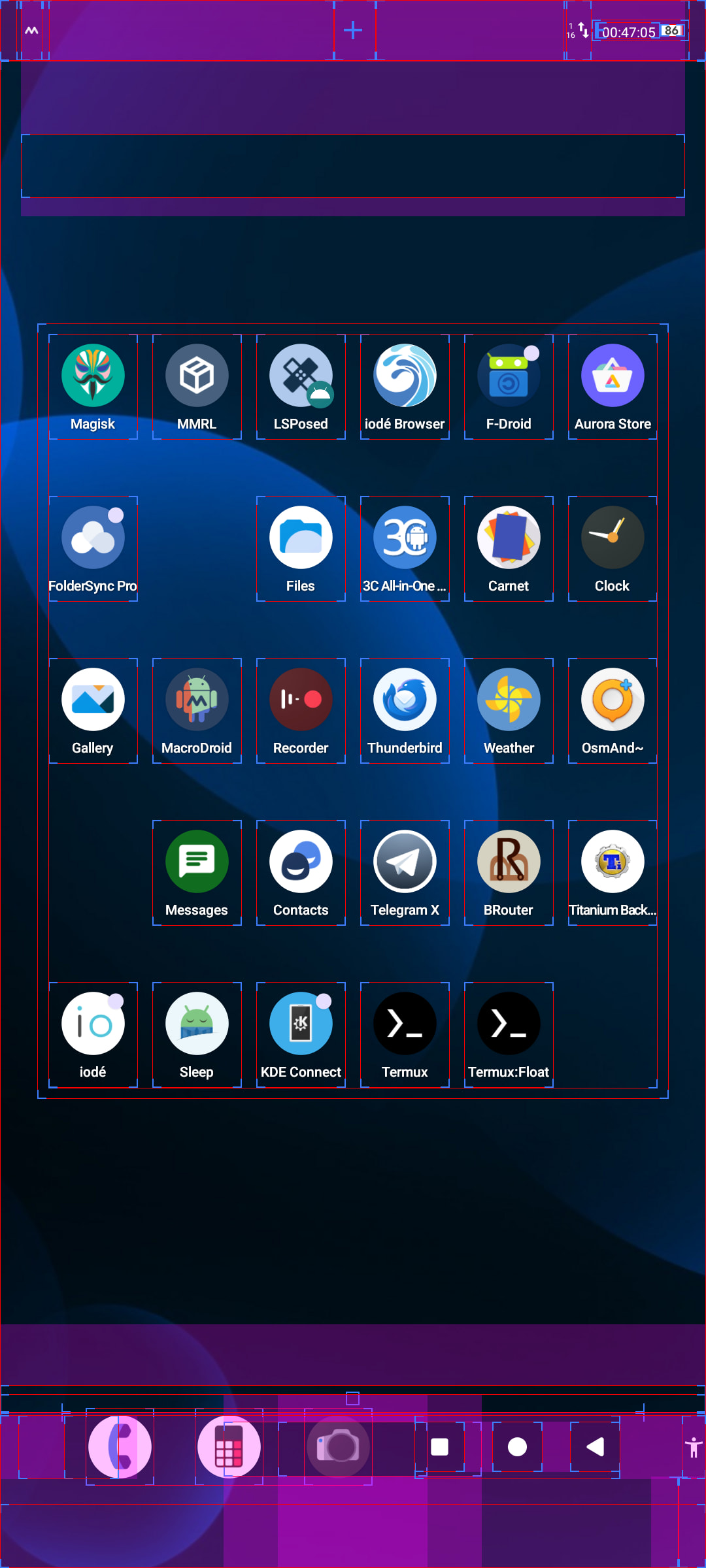

The default launcher only has 5 rows of icons, even though it could easily fit ≈8. Also, the navigation bar moves up for some reason, as if there was supposed to be something below it, but there isn’t. The only thing that’s actually at the screen edge is the accessibility button and that is so tiny that it partially disappears behind the rounded screen corners (not visible in the screenshot).
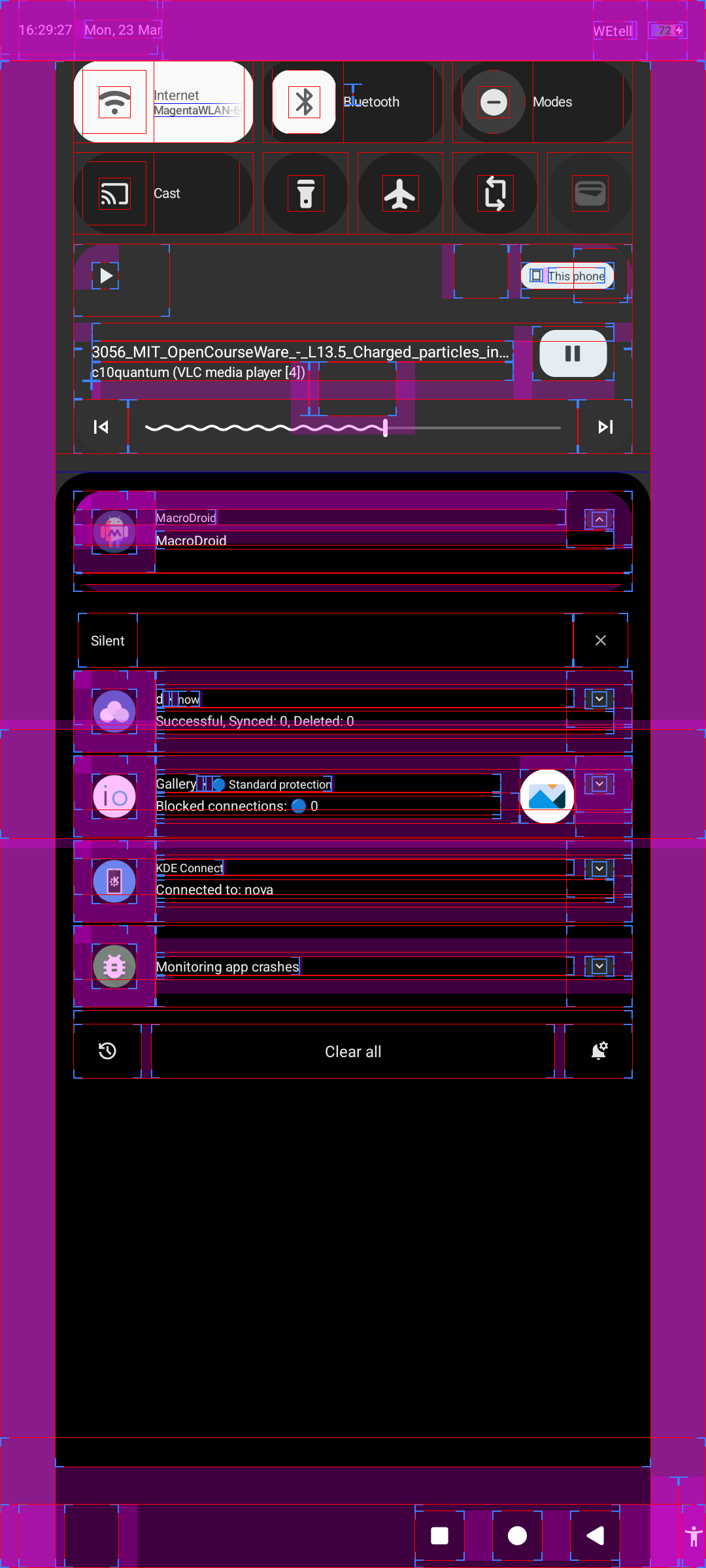

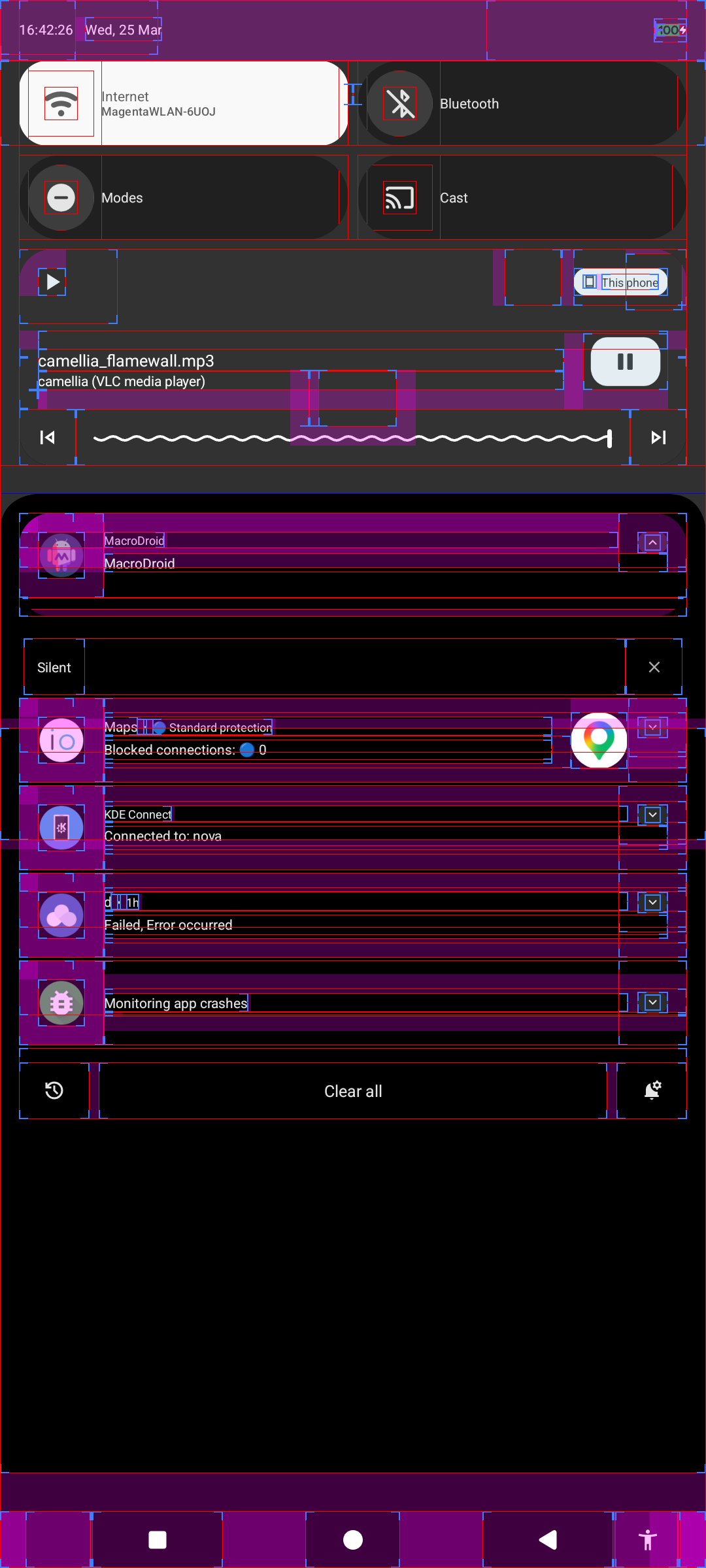
The notification area is way narrower than it could be. Clicking on the leftmost or rightmost 112 pixels does nothing. Clicking the bottom 11 pixels of almost any screen also does nothing, because the navigation bar buttons have raised hitboxes. Those especially constantly cause mispresses for me.
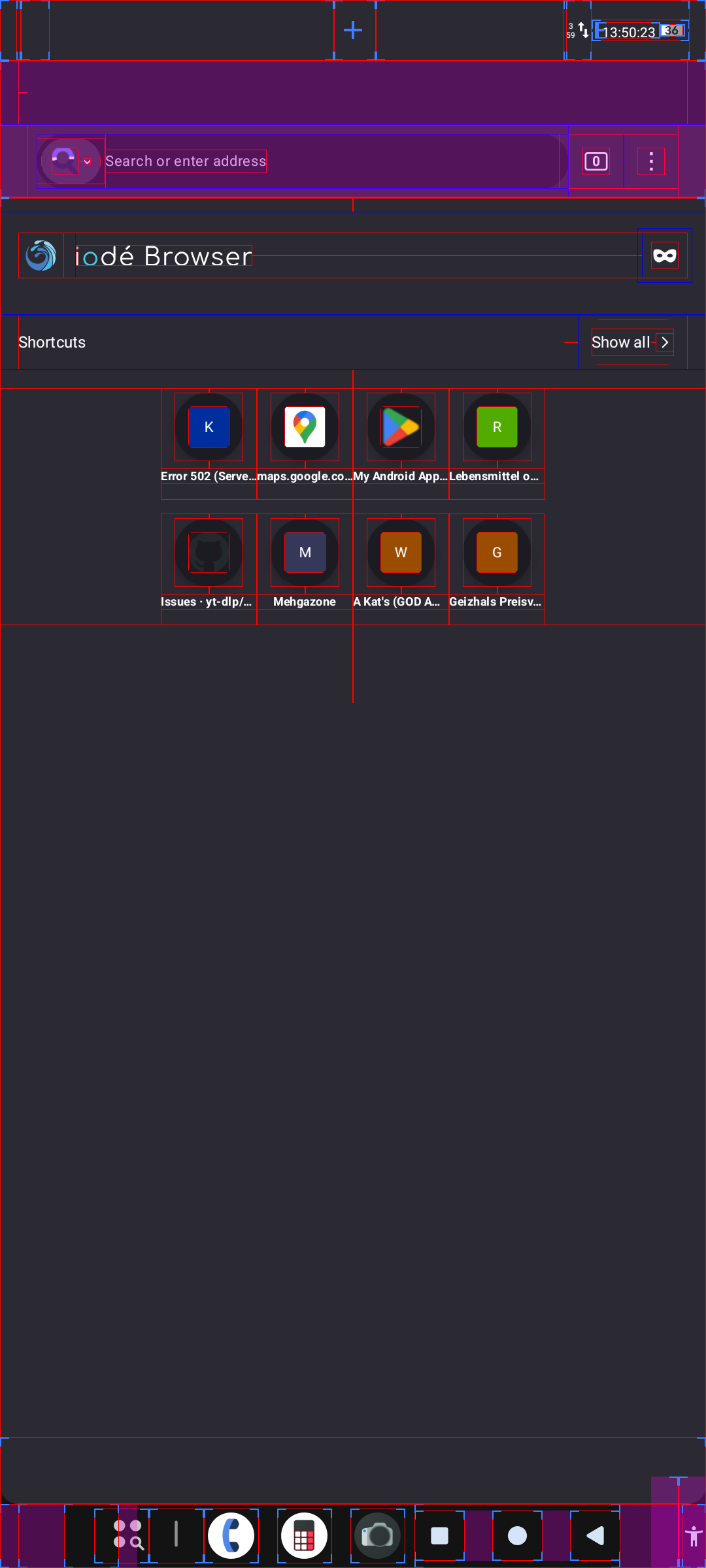
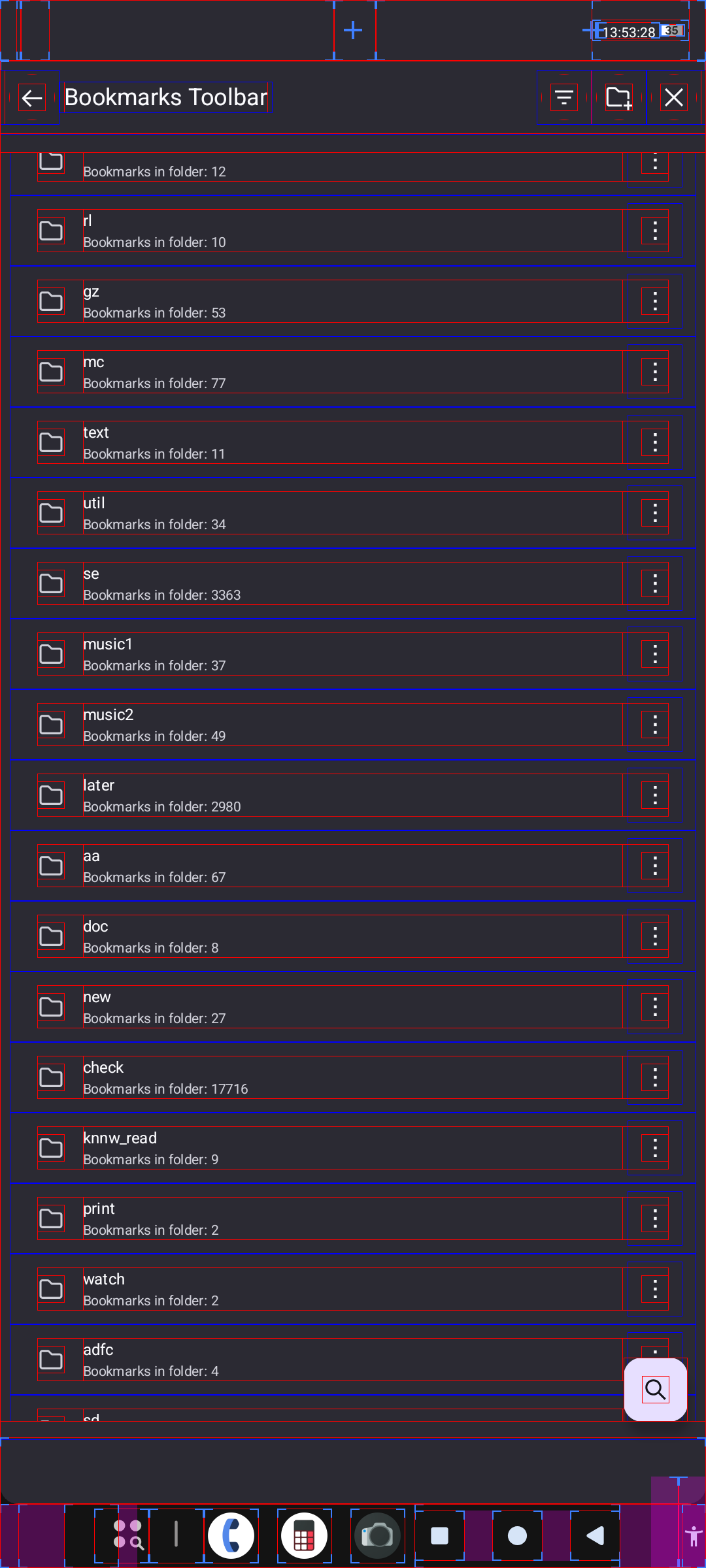
In the browser, the search provider selector and back button aren’t clickable at the left edge, the three dot menu, the incognito button and the bookmarks close button aren’t clickable at the right edge and there’s some mysterious empty rectangle near the bottom. (The empty area at the top is normal, I enabled the tab bar.)

This continues across many apps and system components.

This reminded my of this part of a Computerphile video: youtu.be/E3gS9tjACwU?t=317
On phones, it’s not quite as extreme as with a cursor, but having hitboxes at the screen edges still makes them quite a bit easier to press, it effectively adds half a finger width and the touch detection precision to the width of where you can click, making it trivially easy to hit. That’s what most of these buttons should be, so I’m surprised that so many hitboxes end shortly before it, requiring considerably more precision. I haven’t used this system while walking or on my bike yet, but I can imagine that I would really struggle to control my phone with just the slightest motion.
Is there some reason for this hitbox/UI element placement? Could it be changed in an update? I’ve tried different cutout shapes in developer options, that didn’t help, only “waterfall” made it even worse.
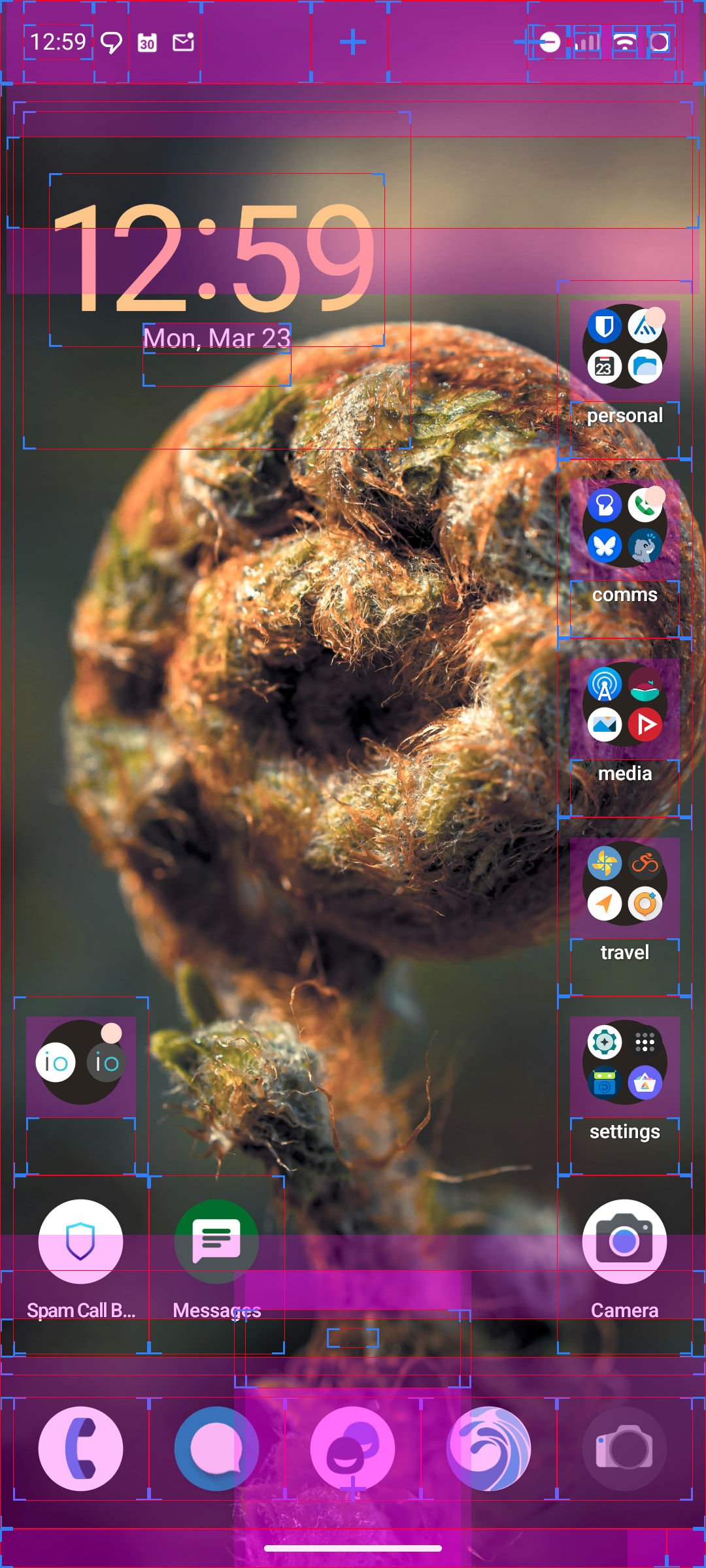
First, please clarify what device you are on, then some quick replies (but not comprehesive)

You can change this 5x7 (my preference) by long-pressing and opening “Wallpaper & style”. I did think there use to be more options there, but I only see 5x7 and 6x6 as the highest density. Maybe there are hacks for this (I would hope a custom launcher would not be needed).

Also I am a bit confused by your screenshots showing the 3 navigation buttons to the side of your “pinned apps” at the bottom? Possibly you have “one handed mode” enabled, or maybe another option which is interfering somehow? Here is my default screen on a second test device:

Certainly there is more to discuss, but that is just some quick feedback in to get the conversation going.

I’m using a ShiftPhone 8.0. I installed Iode with the (manually line by line executed) script from GitLab.

In “Wallpaper & style”, I only see wallpaper, colours*, contrast and “icons”, which contains only shape and “themed icons”.
I can of course use a custom launcher and might still do that, but mainly this was meant as one example of the general tendency to have almost nothing interactable at the edges. For example I just tested the back button and hamburger menu in the preinstalled Contacts, Clock, Calendar, Calculator and Carnet and also in later installed Sleep as Android, KDE Connect, 3C toolbox, Termux and VLC, in all of those touching the left edge doesn’t activate those buttons. In OsmAnd and Telegram X, it does work, but those seem like they replace a bunch of standard UI elements with their own versions. In MacroDroid, only the hamburger menu on the start screen is affected, but not the back button. So I guess that some UI library that a lot of apps use does this.

How would I enable or disable this “one-handed mode”? There’s nothing in system settings. At least nothing relevant shows up when searching for “hand”. (But at least settings search actually works, which it didn’t on all my previous phones.)

*That’s really nice to have, BTW, because setting the Hubble deep field as the background image makes all UI elements an ugly dark beige and Vanilla Android gives no option to disable that. I used to need a third party live wallpaper that pretends to have a different colour. Now I can just set the colour directly.

There is so much that is strange about your screenshots and descriptions that I can’t sort out where it is going wrong, but I don’t think your display interface is arranging correctly for some reason. I added “Shift8” to the post title and tags so we can see if others with it can comment. Can you confirm your iodéOS version from “Updater”?

There should be “Layout” there below “Icons”? It not showing that seems not right, again I am confused what is going on!

You can find it as an option to add under “Quick Settings”, or instead find it at “System Settings > System > Gestures > One-handed mode”

I do think that the move to “Android 16 QPR2” / iodéOS 7.3 just did do some refactoring on layout which keeps pushing toward the “3 button layout” instead of “gesture layout” as the focus of their development. For example, the space at the sides may be due to “short back swipe on either side of the screen is the back arrow”, for example. But again, what you describe and show in your screenshots seems beyond this, it is something not right with the display layout??

Other Shift8 users able to comment?

Updater says: “iodéOS 7.3, Android 16, 4 March 2026”
Maybe it’s relevant that I have a ShiftPhone 8.0, which is probably rarer than ShiftPhone 8.1? But the only differences there should be an issue with the backwards camera and no 2G support.

Weird that one-handed mode doesn’t appear in settings search. When I enable gesture navigation instead of 3 buttons, the navigation bar disappears and accessibility stuff gets moved to floating buttons, but otherwise not much difference. When I then enable one-handed mode, nothing visibly changes.
Swiping from the screen edge only acts as a back button in gesture navigation mode.

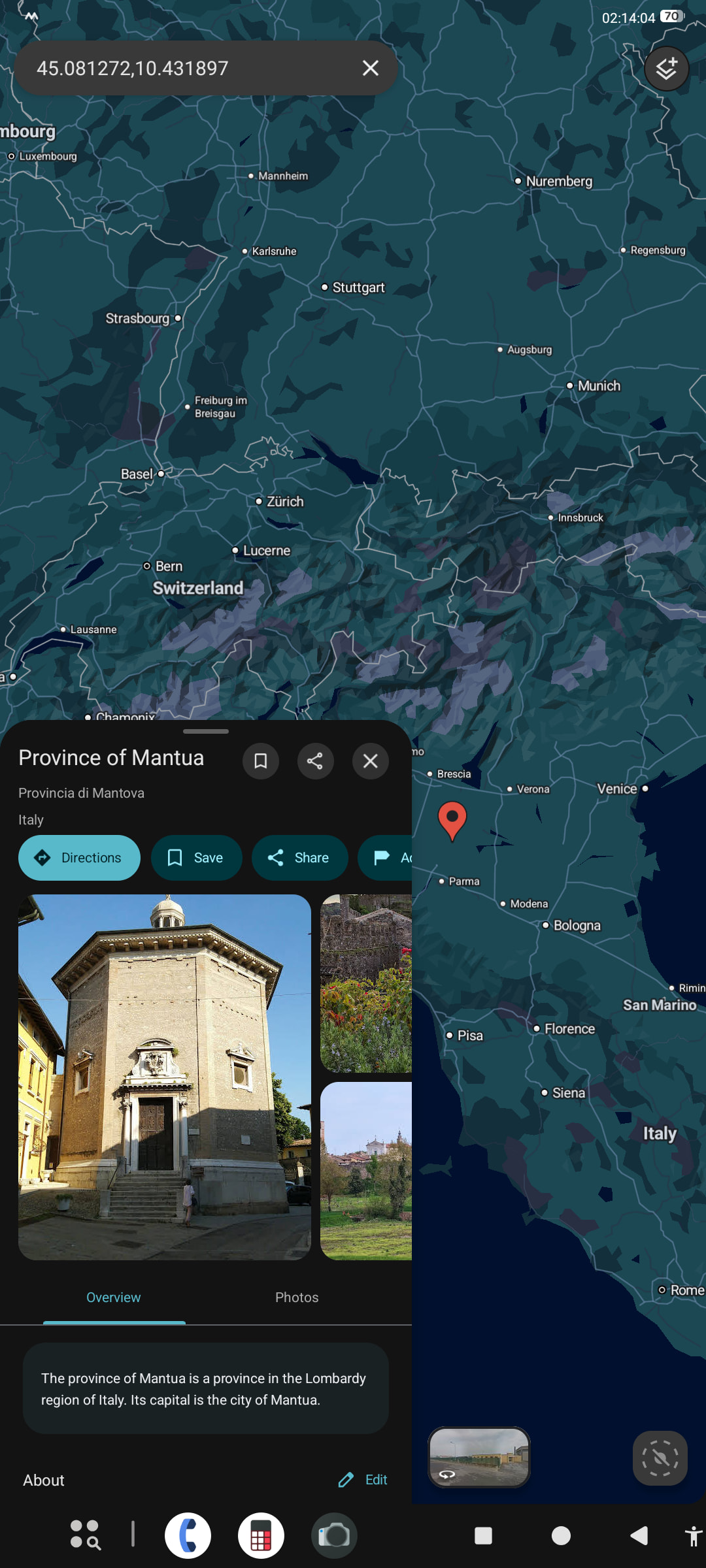
Google Maps has a very weird UI! Maybe this is for tablets? The phone’s resolution is 1080×2400.

Yes maybe you are in “tablet mode”! Your navigation bar (and other bits) just aren’t right! I am on a Pixel 7 Pro with 1080x2340 set as the resolution, but I can even enable 1440x3120 and don’t have what you have.

I think that you have to hack a bit in “Developer Options” to change the DPI in order to have “Tablet mode” exposed or not (but this may be outdated info): https://droidwin.com/how-to-enable-tablet-mode-and-get-taskbar-on-any-android-device/

And that taskbar isn’t exactly what you see.

If you don’t mind, can you check if creating a secondary user shows the same issues?

Ah, that does change things! It was 617 before, setting the value to 600 or above causes that mode, 597 and below looks much more familiar from previous phones (and 598 and 599 jump to 600). Google Maps now looks as expected, I can set the home screen grid size and the accessibility button is in an accessible place. But I also get less quick settings and no more app icons in the navigation bar, so not sure if I prefer this. It also doesn’t affect the back buttons and other things that are not on the edges.

1 Like

Phew! I am very surprised it was so high by default, but I’ll keep it in mind if others get in the same situation.

Certainly there is a fair bit of wasted space, I am not denying that. Note for “Quick Settings” you can now modify them to be “squares” for some you don’t need the big wide button for.

I’m not so concerned about a couple empty pixels, the issue is more the unnecessarily necessary precision for clicking things at/near the screen edges. See video above about “Fitt’s law”.

Shift 8.1 user here. The setting is set to 429 by default (never changed that setting after clean install). So maybe you changed that by accident? Did xou import a seedvault backup after installation? (Just an idea why this may be changed on your device)

I did not restore any backups on this system. Since I got this phone, I installed Magisk on the Vanilla system, restored a bunch of app backups there, then recently deleted (system_ext|product)_[ab], replaced system.img with a GSI version of “Evolution X”, deleted user data, did basic setup without restoring any backups, but found a bunch of issues with that system, then did the Bash script installation of Iode (except for relocking bootloader). On the new system, I restored a few app backups, nothing system-wide.

The lower I set this setting, the larger all UI elements become, so 597 is definitely a better value than 429. Maybe it’s influenced by the normal UI scaling setting? I always set that to minimum immediately, from the first welcome screen of any new system.

That’s it. Standard UI scaling uses that width. When I set the UI to the lowest setting, it is width 617 then.