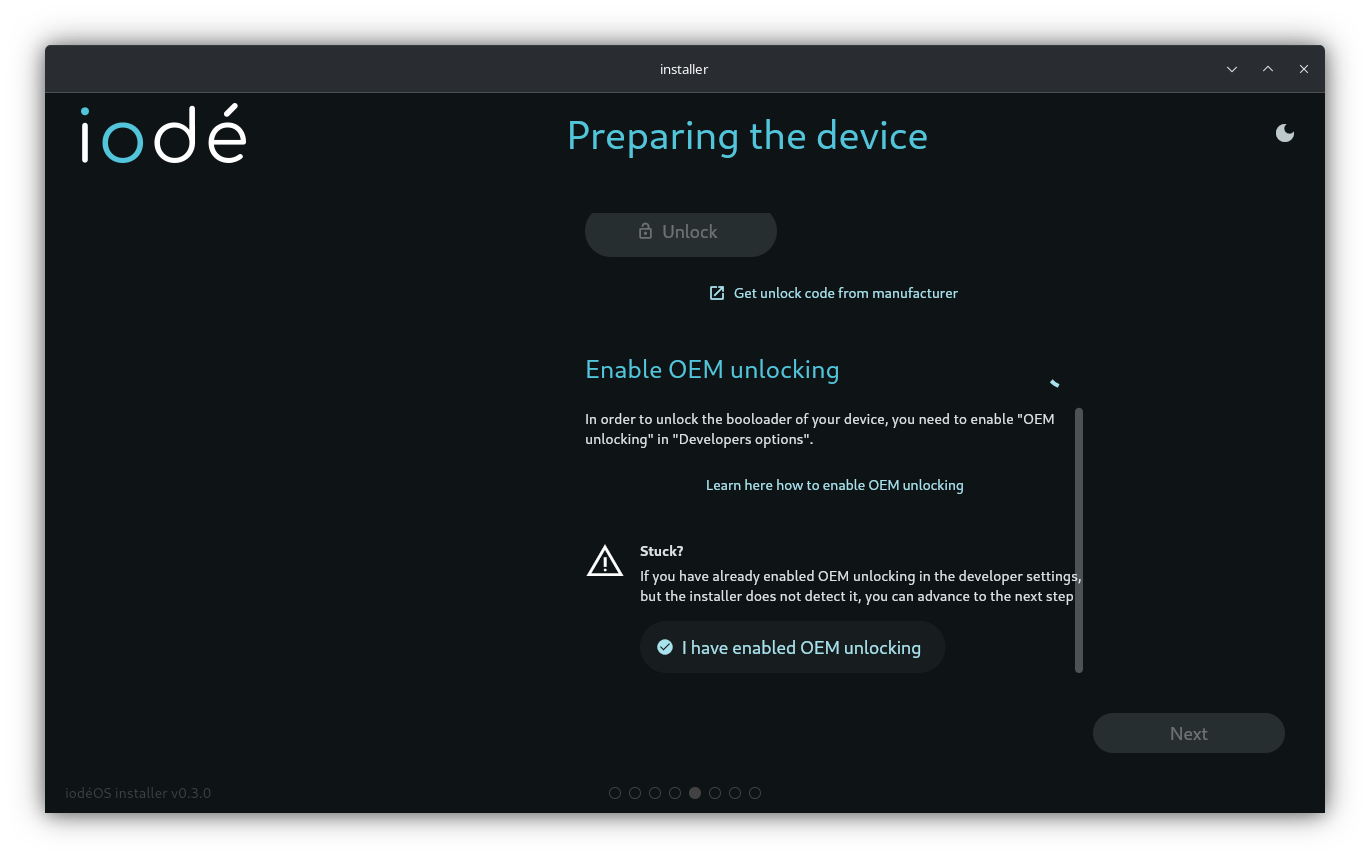
Trying to install iodeOS on moto g32 with lineageOS. The iodeOS installer recognizes the phone, USB debugging is on in Developer Options, but prompts to enable OEM unlocking. Bootloader is already unlocked, but within lineageOS there is no OEM unlocking option. Looking online, it seems lineage hides the option (at least in version 21).
I searched the iode site and did not find manual files to download and install iodeOS on the g32 using adb/fastboot. Is there a way to find/download these files, or would the only way be to go back to stock android so that the installer can see the bootloader is unlocked?
I have been using mostly lineageos for a while and am used to the unlocked bootloader, so didn’t have desire to risk the headache of bootloop or brick. Overall installed smooth and runs smooth. Thanks.
You don’t have “System Settings > System > Developer Options > OEM Unlocking” or “Allow OEM Unlocking”? Maybe the way Motorola does it is different, but this is available in LineageOS for Pixel, for example?
My Motorola G32 had the OEM Unlocking option in the stock OS and I have it now in iodéOS - if that helps you out.
For the stock OS, I followed this manual. After I had become a developer (haha), I had to wait for 7 days (checked daily), until the OEM unlocking was possible (grey until then). Maybe others don’t have to wait that long, but my G32 was brand new at that time.