IodéOS installation failed on a Oneplus 9Pro

I tried to install IodéOS 7.5 on my new phone, a Oneplus 9Pro, but I failed badly :frowning:

I’ve followed instructions from https://gitlab.iode.tech/ota/ota and downloaded and checked iode-7.5-20260506-lemonadep-fastboot.zip from https://gitlab.iode.tech/ota/release/-/tree/master/lemonadep

I’ve done well first steps : OEM unlocking, adb reboot bootloader, fastboot flashing unlocking, I’ve accepted unlocking, and then I run ./flash-all.sh from my Linux laptop : the script start working well, with a lot of actions ending with OKAY, but at some time, one operation failed, and the phone rebooted :frowning: . It was with these traces :

extracting super_empty.img (0 MB) to disk… took 0.000s
Sending ‘super’ (5 KB) OKAY [ 0.001s]
Updating super partition OKAY [ 0.010s]
Resizing ‘odm_a’ OKAY [ 0.005s]
Resizing ‘product_a’ OKAY [ 0.005s]
Resizing ‘system_a’ OKAY [ 0.004s]
Resizing ‘system_ext_a’ OKAY [ 0.004s]
Resizing ‘vendor_a’ OKAY [ 0.004s]
Resizing ‘vendor_dlkm_a’ OKAY [ 0.004s]
extracting super_empty.img (0 MB) to RAM…
extracting odm.img (607 MB) to disk… took 2.523s
archive does not contain ‘odm.sig’
Resizing ‘odm_a’ OKAY [ 0.005s]
Invalid sparse file format at header magic
Sending sparse ‘odm_a’ 1/3 (262140 KB) FAILED (Error reading sparse file)
fastboot: error: Command failed
< waiting for any device >

I got a strange screen like this :
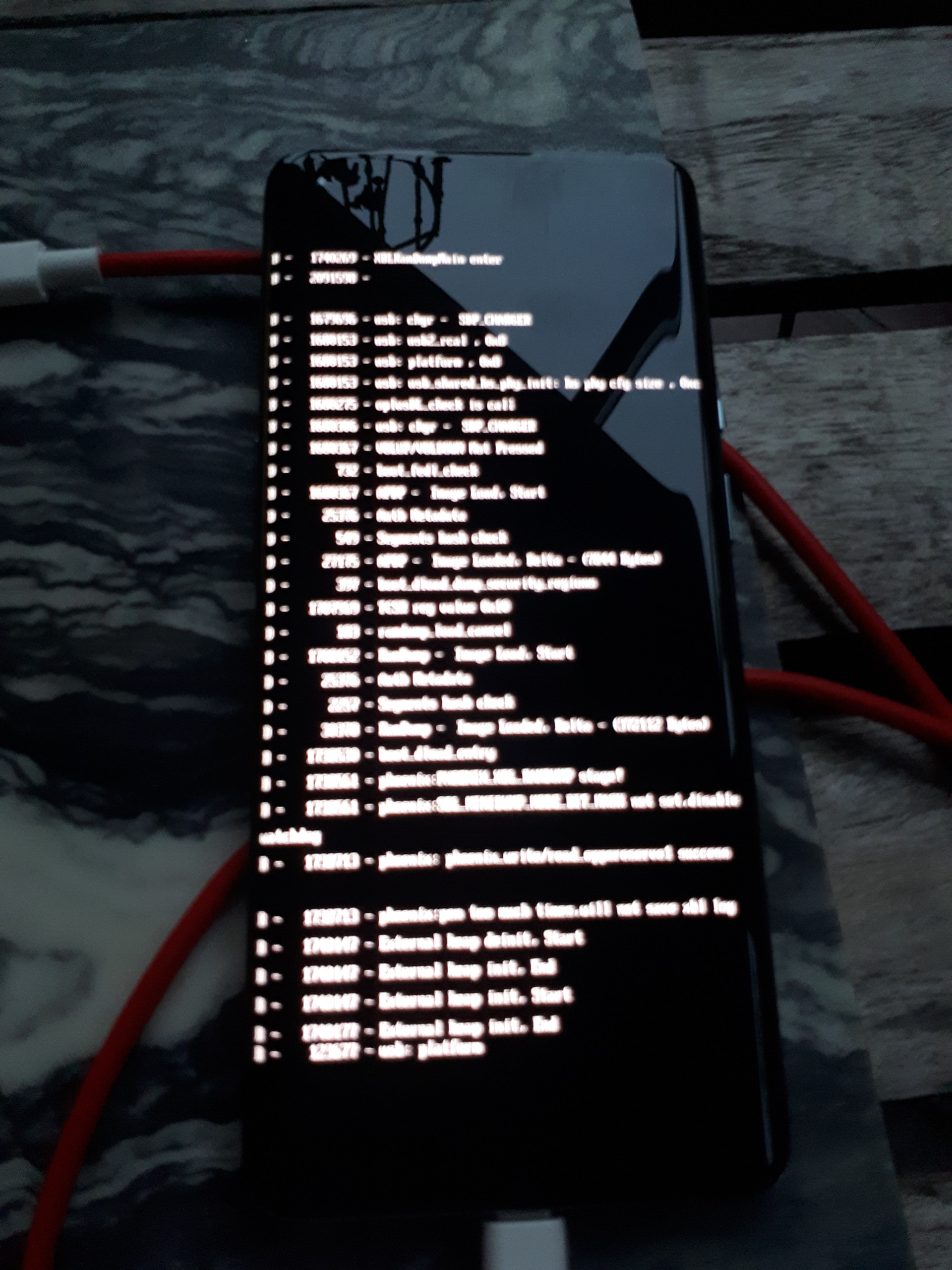
I tried to go back to fastboot mode, it works, the script started again, but with all actions failing, and ended, rebooting phone on this same page with lot of text…

I’ve collected script-all.sh ’s output in a log file :

flashing.log.txt (12,4 Ko)

I still can go to fastboot mode using Power+VolUp+VolDown, but the normal boot go to the state like the previous picture : what should I do to recover this ? Should I try to restart ./flash-all.sh again [from the beginning] ?

Any help would be very appreciated !

I don’t have this device, but in your log, it often says Flashing is not allowed for Critical Partitions.
So you probably have 2 options:

  • Wait for someone with a lemonadep :sweat_smile:
  • Try to unlook with fastboot oem unlock instead of fastboot flashing unlock. This is the way LOS instructs in their wiki + oneplus instructs in their docs here. OEM unlock often unlocked critical partitions as well.

PS: You wrote

fastboot flashing unlocking

I guess this is a typo, and you used fastboot flashing unlock? Otherwise you shouldn’t get something on your phone to unlock.

1 Like

@Actarien in addition, maybe sudo is required? I feel like I have seen your issue but can’t quite recall what was behind it… Alternatively, you can try our graphical installer but certainly the script should work?

@vanMacG : Yes it was a typo, the ’fastboot flashing unlock’ command run well :slight_smile:

@rik I’m don’t think sudo is required, as first commands using fastboot worked…

I’ve found a post with another person having trouble installing iodéOS on a lemonadep : Initial state before installing iodé and fastboot issues - #13 by slomo

I tried to put my phone in fastboot mode and type each command of flash-all.sh script one after another, and the problem comes when doing :

fastboot --skip-reboot update iode-7.5-20260506-lemonadep-img.zip

Although the –skip-reboot option was set, the phone reboots during the process :

extracting super_empty.img (0 MB) to RAM…
extracting vbmeta_system.img (0 MB) to disk… took 0.000s
archive does not contain ‘vbmeta_system.sig’
extracting super_empty.img (0 MB) to RAM…
Sending ‘vbmeta_system’ (4 KB) OKAY [ 0.002s]
Writing ‘vbmeta_system’ OKAY [ 0.001s]
extracting super_empty.img (0 MB) to RAM…
extracting vbmeta_vendor.img (0 MB) to disk… took 0.000s
archive does not contain ‘vbmeta_vendor.sig’
extracting super_empty.img (0 MB) to RAM…
Sending ‘vbmeta_vendor’ (4 KB) OKAY [ 0.002s]
Writing ‘vbmeta_vendor’ OKAY [ 0.001s]
Rebooting into fastboot OKAY [ 0.002s]
< waiting for any device >

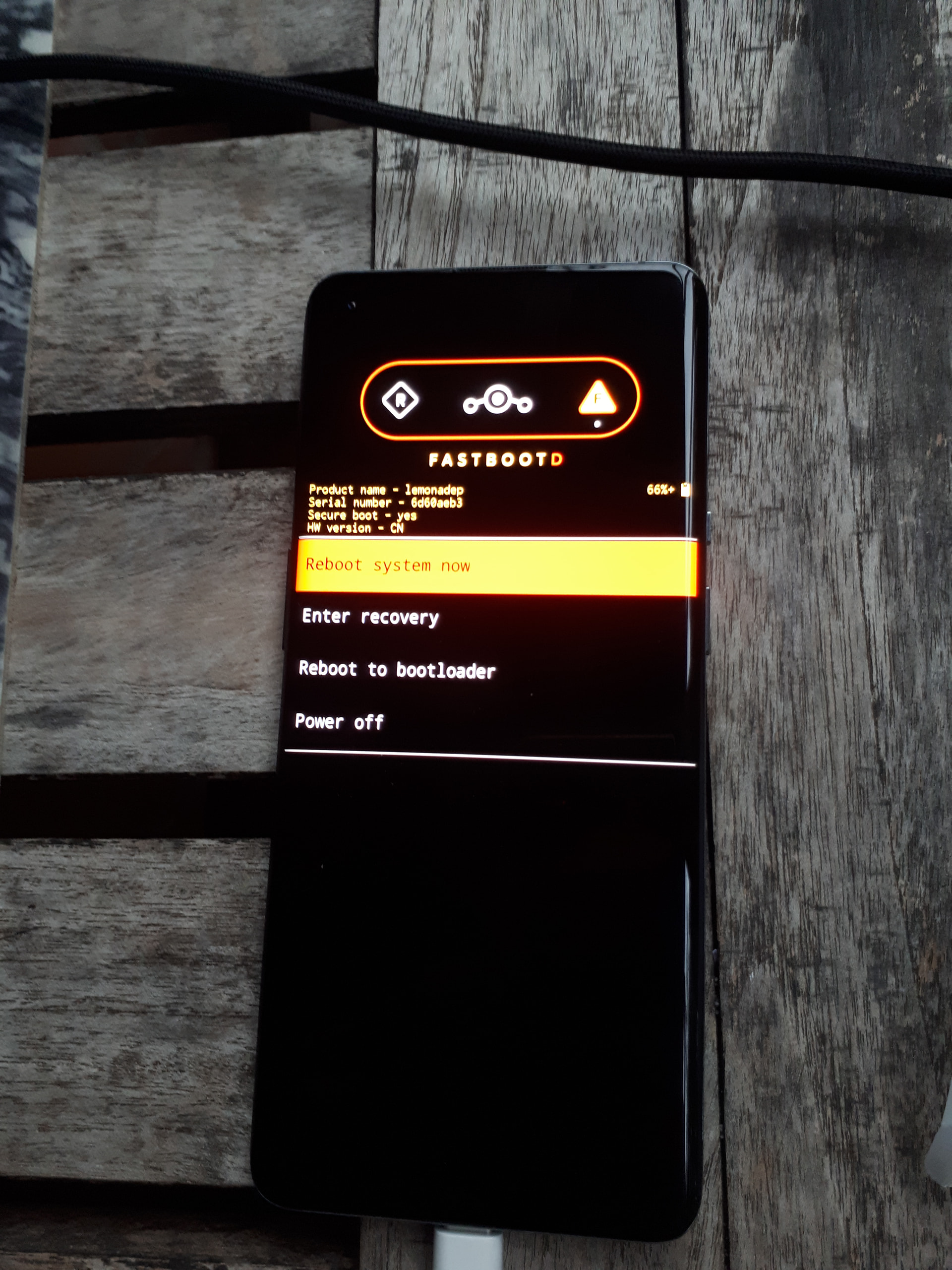
And the phone restart on another menu (that I don’t recognize) :

and I don’t know what to do next …

I don’t understand why fastboot says “Rebooting into fastboot” whereas the –skip-reboot option was given ?!?

I had difficulties to flash my OP9 (not pro) too. I’ve seen this menu too

If I can remember I tend to stop the script too early thinking it was stuck.

On my linux, using sudo is required to get fastboot to find the device

What you are seeing is “user fastbootd” which is required to flash the system, rather than “system fastboot”. The detection of the device being in fastbootd for the installation process has been an occasional problem, typically due to not-up-to-date drivers (Windows), or occasional issues (I think now resolved) of shared devices such as a Pixel 6 and Pixel 6 Pro not getting detected correctly (being “swapped” in their detection). But as your fastbootd reports the device correctly this swapped detection is not your issue.

What Linux distro / version are you on?

Thanks @rik and @CharlesAttend for your messages.

I’ve done new tests this evening : I’ve tried with the new 7.6 version iode-7.6-20260617-lemonadep-fastboot.zip, using root account, but no change… The first time, the problem comes exactly at the same place than before, and the second time, with exactly the same commands, it has gone a little bit further, i.e. continuing after reboot :

Sending ‘vbmeta_vendor’ (4 KB) OKAY [ 0.002s]
Writing ‘vbmeta_vendor’ OKAY [ 0.002s]
Rebooting into fastboot OKAY [ 0.002s]
< waiting for any device >
extracting super_empty.img (0 MB) to disk… took 0.000s
Sending ‘super’ (5 KB) OKAY [ 0.001s]
Updating super partition OKAY [ 0.009s]
Resizing ‘odm_a’ OKAY [ 0.004s]
Resizing ‘product_a’ OKAY [ 0.005s]
Resizing ‘system_a’ OKAY [ 0.005s]
Resizing ‘system_ext_a’ OKAY [ 0.004s]
Resizing ‘vendor_a’ OKAY [ 0.005s]
Resizing ‘vendor_dlkm_a’ OKAY [ 0.005s]
extracting super_empty.img (0 MB) to RAM…
extracting odm.img (607 MB) to disk… took 2.426s
archive does not contain ‘odm.sig’
Resizing ‘odm_a’ OKAY [ 0.005s]
Invalid sparse file format at header magic
Sending sparse ‘odm_a’ 1/3 (262140 KB) FAILED (Error reading sparse file)
fastboot: error: Command failed

When rebooting the OnePlus has a warning about unlocking state, saying it will boot in 5 seconds: perhaps this delay has an impact ?

When the phone comes in « FastbootD » menu, no fastboot command works…

@Rik I’m using a Debian 13 Trixie (stable).

I didn’t have tried the @vanMacG suggestion to do « fastboot oem unlock» as suggested by Lineageos.org, as it’s not in the flash-all.sh script, and I fear to break phone more than now…

1 Like

I’ve one another test running directly the flashall.sh (for the previous trials, I run each command in flash-all.sh one by one), and each time the phone comes in FastbootD menu, I selected « Reboot to Bootloader », and the script continues… but with errors (and finally always the same result, the phone booting in a static text page) :

…
Resizing ‘odm_a’                                   OKAY [  0.005s]
Invalid sparse file format at header magic
Sending sparse ‘odm_a’ 1/3 (262140 KB)             FAILED (Error reading sparse file)
fastboot: error: Command failed
< waiting for any device >
******** Did you mean to fastboot format this f2fs partition?
Erasing ‘userdata’                                 OKAY [  0.234s]
Finished. Total time: 0.245s
Rebooting into fastboot                            OKAY [  0.003s]
< waiting for any device >
Finished. Total time: 14.088s
< waiting for any device >
Sending ‘abl’ (212 KB)                             OKAY [  0.007s]
Writing ‘abl’                                      FAILED (remote: 'Flashing is not allowed for Critical Partitions.
')
fastboot: error: Command failed
Sending ‘aop’ (240 KB)                             OKAY [  0.008s]
Writing ‘aop’                                      FAILED (remote: 'Flashing is not allowed for Critical Partitions.
')
fastboot: error: Command failed
Sending ‘bluetooth’ (1868 KB)                      OKAY [  0.043s]
Writing ‘bluetooth’                                FAILED (remote: 'Flashing is not allowed for Critical Partitions.
')
fastboot: error: Command failed
Sending ‘cpucp’ (108 KB)                           OKAY [  0.004s]
Writing ‘cpucp’                                    OKAY [  0.002s]
Finished. Total time: 0.034s
Sending ‘devcfg’ (52 KB)                           OKAY [  0.003s]
Writing ‘devcfg’                                   FAILED (remote: 'Flashing is not allowed for Critical Partitions.
')
fastboot: error: Command failed
Sending ‘dsp’ (65536 KB)                           OKAY [  1.433s]
Writing ‘dsp’                                      FAILED (remote: 'Flashing is not allowed for Critical Partitions.
')
fastboot: error: Command failed

etc.

(I was using root to run the flash-all.sh script)

I think it is quite possible that your fastboot version is too old, you may need to manually install a newer version: https://developer.android.com/tools/releases/platform-tools

you can issue fastboot --version to confirm your current version (current version from above download is 37)

UPDATE: an error was found in the graphical installer config that is downloaded at runtime and was preventing it from detecting the phone correctly. That has now been fixed, meaning you could also re-try the graphical installer.

Hi Rik,

The fastboot command is taken from the IodeOS’s package, as configured in the first lines of flash-all.sh script :

export ANDROID_PRODUCT_OUT=.
fastboot=linux/fastboot
$fastboot --set-active=a

Here is its version :

… /iode-7.6-20260617-lemonadep-fastboot] $ $fastboot --version
fastboot version 36.0.1-eng.androi

I also checked that the fastboot command can be installed as a Debian package on my system, but it’s an older version, 0.34 or for the latest, 0.35.

I’ll try to get/install the newest one, and tell you what I get with it.

Meanwhile, I’ve tried the graphical installer : il actually well detect my phone, lemonadep model, but the result is exactly the same as from the script run from a terminal.

1 Like

I’ve downloaded latest platform-tools archive for Linux, and updated flash-all.sh script to use fastboot from this archive :

$ ../platform-tools/fastboot --version
fastboot version 37.0.0-14910828

But I have the same behaviour as before… no change.

Hello Actarien,

just as i see you having trouble with fastboot…

I also had trouble with fastboot being instable when flashing my phone (FP4) early this year.

I started by using my installed (and recently updated) linux (manjaro). It worked …. somehow but was instable causing my phone to reboot in the process, where this shouldn’t happen.

Following hints from the web i first change cables an usb ports on my PC which didn’t solve my problems.

Finally i tried to use a live linux system (instead of my installed linux), which is made to work with android devices: mAid (also based on manjaro linux)

With mAid (mAid_v4.2-full_x86_64.iso) running on my PC i could use fastboot and it was stable. Now my flashing worked without issues.

So maybe you should give mAid a try.

I whish you success.
Have fun !

You should not interact with the device when in the fastbootd menu, by you manually rebooting it there you are confusing the installer as it then goes back to normal fastboot to attempt the installs. Instead you just leave it there in fastbootd and the install should continue. So the issue is that it is getting “stuck” here in fastbootd?

Hi @Actarien,

I had almost the same issue as you, with the phone repeatedly rebooting into the yellow fastbootd screen. Unfortunately, I cannot remember exactly what I did to finally complete the ROM installation.

I ended up trying several combinations of “Reboot system”, “Reboot to bootloader” from the menu (you can navigate it using the volume buttons and the power button). Eventually it worked, although I cannot remember which combination did the trick.

From your earlier post, it looks like the script is waiting for your phone to appear in fastboot mode. On my machine, I have to run fastboot with sudo, otherwise it never detect my devices. Changing to a quality usb-c cable can sometime help.

I am not sure how to switch from the yellow fastbootd screen back to regular fastboot, so I cannot give precise instructions. It may be worth trying the different reboot options a few times, as I did.

I also read about the following error. From what I found, flashing Critical Partitions requires being in fastbootd rather than regular fastboot.

I do not think that should be an issue.

If you want, I can also jump on a quick call and help you troubleshoot it.

Thanks for your support !

@slomo I downloaded mAid distro and try it, but it didn’t boot on my laptop, even testing manual boot modes. I think the distro is too old for my laptop :frowning:

But you gave me idea to test on my old Shuttle PC ! I’ve read meanwhile that using a USB-2 port could help, and on my old PC, I have USB-A ports, so I could use the genuine USB cable from the phone, instead of a usb-c to usb-c on my laptop ! And then, it worked ! ! I also modified the fastboot tool with the latest version, as @Rik suggested, I’m not sure it was critical, but perhaps it helped.

@Rik : when i manipulated the phone in fastboot-d mode, it’s because nothing happened, even after 10 or 15 minutes ! I think the USB chain was flaky on my laptop…

Anyway, i succeeded installing IodeOS 7.6, and restored my data from Seedvault !

Thanks @CharlesAttend for your proposition, but I actually did it !

But since yesterday (before successful installation), I have 2 vertical pink lines on my screen, whereas I didn’t hurt the phone (I can’t, it was unusable yet and in its box !!), i don’t understand how it’s possible… I’m cursed !

Great, but what was the solution? :slight_smile:

Sorry to hear this! I hope you hadn’t thrown it across the room in frustration beforehand? Again sorry for the issue, it has to be hardware based right?

I changed computer (using an older one with USBA-2-only ports, and another USB cable… so multiple factors, I can’t tell exactly if only one was crucial, or the whole group matters. The very strange thing is that the beginning of the install procedure was always working, sending some data on the phone, formatting , etc…, but once the phone restarted on fastbootd, either the phone wasn’t detected anymore, or it wasn’t working well. A mystery for me.

And no, I didn’t throw it away, too happy to had installed Iodé system on it ! I’ll learn to live with these lines anyway. It’s an hardware failure, yes I think, but I don’t want to try opening it at now !:grimacing:

1 Like