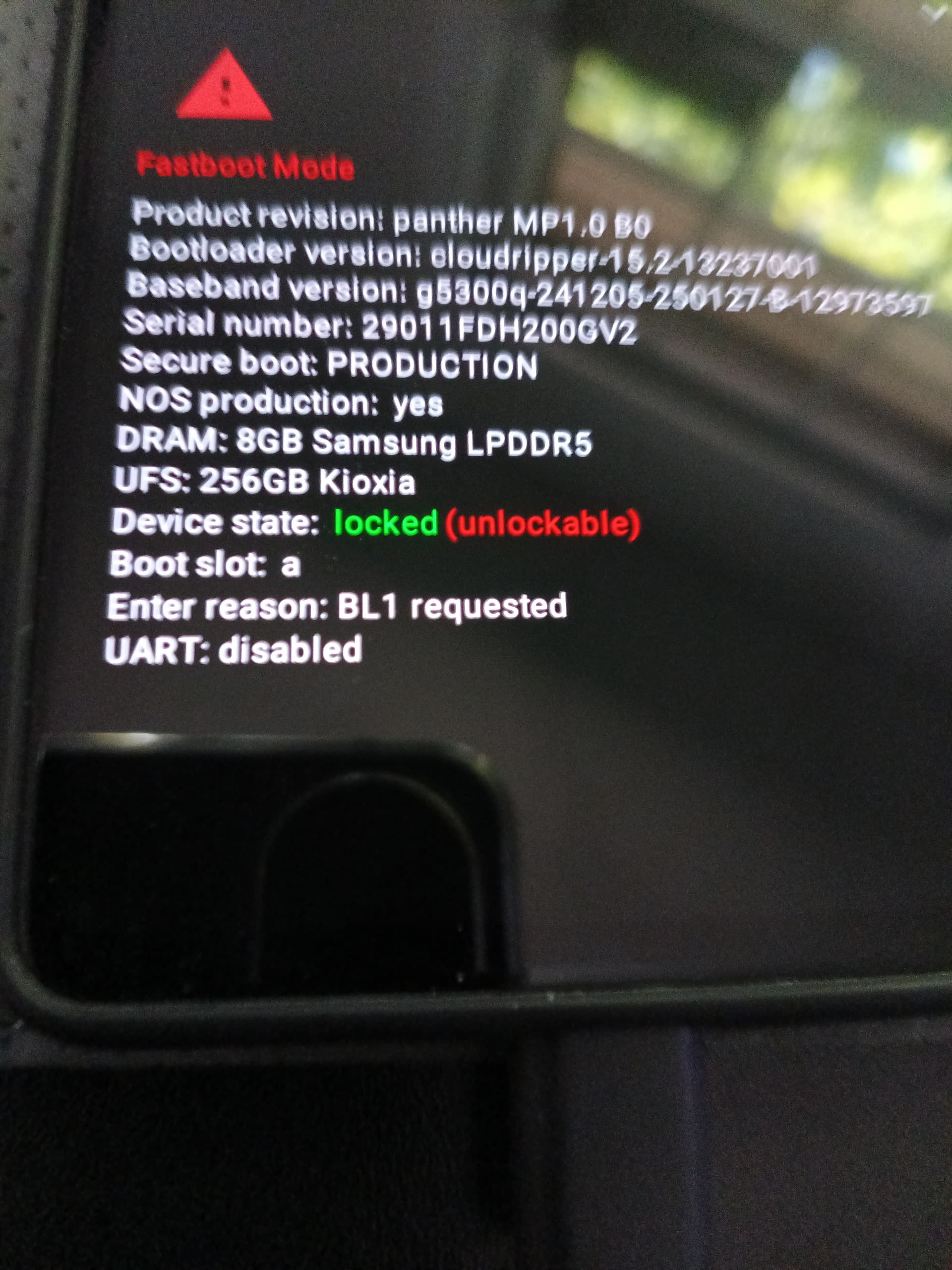
I tried to install on a Pixel 7 Pro with Android and it failed. All it does is loop between the boot screen and the Start button. Here is the screen.
How do I correct the errors?
I tried to install on a Pixel 7 Pro with Android and it failed. All it does is loop between the boot screen and the Start button. Here is the screen.
BTW, I followed the install proceedure without any issues.
That photo shows the Fastboot screen, which displays device information and isn’t showing any error.
The phone indicates via color-coded text that the bootloader is locked. To install Iodé OS, the bootloader must be unlocked. It can be locked after completion.
Typically, you’ll need to use the volume or power buttons on this Fastboot screen to navigate or make selections. Be sure to carefully follow the setup guide and any on-screen instructions. If you do, the setup process should be smooth and straightforward.
Hi.
Indeed, your picture shows your boot loader is locked.
Device state: locked
To me, it has to be unlocked to be able to install any alternative ROM (iodeOS in our case).
What does worry me is the statement just after: unlockable
If it is true, you might be stuck with Android stock.
The Step 3 of this guide https://support.fairphone.com/hc/en-us/articles/10492476238865-How-to-unlock-and-re-lock-the-bootloader might give you some insights.
Do you mean you were able to unlock and now are using iodé?
I remembered on one of Brax’s videos that you have to install IodeOS on the same version of Android or lower. So I flashed Android 14 on the phone, which worked perfectly. Then I was able to install IodeOS without error. Thanks to all who responded.
If it said anything other than (unlockable) that would be worrying. But this information is “normal” and means that the bootloader can be unlocked.