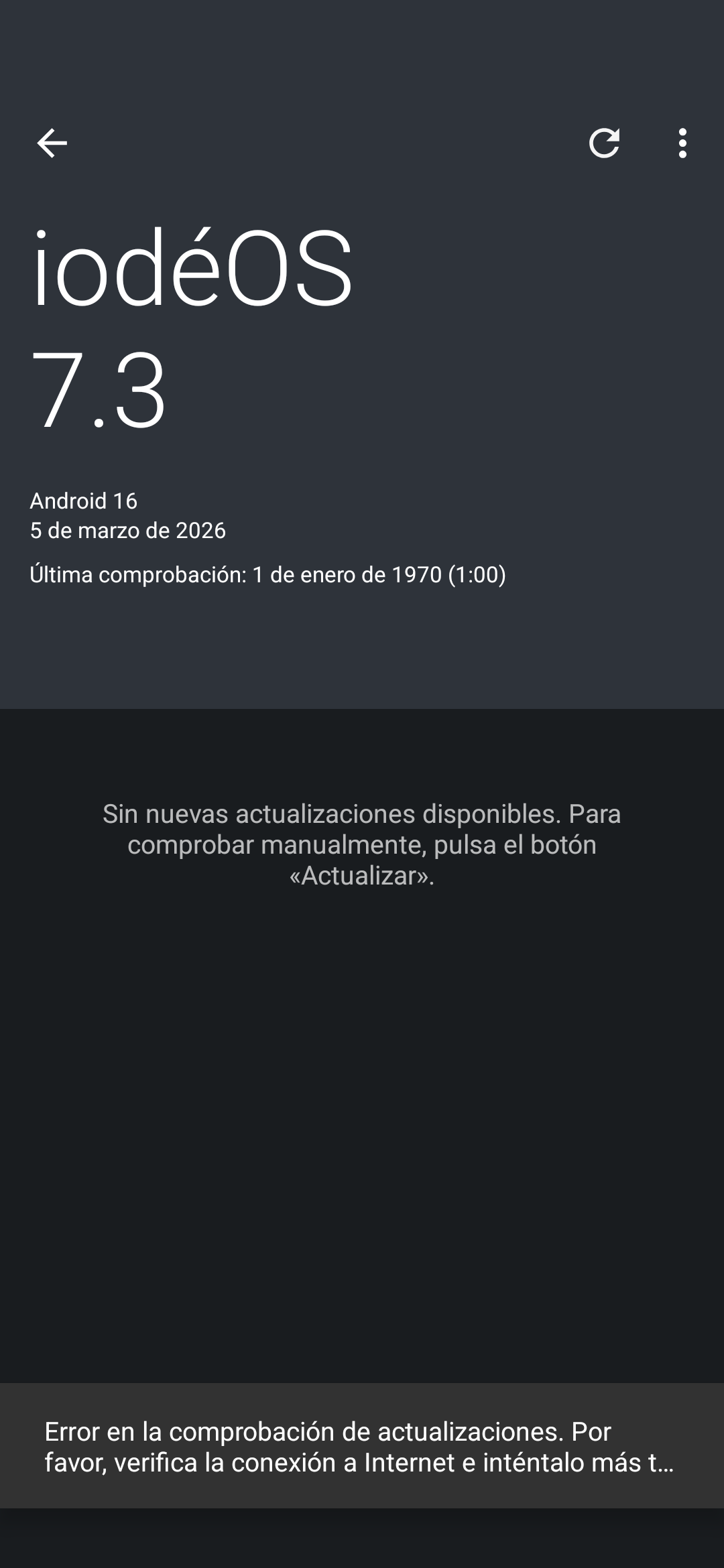
I have a problem with the iode updater since the update of 31 january 2026 on pixel 4a. Just after the update and the reboot, the updater stops working. It says “error checking updates. Please check internet comnection and try layer” (I have the system on spanish so I do aproximative translation). I tried to clear data and cache but doesn’t fix the issue. Now it set my last update check to 1 january 1970 at 1:00.
Today I do the update manually hoping it will fix my updater but the issue persist.
Anyone knows how to fix this, don’t want to make a clean install or manually installing the ota may become anoying with time.
I don’t know the entire situation now, but when updating from version 6 to version 7, the updater had to be changed/installed manually once.
Did you do that and did you put it back? (Settings All Apps Updater, Three Dots,Remove Updates…)?
dieses Problem scheint bekannt zu sein. Es gibt verschiedene Lösungsansätze, die ich probierte aber keiner hat das Problem lösen können.
Mögliche Lösungen:
-Updater >App-info> Mobile Daten Nutzung deaktivieren / aktivieren, danach erneut testen danach erneut probieren nach Updates zu suchen
-Appcache und Datacache löschen, danach erneut probieren nach Updates zu suchen
-zu den Vorinstallierten Apps wechseln> Updater deinstallieren> reboot, danach Updater erneut Installieren> reboot, danach erneut probieren nach Updates zu suchen
Bei mir hat dies nicht geholfen, aber ich wünsche dir viel Erfolg beim Ausprobieren.
Hello,
This problem seems to be well known. There are various solutions that I tried, but none of them solved the problem.
Possible solutions:
-Updater >App info> Disable/enable mobile data usage, then test again and try searching for updates again.
-Delete app cache and data cache, then try searching for updates again.
-Go to Preinstalled Apps> Uninstall Updater> Reboot, then reinstall Updater> Reboot, then try searching for updates again
This didn’t help me, but I wish you luck trying it out.
I had the same issue.
Nicer the uninstall and new installation. Nor deleting the the app- and datacache fix the problem.
But with the link above it works propperly.
But after update and switching back to standard updater enabled, I have the same issue. Last check at 1.1.1970 - search of updates not possible - check internet connection
This is related to Unable to update to update described in News app - #9 by vince31fr
Some files were forgotten for updating from v7.2 to v7.3, for Pixel 4, 4a, and shift 8. This has been fixed. You should not use anymore the v6-v7 updater, whose purpose was only to upgrade from v6 to v7.