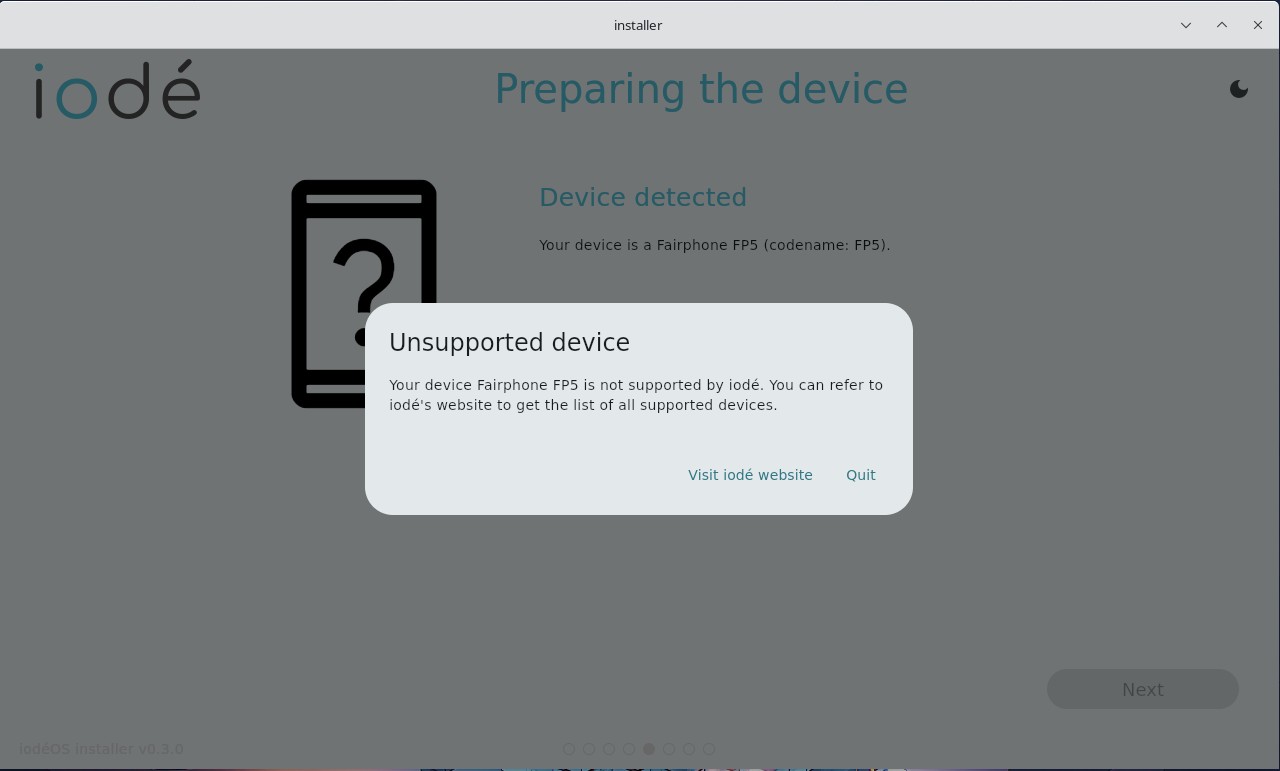
Installer <iodeOS-installer-v0.3.0-linux> meldet nach der Verbindung mit dem Gerät: ‘Erkanntes Gerät FP5 wird nicht unterstützt’
Kennt jemand dieses Problem?
Installer <iodeOS-installer-v0.3.0-linux> meldet nach der Verbindung mit dem Gerät: ‘Erkanntes Gerät FP5 wird nicht unterstützt’
Kennt jemand dieses Problem?
Did you boot it into bootloader?
Android is booted, but the bootloader is open
Try booting into bootloader, then it should work. I think I had the same problem once.
when i boot into bootloader, the installer don’t find my phone
I got this same issue since 1-2 weeks! Yes i knew i can install Iodeos with adb in Terminal, but this issue exists. And no matter if i try this in Bootloader or Fastbootd, same result “Fairphone 5 Unsupported device”!
Another issue are the preinstalled apps on the FP5. I can’t re-install the apps! I think the best way is to remove this feature from Iodeos. And to provide these apps on Fdoid Iodeosrepo!
Greetings,
Zekii
Weird. Have you tried it from another computer? Maybe it’s your Linux?
Yes i tried from PC and Notebook.
My OS is Arch Linux and always up to date! Rolling release
Pc: Arch Linux
Notebook: Pop OS
No matter which one it’s the same result!
Maybe a github issue i think.
This i get yesterday from iode
Wolf,
Sorry I missed this earlier, but you are correct that the FP5 had to be temporarily removed from the graphical installer. The reason is that we implemented reformatting the FRP (“Factory Reset Protection”) partition. This was essential as if there was a registered Google account in the previous installation, and upon installation of iodéOS the user opted to re-lock the bootloader, it could leave the user with a “bricked” phone (not able to be unlocked, not able to boot). Reformatting this partition triggers a device reboot, so the graphical installer needs some minor adjustments to account for this.
Until this is re-implemented, you can flash your FP5 using our manual process with guidance from here: https://gitlab.iode.tech/ota/ota It is still somewhat polished but does require using a terminal