I’ve tried everything I could think of, and it’s never completed.
I have a webdav, a cloud server of my own, with either webdav or nextcloud options.
I cannot get the built-in Backup seedvault to put anything there at all, with a direct Webdav Cloud connection.
So I’ve also tried just saving the seedvault locally so I can send it off separately, I think after I turned off apps and files, I finally got ONE single Seedvault backup to work and carefully transferred it by hand to pcloud.
but most of my backup should go to my webdav or nextcloud (different protocols, same server)…
Roundsync ALSO failed…after many, MANY hours…somehow the amount transferred just kept going up but when i looked at the destination, there was nothing there. (and yes, i checked repeatedly to make sure I didn’t accidentally loop.) No idea what was happening there.
I finally installed DAVx and got that set up, now we’re back to looking fine, told it to do the backup, then sits at “Waiting…” will eventually go somewhere? Also, why are the boxes checked next to the apps when i did NOT click to tell it to include Apps?
I just want a nice copy, encrypted is fine, and stick it somewhere safe, and do that every day, or even just every week. Is that not what Seedvault does? Should I be looking at the other backup tools in the F-Droid store??
Check FolderSync from aurora. I like it, very stable, many options, at first view not intuitive, but good. I use it in that way, that I make a seedvault backup locally, then oneway sync with FolderSync with deletions (real mirroring).
I have successfully used Syncthing on linux PCs. After quick setup it worked very nice. There are 2 Apps on f-droid. A client only, that just pulls files from an share and a full version that should be able to sync in the fully configurable way.
As i was not able yet to get automated uploads to work with my NextCloud-Server i also tried davX5 without success. Manual Uploads worked quick and just fine. Automatic uploads hat connection troubles.
A did not have tested Syncthing with iodeOS yet but as i know it from linux it has his own activation system ‘on board’. With Android it might be different. But i think at least it’s worth a try.
That doesn’t sound good. I back up Seedvault locally to the SD card (all app data, all APKs, all user data). And that works very well. Then I use the Synology Drive Client to back up the Seedvault folder to my Cloud Drive account on our Syno, which works moderately well (but that’s down to the Cloud Drive).
ooh, good reminder. i turned off all the protections on all the apps involved in case that was the reason they weren’t working, gotta turn those back up!
Also tried Nextcloud’s own sync, that also didn’t work right.
I just tried out FolderSync. I set everything up, the Nextcloud tested good, I doublechecked my folder assignments, joyfully hit “Sync all” and …nothing happened. (sigh)
HOWEVER, right below FolderSync in the app store was something called AutoSync. and that seems promising. So far all the manual syncs actually work as they should. so now we’re down to testing the actual automatic feature.
@slomo that’s my option I’m saving for last, I don’t think I have that on my cloud server, I had it set up but it was always a bit odd and I never quite got the settings tweaked right. But thanks for the reminder.
Maybe this does not match your settings. You can start a test sync (preview without real sync), in each folderpair and see in history what’s going on …
I just went through again and checked and tried again. it’s working! but it’s doubling things. gotta figure out what setting is doing that.
or..maybe it’s not? if I delete the spares, then i go from two to ZERO. it might be the view that has something wrong.
I think I just did it! none of the straight-to-cloud options worked for seedvault, but if I back up to the internal drive and then use FolderSync …that worked. not sure what was going wrong before, but it worked now!
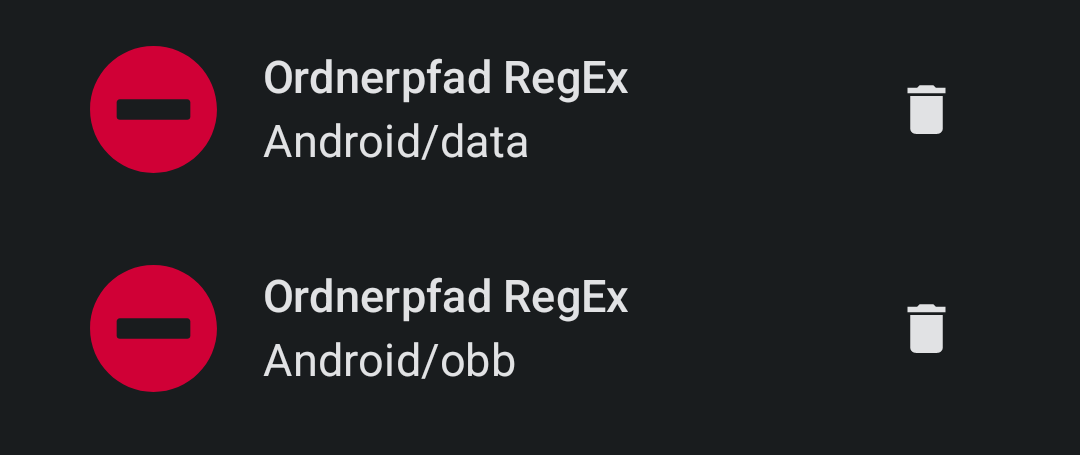
and my original problem with foldersync was I aimed too big. cannot do the root directory, gotta do each folder individually, then works as-expected.
EDIT: as a bonus, as i was figuring out Folder Sync, I solved a different problem, how to get photos from my phone to my computer! i’d been using pcloud as a dropbox sort of thing, but now I set up a foldersync that monitors one specific folder and automatically syncs it when I stick things in there! yay!
I really don’t know. I had thought I could do root directory because a root directory is just a directory, but I hit the button and nothing happened. So whatever I did it wasn’t right, but at this point I removed everything and started all over and now I’ve got it paired folder by folder. With a special separate folder for the one that started this whole journey: the seedvault!
Maybe I will try again later for a full root directory sync, You think excluding those two files would actually make it work?
 . In addition to the default blocking, I add all the google connection’s …