Im using a Pixel 8 pro running IodeOS 7.4, up until yesterday that was 7.3 with the exact same issues.
Issue 1- started about 10 days ago. I got an update for Whatsapp (current version 2.26.12.73)and ever since then it has been crashing within a second of opening the app. It has become completely unusable. I tried reinstall, lost a bunch of data because I was unable to back it up prior because the app keeps crashing. I tried older versions, but every time the problem returns as soon as it is finished loading the latest backup. (which is from a month before the problem arose)
Issue 2- started 2 days ago I was no longer able to get any data in Google Maps, the app shows a map (most likely saved in cache) but as soon as I try to plan a route or look at a shop or restaurant, it won’t load anything because I am offline according to Google maps.
Issue 3- started 2 days ago as well, paying for a service using a google account, no longer works, it just keeps loading until infinity after I tried paying, the irony is I almost never need it, but the one time I try it wont work.
Issue 4- Aurora store store stays on the Verifying session screen very often, only force close and relaunching helps after a couple of tries. I have tried clearing the cache, but it keeps happening.
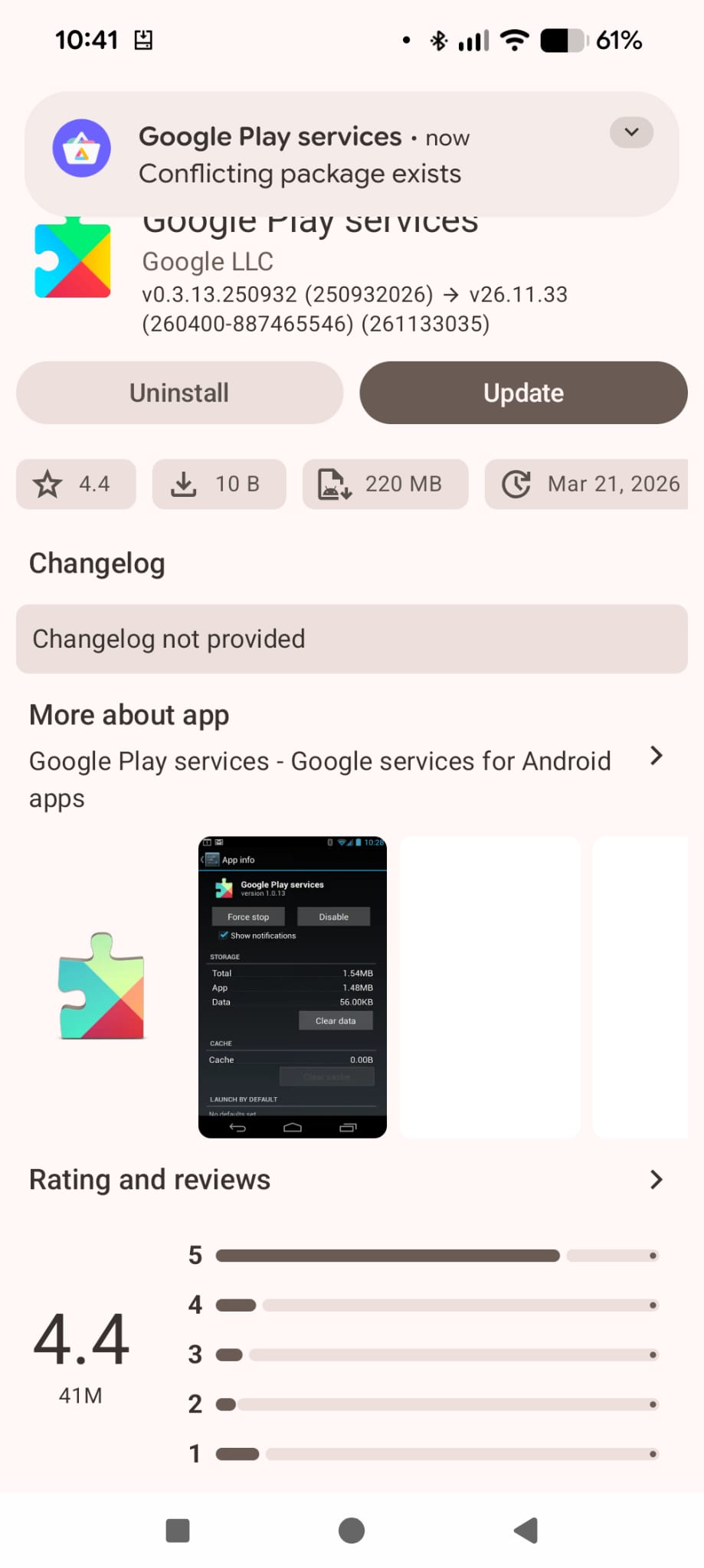
Just prior to updating to Iode 7.4 I got the message Google Play services-conflicting package exists, this is right after downloading an update and trying to install it. (see picture)
I was hoping updates (either the apps themselves or an IodeOS update) would solve the issue’s, but they only continue to pile up. Is there any advice someone could give me on what I can try to do in order to troubleshoot any of these issues and am I correct in assuming that it is probably the Google play services causing the issues?
Fairphone 4, iodéOS 6.12 (sure, quite old, but after nearly every update in the last time I got problems with stuff that worked before)
I don’t know if it’s iodéOS, LineageOS or Google doing Google things and break stuff again and again, but that’s really annoying and making me think of going back to “stock android”
Thanks for the info, I am quite confused as to why it got installed then. But it also begs the question why it didn’t cause problems before…
What exactly do you mean with look at MicroG? I have gone through it before, nothing has been changed there, but I still face problems with Whatsapp and Google Maps (Google services). Again everything was working fine for months and then promptly stopped.
I once had Whatsapp installed (for my south america trip) on iodé in a seperate profile. Did NOT need any Google stuff, MicroG was enough. Never used Google Maps though, since there are plenty FOSS map apps.
Issue 1: Whatsapp - I don’t know what to say exactly, but “it works for me” is probably not too satisfactory. I do see my version is 2.26.13.5. It could be your Aurora issues were not working for this to update (and maybe fix the issue?) - see below.
Issue 2: Maps not working I think has to be related to a Google update that microG is not able to accommodate yet (?). You could look at microG issues: Issues · microg/GmsCore · GitHub In fact I see a new bug report there on that specific issue.
Issues 3/4: Aurora
In order for microG to work, it hijacks the namespace “Google Play Services” (both microG and GPS are identified as com.google.android.gms). So when Aurora (Google Play Store) sees there is a new version of Google Play Services it may offer to update, but as you see it will fail, as microG has a different build signature than GPS.
So for this issue, it is expected, but I also thought (??) that GPS was blacklisted by Aurora? I may need to ask the developers about that part (but you can long-press inside of Aurora and “add to blacklist” so it won’t show in the meantime.
But to broader Aurora issues, you could try logging out / logging in again. Buying apps in it may not work well, you may need to do from Google Play itself, but then try to install / “restore” from Aurora. If still not working well, you could do a full “Clear storage” of Aurora.
@ MissPiggy The reason is that I keep on using Google Maps is that I simply know of no better app that has reviews of restaurants and how to get there all over the world, if you have a suggestion I’d be happy to hear it.
Hey Rik, thanks for once again jumping in to help me out! Also thank you for the explanation on MicroG and GPS, I completely misunderstood and you are right there is no GPS installed. So the problem must indeed be with MicroG. I checked and GPS is already blacklisted in Aurora. Hopefully a fix is forthcoming.
Concerning Whatsapp, unfortunately a newer version is not available in the Aurora store, even the APK download on their own website doesn’t offer a newer version. So I am quite interested how and where you managed to get it. I did log out, clear the storage and logged back in, but no changes.
I am on the latest version and it works here, even with WhatsappEnhancer and a lot of modifications enabled. Is it possible to partially restore Whatsapp? this way you might be able t narrow down the problem. Also there is a whtasapp folder in /Android/media, maybe backup this one up or delete it, to see if whatsapp struggles when accessing its data.
2. Google Maps
For me Google Maps is working perfectly fine but I noticed that I am still on the previous version. So maybe downgrading might be a workaround? To do so:
Aurora seems to be working, although not allowing me to install an older version of Google maps nor show a newer version of whatsapp. Although I still got the message about GPS.
I’ve removed all files and reinstalled WhatsApp and it worked this time around, I’m really surprised as this was the 5th time doing that.
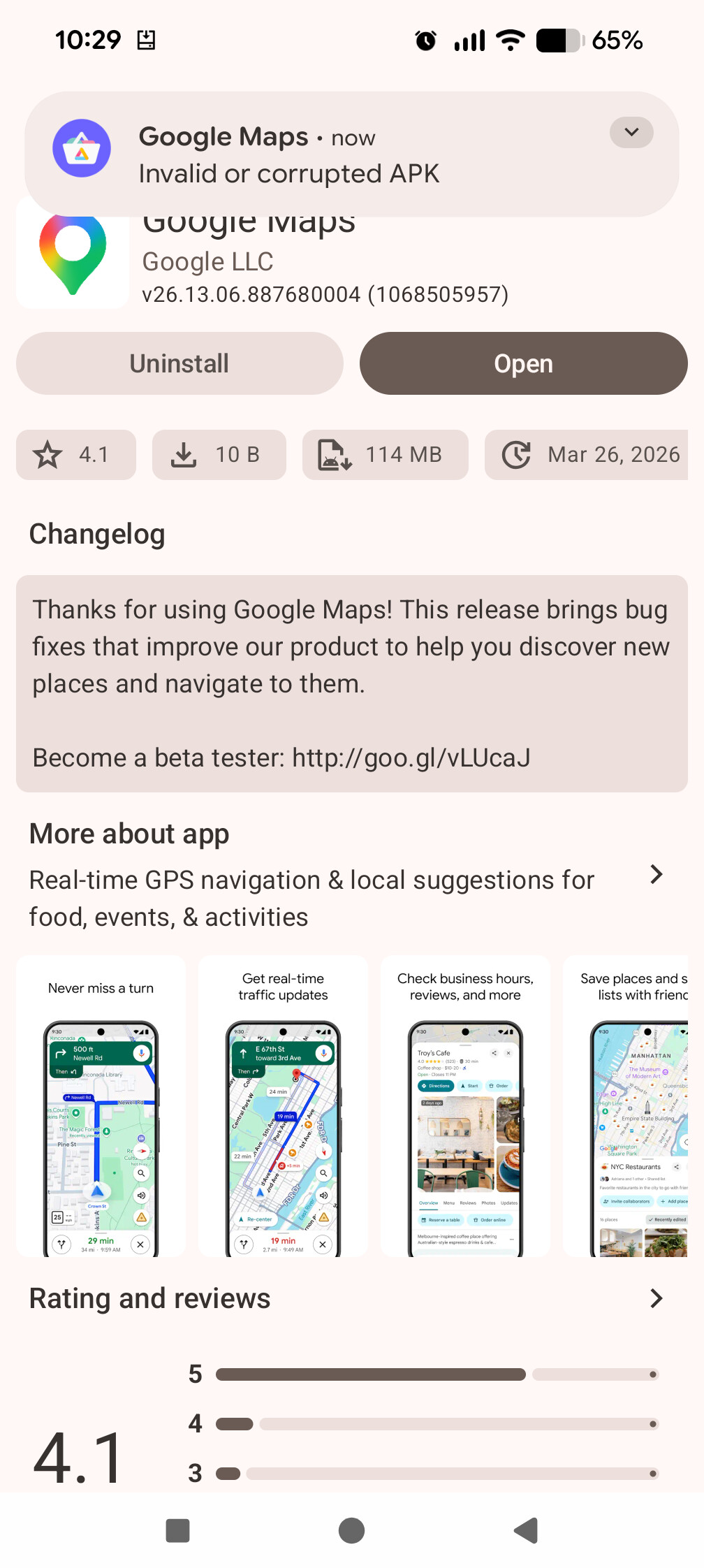
As for google maps it won’t allow me to downgrade due to invalid or corrupted APK. But as mentioned before by Rik there is a problem with MicroG, on Github they mention a fix is forthcoming in a few days with an update so hopefully that is the case.
You may want to set Maps on the app blacklist in the Aurora Store so it won’t update automatically: Go to the “main page” (“Apps” tab), click on the settings icon in the upper right corner > “Blacklist manager” > Search for “Maps” and tick the box

 Downgrading the Maps package did the trick for me. I’m on