Fairphone 5 - Upgrade/Install went wrong (now: stuck in bootloader)

Hi - i almost cry right now.

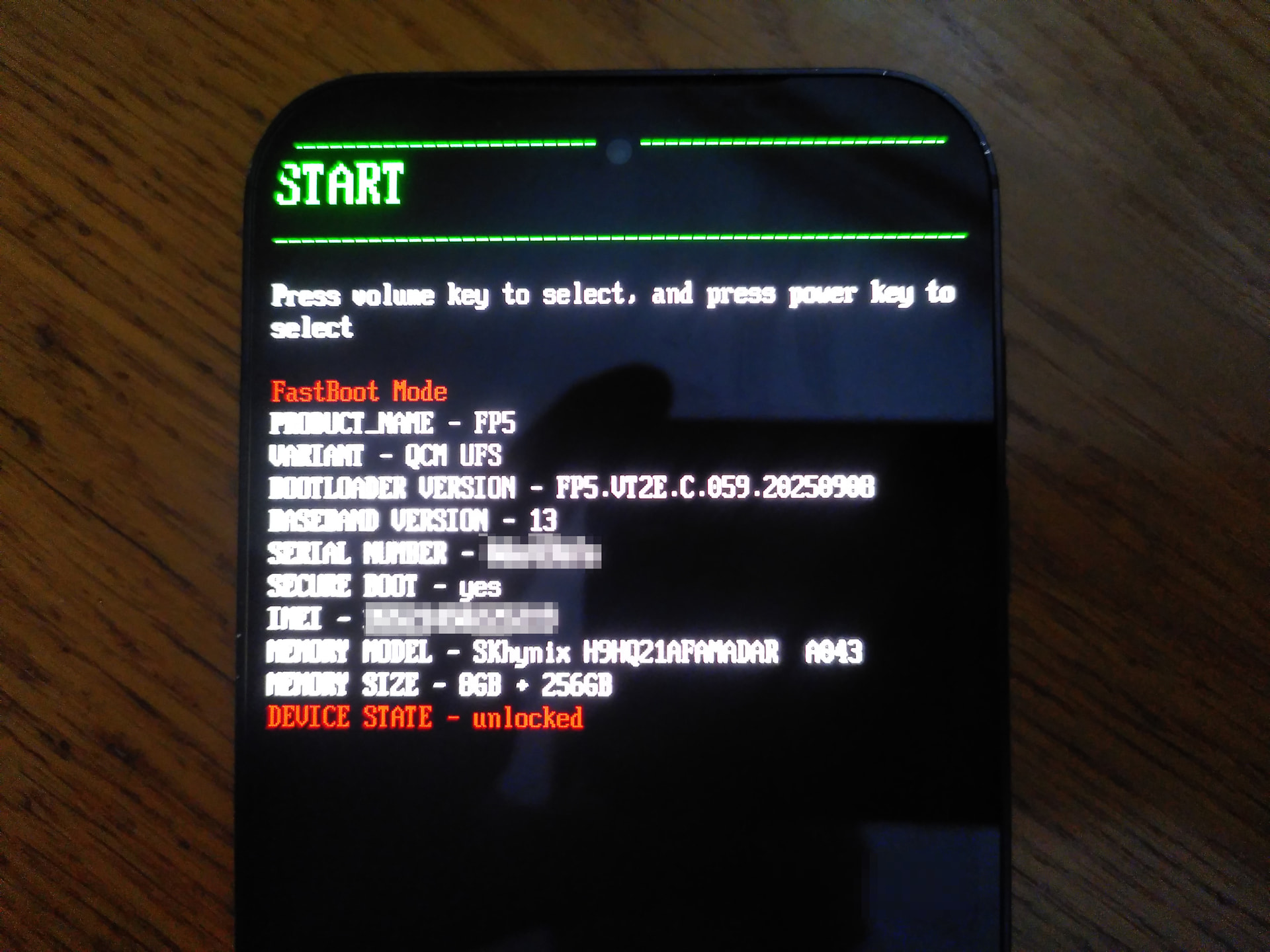
I was manually upgrading from 6.9 to 7 while using the manual ( ota / ota · GitLab ) “How to flash Fairphone”, after running flash-all.sh on my linux system the device says „Your device is corrupt. It can’t be trusted and may not work properly“. After that it loop all the time back to the bootloader screen.

  • Restart bootloader
  • Recovery mode"
  • Start

… always bring the device back to bootloader mode within 1 or 2 seconds.

ADB don’t recognise any device even afters removing the battery and put it back in.

The Iode-Installer 0.3 even gave an error “unsupported device”

Is there any chance to install iode or bring stock back - or do i have to throw my fairphone 5 out of my window?

Edit:

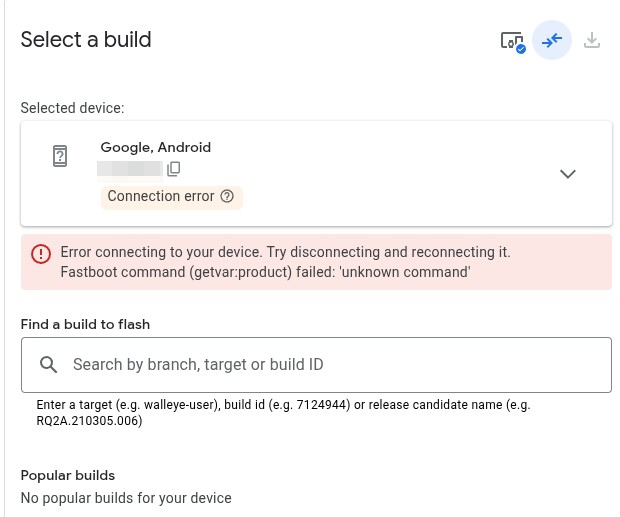
While connecting to my computer it says “Google Andoid is connected” instead of “Fairphone5. Thats weird…

Even on https://flash.android.com/ i got an connection error

I am confused, but did you do a full “flash” / effectively a new install to migrate from 6.9 to 7? This includes a reset of your userdata partition, was that on purpose because you wanted to start clean?

For normal updates, instead you can just use the OTA updater from the running system (but you did need to install the v6-to-v7.apk updated Updater app that was explained in our Version 7 Release Announcement.

Regardless, I can’t comment on what went wrong, was there any output from the terminal when flashing? I think if the flash-all.sh process completed it has unfortunately wiped your device, meaning you should be free to once again flash it :frowning:

Please download 7.1 (there are a few key fixes for FP users there) and try again, posting any output.
Did it it works!

Installing lineage in following steps:

fastboot flash boot boot.img
fastboot flash dtbo dtbo.img
fastboot flash vendor_boot vendor_boot.img
adb -d sideload /path/to/zip

I had to reboot the bootloader a couple times, but finally have a working lineageOS :smiley:

Iode-Installer Tool didn’t work, so i did the manual installation.

All worked now, i had to let the bootloader unlocked otherwise it will fail again (and again).

1 Like

Hi Rik, next time i will do it via OTA Updater (v6-to-v7.apk) :slight_smile: Thank you! :slight_smile:

Do you mean you can’t relock the device with iodéOS? You should be able to, but LineageOS doesn’t support that.