I have a Vodafone DE eSIM activation letter with QR code and so on that works fine on an iPhone. But once I try it on my FP5 with iodéOS 7.4 I get the below errors.
Error code: ES10B_ERROR_REASON_UNDEFINED
Last HTTP response (from server):
{
“header”: {
"functionExecutionStatus": {

  "status": "Executed-Success"

}
},
“transactionId”: “6DF5D22A8ED9408A9E8FE2933E4F5907”,
“profileMetadata”: “vyWCAwdaCpiUAiNiBjBCcleRC1ZvZGFmb25lIERFkg1Wb2RhZm9uZSBlU0lNkwEBlIICn4lQTkcNChoKAAAADUlIRFIAAAANAAAADQgGAAAAcuvkfAAAAAFzUkdCAK7OHOkAAAAEZ0FNQQAAsY8L\/GEFAAAACXBIWXMAABJ0AAASdAHeZh94AAACNElEQVQoUx1SwWoTURQ9771MkpmqtW0Smhhba5vuYhVahYpQ3BbEhZqddKdgd7rRneDGleJHiCKIpYgWqYkI4tYiKiTRpNCmNdLUthOTmTfveifvLi6cy7nnnMsT2vgEEYECsF8q4u\/rZaBYhDeYQP\/CdajxHPrzUyDHhtEaQgaAISLd+Ue1xZu0MZKkrxNjtPn8KQWM1+8\/oMrxIfoxN01+uUo+YyZgEe70\/cYCNbPjVB47QW69HkLU2m7Sl5ii1rk8NU5NUm2KiXt7ZEiT3C2V4JTeQygffY8fwhkZgQ4MDg8cRfrZC2zqGOIqhqjexPa9OzBhkF93b1Mzl6Nvs2d7CgH78tmC4Qqf13aplj9DW9OnqTqTp87uAUl7bY1P4CFxeZ47Z0TAuySECfMGsGwHXmEejsuA3ofYqENGuwYeD3ZWP\/ZIgmk8hi81iMnhs9Mn0aEOIr4F4weQ7uQo4sICalV0t\/5ASQtS8Gm5FIkeqfXpHVRcomtFoTJpyMj5i9DdXQw6fajcWuypCBFFhItYqLXyFvHiZ0QMIZodg5VMQPh8\/OrcLBLuHoK2i1YqA3W1ADubgPvmA7CyhOHRDBo\/G0i\/WsahmWmI8EKdSgXrhWsY8lswygF1fUh9ABkfgBIOGjvrSD56gqErBQTGcFLtITYxgdHVIvSFS9i3j6Cj4ujaffhtKezkUjj2cqlHYIfg38D2Ao8UhybJGRgzbhtBpcwbI7DSKUSHkz0cFKbluSH8B6+aKklyukBWAAAAAElFTkSuQmCClQECti0wK4ACBHCBJW1hbi1ndG8ucHJvZC5vbmRlbWFuZGNvbm5lY3Rpdml0eS5jb223BYADYvIg”,
“smdpSigned2”: “MBWAEG310iqO2UCKno\/ikz5PWQcBAf8=”,
“smdpSignature2”: “XzdAqprxB2NM96gidz63266ZzAQCVk1ByhLu6XCxBGbvTHKTOWsPJMwcN2EFcUI+REKQe2SSXdmQ7oSUcbzmXD7U2g==”,
“smdpCertificate”: “MIICczCCAhmgAwIBAgIQOdhk6v4KXIFiic6kGCUrXzAKBggqhkjOPQQDAjBEMRgwFgYDVQQKEw9HU00gQXNzb2NpYXRpb24xKDAmBgNVBAMTH0dTTSBBc3NvY2lhdGlvbiAtIFJTUDIgUm9vdCBDSTEwHhcNMjQwOTI2MDAwMDAwWhcNMjcwOTI1MjM1OTU5WjBaMQswCQYDVQQGEwJGUjESMBAGA1UEBwwJTGEgQ2lvdGF0MRIwEAYDVQQKDAlUSEFMRVMgU0ExDDAKBgNVBAsMA0RJUzEVMBMGA1UEAwwMVEhBTEVTIFNNRFBQMFkwEwYHKoZIzj0CAQYIKoZIzj0DAQcDQgAELtqX9HnGrfJQ5uvM\/BWP4zNuSciIZzbMRZvikfeCO92SJHc6+49Z0v269tYBC8ovB5JZoY8ymMt90\/QT+HAdTaOB1jCB0zAZBgNVHREEEjAQiA4rBgEEAYH4AgGBXGRlAjAXBgNVHSABAf8EDTALMAkGB2eBEgECAQUwTQYDVR0fBEYwRDBCoECgPoY8aHR0cDovL2dzbWEtY3JsLnN5bWF1dGguY29tL29mZmxpbmVjYS9nc21hLXJzcDItcm9vdC1jaTEuY3JsMA4GA1UdDwEB\/wQEAwIHgDAdBgNVHQ4EFgQUL4UWcTvT2CLsYeJ6hsVQTv\/oaQ8wHwYDVR0jBBgwFoAUgTcPUSXQsdQI1MOyMubSXnlb6\/swCgYIKoZIzj0EAwIDSAAwRQIgW5xDPpnEu6Q6geO1PhaFP3YBrfOJchzXlq+xDkNW4NsCIQCdaEcf1PY\/YvM8k\/yN23aJ7+g4Z\/Zd0f6hfAWp4mfDEg==”
}
Last APDU response (from SIM) is successful
Searching online I got the sense that I need to troubleshoot the OpenEUICC app. However it appears just in one place in my case: Settings → Apps → Pre-installed apps. There I can only uninstall and reinstall it. It cannot be launched, updated or interacted with any other way.
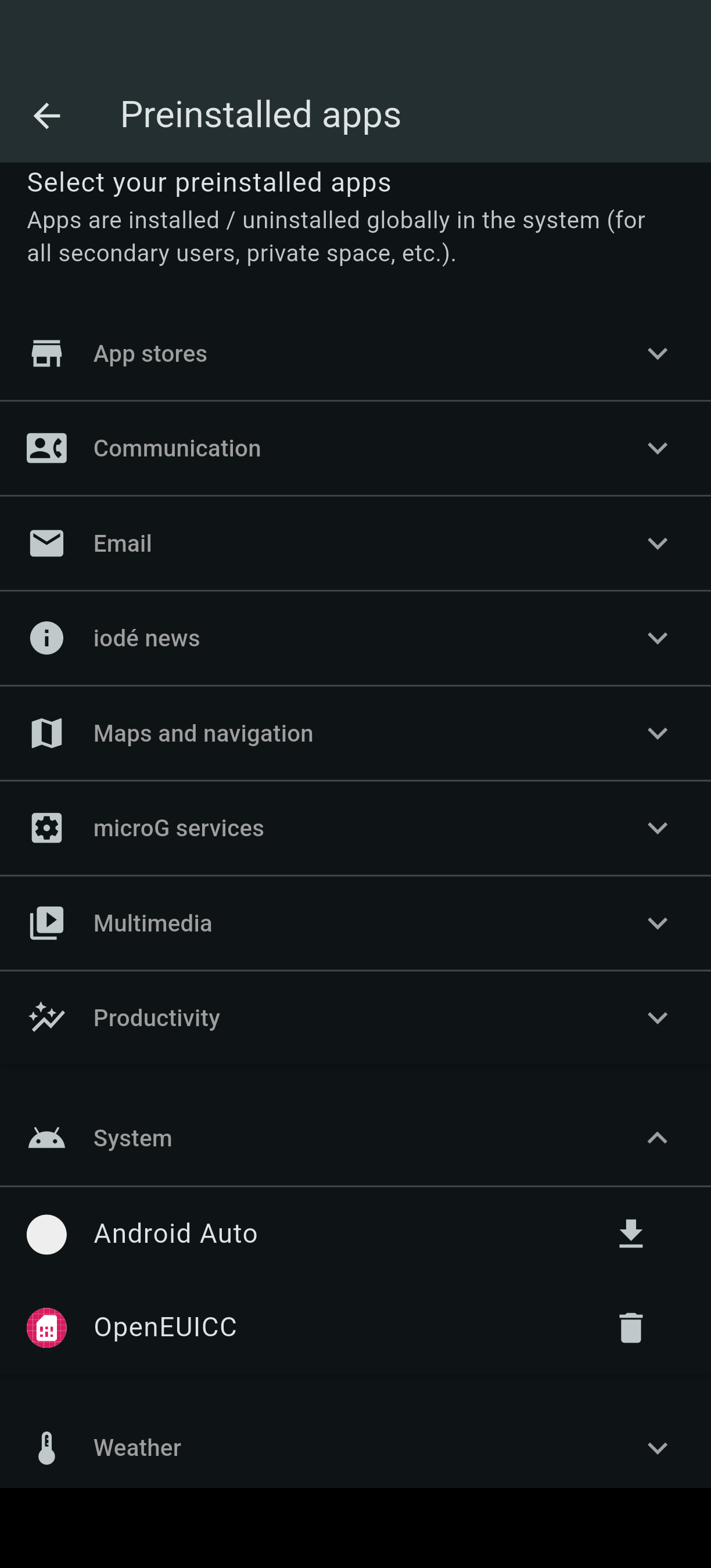
After uninstalling, rebooting, installing, rebooting now I cannot even try to add an esim as tapping Add network under Settings → Network & Internet does nothing.
Seems like I need to reset the phone or reinstall iodéOS from scratch before I do anything else. In the meantime: can anyone make sense of the error log?
