I am using a Pixel 8 pro with Iode 7.1 I have 1 physical Sim card and 2 eSIM 1- Stafftraveler 2-Roamless.
I had some trouble getting the first esim (1) to work after leaving home but with help of their support team and APN modifications I got it to work. It always works when switched on.
After coming in Europe, I switched back to my physical Sim. No matter what I tried, it would not switch the data on. I did resets, restarts Sim cleaning and reseating but nothing worked, the Sim itself did instantly work in my old phone. (Esim (1) was working fine when switched on) Phone calls worked fine and suddenly 2 days later, data was working again on the physical Sim.
Last week I left home once again and I am now for 5 days trying to get the second esim (2) to work, I’ve been in contact with them, I tried a new eSim but the problem persists. The support agent wants me to add a new APN with MCC and MSC but those are not options within the settings through Iode.
For reference, my wife is using a stock Samsung A54 and has no issues at all, MCC and MSC are option to modify in the settings there and esim (1) still works when switched on.
I am a very frequent traveler and I go all over the world regularly and I could live without data abroad, but even at home I am having connection issues which is extremely frustrating.
Any advice or further information (screenshots) I should provide in order to get this solved?
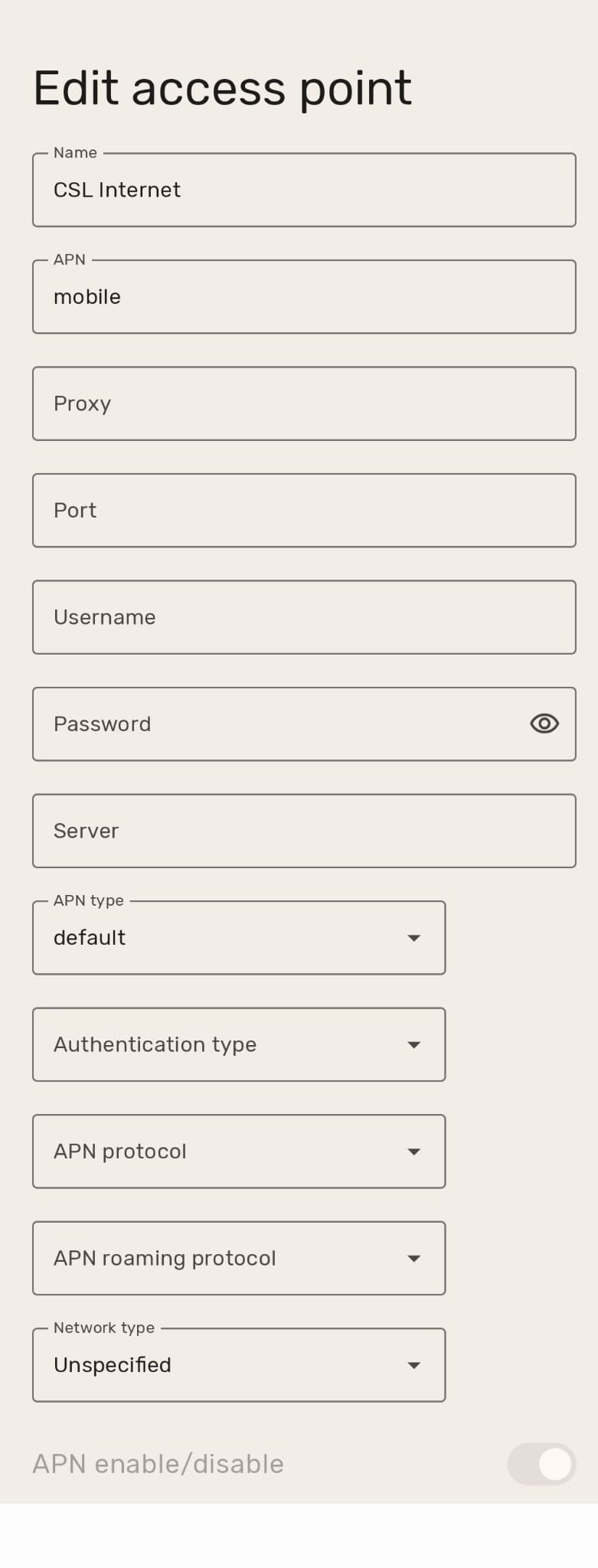
After 2 hours back and forward with support they suggested creating an APN profile with the correct name, all fields empty and only Default selected as APN type. This worked instantly! I will try the same trick when I come back home with my own provider and see if that helps. If preferred I can delete my previous post or leave it up as a possible solution for others.
Good to hear you solved the issue, let’s leave it here as there are others that have similar problems, often related to APN settings.
Can you specify what carrier and what settings were successful? (and what the non-working APN was)? LineageOS maintains the APN lists and it may need an issue report submitted to them.
First off, sorry it has taken me so long to reply, Once I got it to work I did not feel like going into a more detailed explanation using only a mobile phone while on a family vacation. I just got back home today and my problems are not solved as I am once again unable to use data on my main provider (more on that below)
As for the E-sim settings:
The Esim I was using is capable of using the following carriers (in Thailand):
-AIS
-True
-Dtac
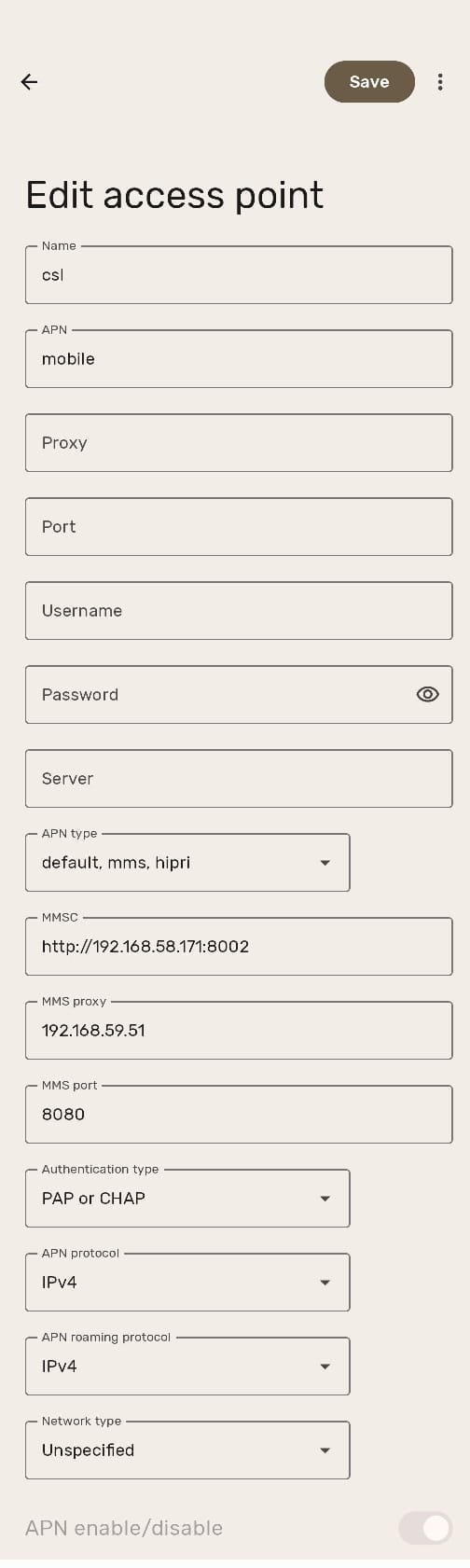
The following ANP setting were the “default/standard” setting provided by the Esim (or carrier)
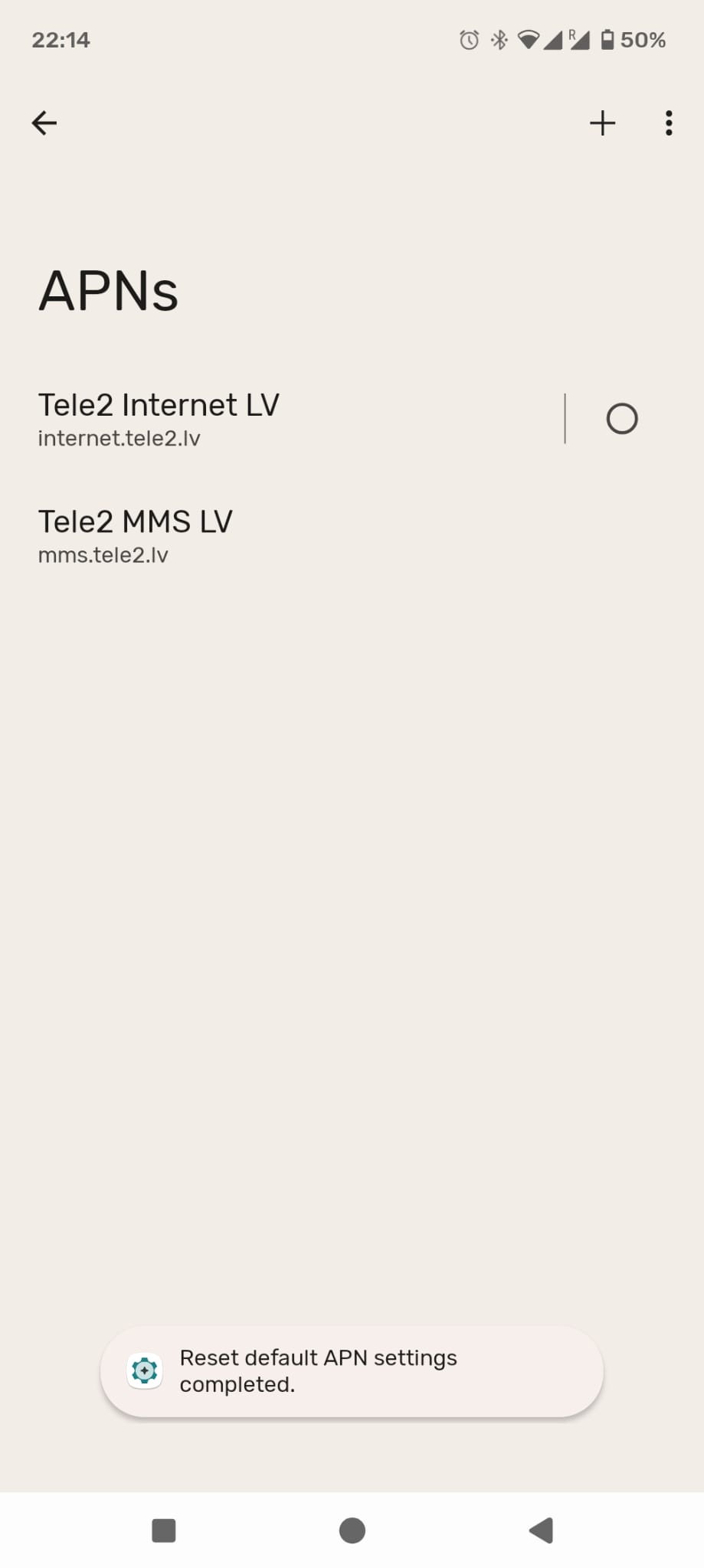
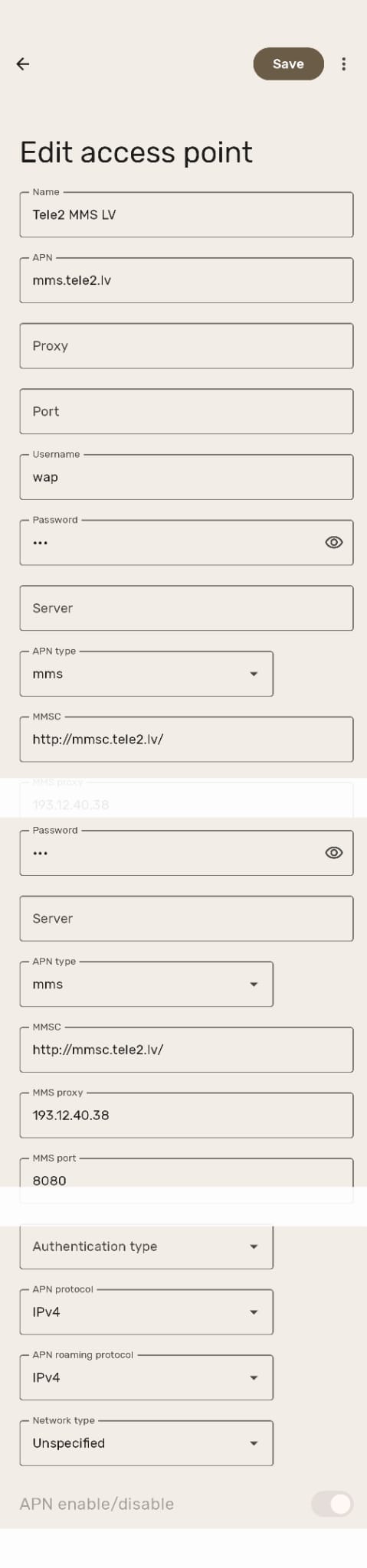
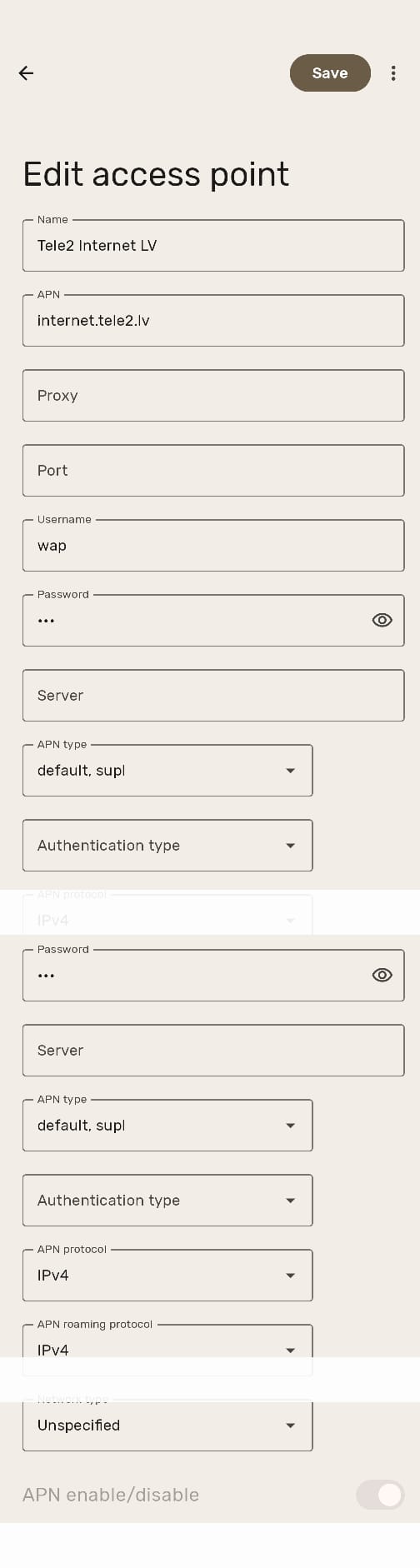
Unfortunately, after coming home the physical sim card has the same problems as before. I am unable to use any data with it and I am forced to use the more expensive option of an Esim at home at the moment. I live in Latvia and have Tele2 as my main provider that I use throughout Europe. The sim instantly works in my old phone, a standard Samsung S20 FE, so the card is not the issue. I have tried to copy the settings of my wife’s Samsung S24 but as before I cannot setup the MCC and MSC. I have tried the settings I used for the Esim as above, also no luck. These are the standard APN settings after resetting them to default. (see the picture below) Last time this happened it suddenly starting working after a couple of days.
Thanks for your reply Rik. I have tried that and every other suggested setting I could find anywhere. Just to make sure I have reset everything to default, removed the user and password but it does not work.
Today I visited the store but they were unable to help. I tried switching to esim, but exact same problem so I am at my wits end. Anyone with another suggestion?
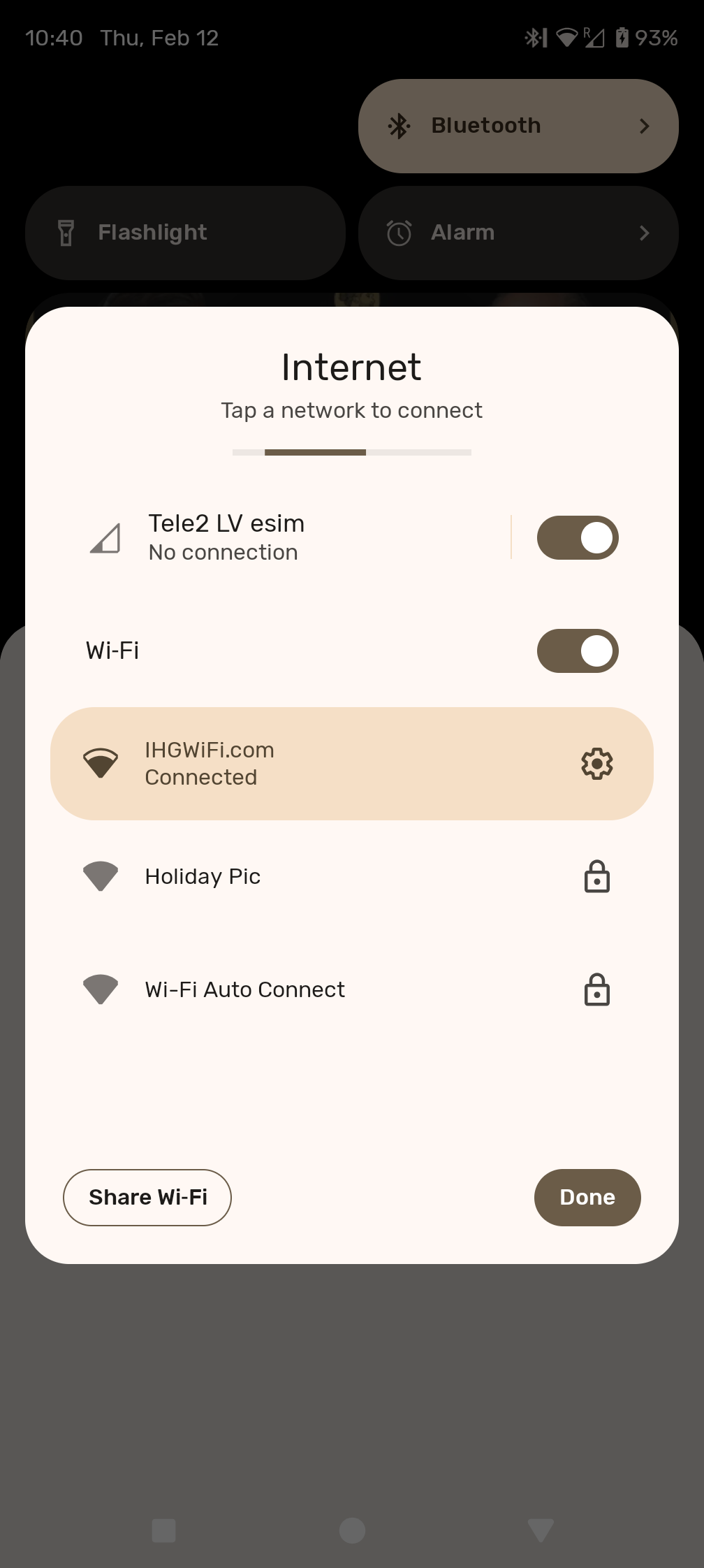
In your recent screenshots above, the “dot” next to your APNs page entry is not selected. Also in that screenshot there are 2 cellular network icons both are solid, the one has a “R” for roaming.
Are you just trying to get the 1 sim (physical or eSIM) to work now? And can you clarify these 2 things?
“Settings > Network & internet > SIMs”: Mobile data is enabled?
“Settings > Network & internet > SIMs > (your sim) > Mobile network” shows your network (it is “registered”)?
(and again that under “Access Point Names” the new entry you made is selected?)
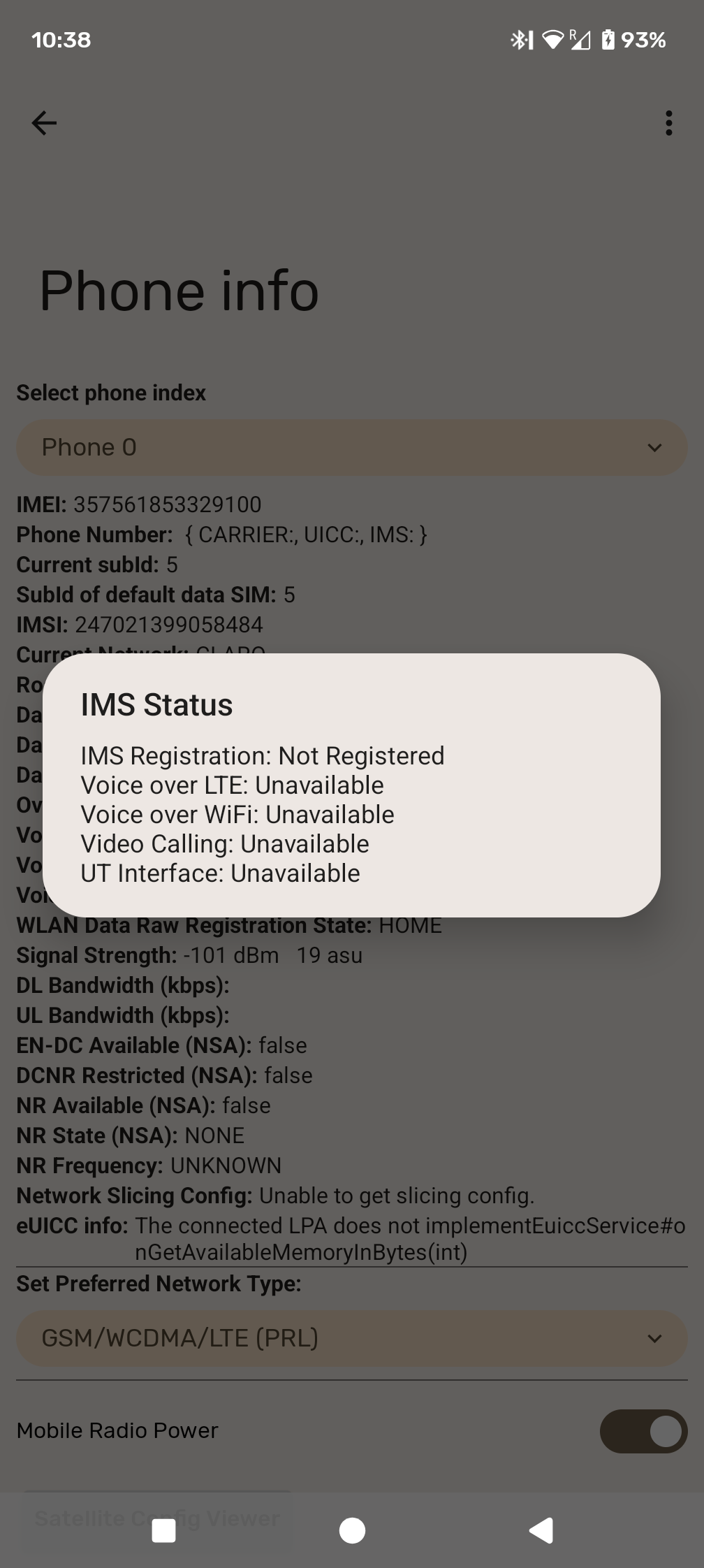
Lastly, you can use “*#*#4636#*#* > Phone Information > 3 dots > IMS Service Status” to confirm if IMS is registered, and if VoLTE is available. This is a bit redundant, but would help clarify if at least IMS is registered (this “underlies” VoLTE).
Again sorry for my late response, I am at work and once again far from my home country with little time on my hands.
To answer your questions: The dot was not selected because I made the screenshot right after resetting the APN settings, I selected it afterwards and prior but it does not matter.
You are correct there are 2 esims in the picture the one showing roaming was the 2and esim I use as backup as my primary one is not working. At the moment they both show the R, also my home Tele2 Sim, but under internet it shows no connection and there is no data connection available. The other one was and is ON, so I have data available when I leave a WiFi area.
Right now I am trying to get my home (tele2) Sim or esim to work. I don’t care which one works as long as I have data available at home and throughout Europe. Both the sim and esim have the same issue and won’t connect, although the physical Sim still works in my old device.
Both roaming and mobile data are enabled, I have the Tele2 Sim selected as standard for data connection and allow switching to secondary Sim in case there is no connection, which is always because of the problem.
And here is the IMS status with only the Tele2 Sim active (albeit in a foreign country, not sure if that matters)
IMS not registered means you are of course not registered as you know
So you are using your home SIM in a different country? I would highly suggest getting a SIM local to your location, without that you are relying on your Latvia carrier having a roaming relationship with whatever the local carrier is in your current location. Complicated at best! If your Tele2 provider has good online support you can contact them to cross check if it should work for you to use the SIM when in the location you are currently in. That is “step 1”.
But then getting IMS registration (and thus 4G data and 4G VoLTE calling) working when not traveling by correcting any APN issues maybe should have been “step 0”, but you can’t do much about that now that you are already traveling.
At least for USA carriers, often the plan (and cost of the plan) determine if “international roaming” is supported. I prefer to not pay the extra for that as I know the countries I travel to will likely not work with my USA SIM. I get a $1 SIM at the airport or other when I land, just use that while abroad (all messaging and calls back home happen over secure messaging tools NOT local number anyway). So I don’t know how it works for Tele2, I know you have done this often, but wonder if the different destinations had roaming arrangements different than where you currently are, or instead if it is just the non-correct APN settings when home in Latvia preventing international use as well.’
Sorry as this is not easily sorted (without just getting a local SIM) when you are traveling.
You might also try (from the *#*#INFO#*#*screen) setting the preferred network type to GSM (only), wait for the “E” to appear in the notifications area, then switch back to GSM/WCDMA/LTE(PRL)and see if it then connects to LTE.
That works for me when my Sony has trouble connecting.
I am simply in another country trying to fix the issue that was already present at home. Unfortunately I wont be back home or within the EU for another week and I want this mess sorted, so I can stop using overpriced data sims and start using the data on my home sim that I already pay for… With Tele2 international roaming is allowed and supported albeit expensive, but I don’t mind turning it on for testing so I can use it once back in the EU.
I am and have been in contact with Tele2, they just keep referring to the APN settings, which are the default setting and are set in the phone, they also suggest the phone is not an EU issued device, which is true. I bought it in Hong Kong, but only after making sure the bands were the same, which they are. I have mentioned several times it was working, it wasnt until I added an esim that all of these problems began. So I am getting the feeling that adding an Esim has caused the problem and other than reinstalling and starting fresh or going back to stock android are my only solutions, both of which I really do not want to do as it takes a lot of time setting up all the apps and accounts again.
I will try what Taurus-II suggested once I am back in Europe, perhaps that will force the issue. I will update on that.
It could be upon eSIM registration the phone IMEI was identified and blacklisted from their network. You should be able to pass the IMEI to the carrier and have them search to confirm if it is indeed available to register with their network or not (this is more exact than just them suggesting it has to be purchased in the EU).
So long story short, I have deleted the previous Esim, I got a new one, installed it and with the same APN settings it worked instantly. There was no blockage of any kinds from the provider, I have no clue what the issue was but it seems to be solved. IMS is now registered without any additional changes. Thanks for everyone trying to help out, I haven’t a clue how it got solved other than getting another Esim.