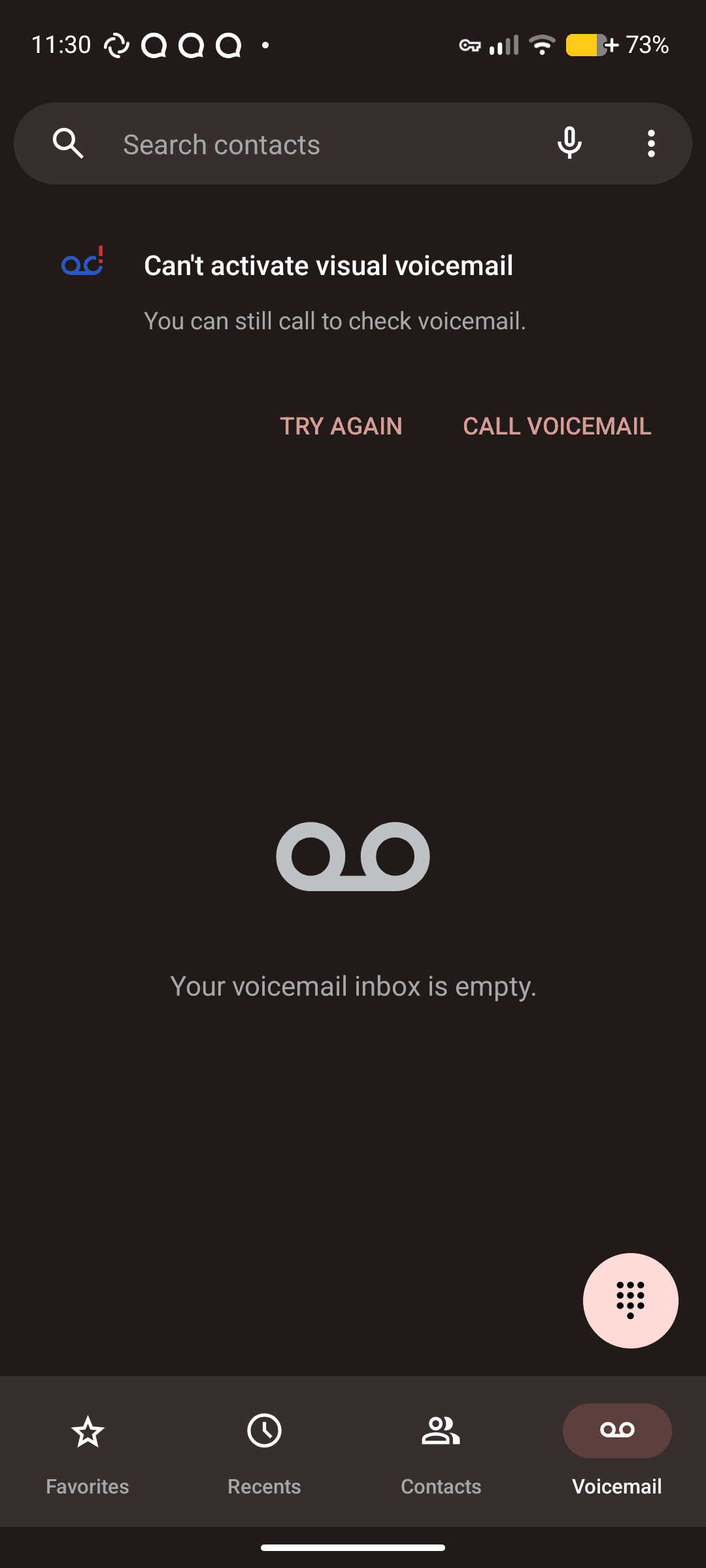
Hey all, been using IodéOS since last fall, CalyxOS before that starting in fall ‘21.
I’ve never had good luck with visual voicemail (not including shady carrier VVM apps). When I was on AT&T, the VVM built in to the dialer would work for a bit every few days, and just be broken most of the time. Now that I’ve moved over to mint mobile (a T-Mobile MVNO owned by T-Mobile), I thought maybe VVM would work better, but it’s actually worse: it hasn’t been able to connect even once.
I’ve tried verifying my APN settings, I’ve tried rebooting, I’ve tried turning VVM off and on again in the Phone app, I’ve tried hitting the “Try again” button a bunch of times.
I tried various troubleshooting guides. One had me entering a secret/debug menu to refresh some kind of identifier from the baseband (sorry I couldn’t find it again when I was looking for it just now), and another had me try to get things working to the point where you can turn Call Forwarding off and then on again from the phone, which is supposed to be a troubleshooting step, but I could never get Call Forwarding to turn off from the dialer, or by dialing the special code.
It’s all quite confusing, has anyone had any luck with this? I’ve got the T-Mobile VVM app working, but that kinda stinks, because it’s proprietary, and wants to upsell you on services like transcription, which I can’t even do because I’m on an MVNO XD
For US Mobile (T-Mobile and Verizon network SIMs), I have the “Voicemail tab” where I can tap to listen to the message without first dialing up voicemail and going through their message tree.
Is this what you are referring to? It isn’t sent through “Speech-To-Text” so I can read it or anything like that.
I have tried the troubleshooting steps listed here on reddit. I get as far as the step to go into call forwarding settings, but only get the “Network or SIM card error.” no matter how many times I try. I’ve seen other users elsewhere complain that they get the same error even when using an eSIM.
I found this issue on LineageOS’s gitlab which leads me to believe that this is just something that occasionally breaks in LineageOS (presumably IodéOS’s upstream) occasionally, but I’m not sure.
I’ve also tried deleting the APN settings, recreating the APN settings, and going over the APN settings with a fine-tooth comb.
Did you go to “Phone App > 3 dots > Settings > Voicemail > Advanced Settings” to check your voicemail pin and also to “> Setup” to confirm the voicemail number? Maybe they aren’t correct?
The “Change PIN” option is grayed out.
I took the “Voicemail number” and dialed it, and it went straight to voicemail, so I’m pretty sure it’s the right number.