I’m using the Breezy Weather app on my OnePlus 9 Pro with iodéOS 7.5-20260427 and I like it.
I keep getting notifications for an available update of the app on GitHub that I don’t want to use because I believe the app came from another source (F-Droid, iodéOS apps, preferred) which is the one I think I should use to update.
Is there a way to get rid of the notifications pointing me to GitHub or am I doing anything wrong here?
Yes, it is pulled rebuilt with each monthly release as I understand, and it could be more frequent if a security bug is found… the reason for us rebuilding is because it is a preinstalled app, and occasionally a regression was spotted from beta testers that could then be held back.
@rik Since you don’t seem to have noticed: I’ve already pointed out here that it’s no longer possible to update Breezy Weather from your F-Droid repository because the latest version has a new/different signature (by the way, your version has always had the same signature as the one from Breezy Weather F-Droid-Repo, the one from IzzyOnDroid F-Droid-Repo, or the standard flavour of the Breezy Weather GitHub asset, as everything is built from the same reproducible source code (only the one from official F-Droid-Repo and the Freenet flavour of the Breezy Weather GitHub asset have a different signature (because they are the freenet flavour))).
Bonjour, je suis désolée je ne parle pas très bien anglais. Je ne suis pas certaine de bien comprendre ce qui est expliqué ici. Je suis dans la même situation que @jwalesch , je reçois une notification pour mettre à jour, elle me renvoie vers Github, mais rien dans F-droid. Que dois-je faire ? installer l’apk disponible sur Github ? si oui laquelle ? ou dois-je attendre que la mise à jour se fasse seule ? Ou qu’elle se présente dans F-droid ? Merci de votre aide. Désolée d’écrire en français. Je traduis en dessous avec Deepl
Hi, I’m sorry, I’m not fluent in english. I’m not sure I fully understand what’s explained here. I’m in the same situation as [name], I’m getting a notification to update that directs me to GitHub, but there’s nothing in F-Droid. What should I do? Install the APK available on GitHub? If so, which one? Or should I wait for the update to happen on its own? Or for it to appear in F-Droid? Thank you for your help. Sorry for writing in French. Translated with DeepL
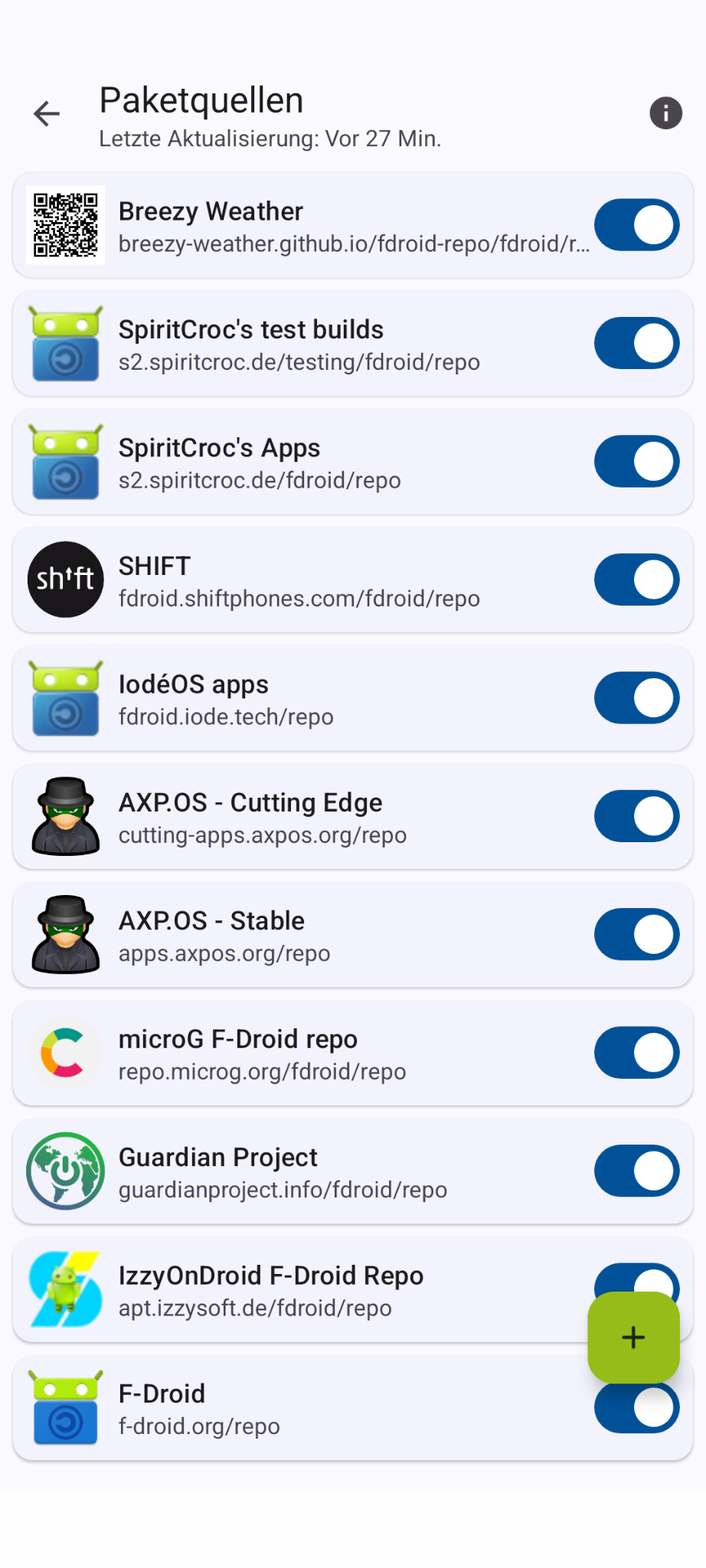
The latest beta update (iodéOS 7.6) should have resolved the signing issue and installed the latest version of Breezy Weather (6.2.0). From then on, you can install newer versions again via the Breezy Weather F-Droid repo, the iodéOS Apps F-Droid repo, the IzzyOnDroid F-Droid repo or the standard flavour from GitHub. For me, the order of the F-Droid package sources is as follows:
I have Breezy Weather directly from its repo (, then two repos for quick updates from SchildiChat, then my OEM’s repo), iodéOS apps (, then two repositories from another custom OS (which has a few cool apps that I use)), then the microG Project, then the Guardian Project, then IzzyOnDroid, and then F-Droid, because F-Droid usually offers different flavours of apps.