| 99Pay |
99 Tecnologia LTDA |
Banking & finance |
 |
Aurora Store |
| ASN Bank |
ASN Bank |
Banking & finance |
|
|
| Banco Itaú: Conta, Cartão e + |
Itaú Unibanco S.A. |
Banking & finance |
|
Aurora Store |
| BankID |
BankID BankAxept AS |
Banking & Finance |
 |
“Raskere BankID (Faster BankID)” does not work - Verifying ID through face recognition, fingerprint or PIN. BankID still works for verifying logins and payments as usual, though without the extra security fingerprint, face recognition or another PIN could provide when verifying a login or purchase. |
| Bank Norwegian |
Bank Norwegian |
Banking & finance |
 |
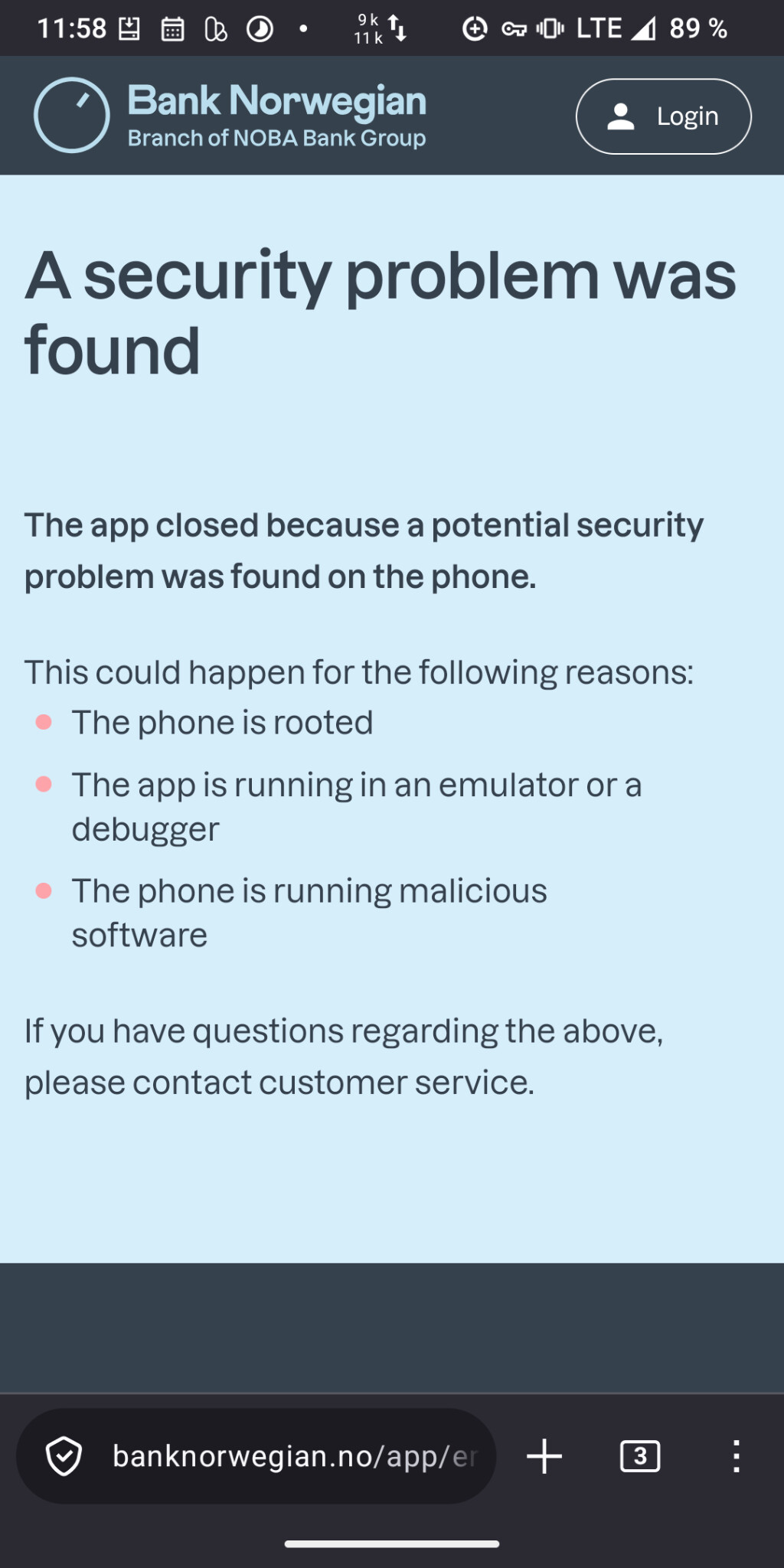
Aurora Store, did not work 7.26 |
| Banque Migros |
Migros Bank (Switzerland) |
Banking & finance |
|
Google Play Store |
| Banque Pop (Cyberplus) |
Banque Populaire |
Banking & finance |
|
Google Play Store |
| BarclayCard app |
Barclays |
Banking & finance |
|
Aurora Store |
| Barmer (Meine Barmer) |
Barmer |
Insurance |
|
Barmer excludes Custom-ROMs deliberately. App seems to work if OS is hidden by means of root (magisk). |
| Barmer eCare (ePA) |
Barmer |
Insurance, health |
|
Barmer excludes Custom-ROMs deliberately. |
| BAS Banking |
Alternative Bank Schweiz AG |
Banking & finance |
|
Aurora Store. The app starts and right away says “Unexpected error” |
| BBBank |
BBBank |
Banking & finance |
|
Google Play Store |
| BBBank SecureGo |
BBBank |
Banking & finance |
|
Google Play Store |
| BCGE Twint |
Banque Cantonale de Genève |
Banking & finance |
|
Google Play Store |
| Belfius Mobile |
Belfius |
Banking & finance |
|
Google Play Store |
| Best Sign |
Postbank – eine Niederlassung der Deutsche Bank AG |
Banking (2FA) |
|
working without microG with unlocked bootloader |
| bexioGo |
bexio Switzerland |
Banking & finance |
|
Google Play Store |
| BHIM UPI |
National Payments Corporation of India (NPCI) |
Banking & finance |
|
It fails to automatically fetch OTP and there is no option to enter OTP manually |
| bkk firmus |
Sal.A iT Services |
Insurance |
|
Aurora Store |
| BnBank |
BnBank |
Banking & finance |
|
|
| Bulder bank |
Bulder |
Banking & finance |
|
|
| Caisse d’epargne |
Caisse d’epargne |
Banking & finance |
|
PlayStore |
| Caja Ingenieros |
Caja Ingenieros |
Banking & finance |
|
Aurora Store |
| Cake Wallet |
Cake Labs |
Banking & finance |
|
|
| Captial One |
Capital One |
Banking & finance |
|
Google Play Store |
| Caixadirecta |
Caixa Geral de Depósitos, SA |
Banking & finance |
|
Aurora Store + Iodé 6.6 + passes SafetyNet |
| Cembra app |
Cembra Money Bank AG |
Banking & finance |
|
Shows “Blocked device” after start |
| Chase banking app |
JPMorgan Chase |
Banking & finance |
|
Tested on iodeOS4.8-20260720 (Chase Germany, creation of account worked fine, iodéOS 7.7) |
| comdirect |
comdirect |
Banking & finance |
|
Tested on iodéOS 4.8-2023031220 |
| comdirect photoTAN App |
comdirect |
Banking & finance |
|
Tested on iodéOS 4.8-2023031220 |
| Consorsbank |
Consorsbank |
Banking & finance |
|
|
| CrontoSign |
Banque Cantonale de Genève |
Banking & finance |
|
Google Play Store |
| Curve Pay - Wallet & Cashback |
Curve UK Limited |
Banking & finance |
|
|
| C24 Bank |
C24 Bank GmbH |
Banking & finance |
|
of course without Google Pay, everything else works |
| Debitum |
Marmo |
Banking & finance |
|
F-Droid Store =  |
| Digitales Bezahlen |
Atruvia AG |
Banking & finance |
|
|
| DKB |
Deutsche Kreditbank AG |
Banking & finance |
|
With the latest app version 2,571 (3458), no SMS is sent when registering a new device. Tested with iodéOS 7.8. |
| DNB |
DNB ASA |
Banking & Finance |
|
|
| E-Banking |
Raiffeisen Switzerland |
Banking & finance |
|
Google Play Store |
| Flatex Secure App |
flatexDEGIRO Bank AG |
Banking & finance |
|
|
| Fortuneo |
Fortuneo inc |
Banking & finance |
|
|
| GLS mBank Classic |
GLS Bank eG |
Banking & finance |
|
|
| Green-Got |
Green-Got |
Banking & Finance |
|
OK on Fairphone 3 at least |
| Halifax Mobile Banking |
Lloyds Banking Group PLC |
Banking & finance |
|
Pixel 8 Pro, Locked BL, Aurora Store |
| Hanseatic Bank Mobile |
Hanseatic Bank |
Banking & finance |
|
|
| Helios |
Helios Bank |
Banking & finance |
|
Aurora Store |
| ING Bankieren (NL) |
ING bank |
Banking & finance |
|
Tested on Iodé OS 4.8 - 7.7 |
| ING Business |
ING Diba |
Banking & finance |
|
|
| ING Diba |
ING Diba |
Banking & finance |
|
Works including Wero |
| Klarna |
Klarna Bank AB |
Banking & finance |
|
Bank account function not tested. |
| Kraken |
Payward Inc. |
Banking & finance |
|
Now requires a TOTP Authenticator like FreeOTP+ |
| Kron |
Kron fra Storebrand |
Banking & finance |
|
Aurora Store |
| La Banque Postale : mon compte |
La Banque Postale |
Banking & finance |
|
Aurora Store |
| Lloyds Banking |
Lloyds Bank |
Banking & finance |
|
Apkmirror, Aurora Store… |
| Ma Banque |
Crédit Agricole |
Banking & finance |
|
2026/10: several report the app doesn’t work. But some report the site works under a web browser. Needs clarification. |
| MBWay |
SIBS FORWARD PAYMENT SOLUTIONS |
Banking & finance |
|
Aurora Store + Iodé 6.6 + passes SafetyNet |
| Mercado Pago: Banco Digital |
Mercado Libre |
Banking & finance |
|
Aurora Store, também funcionou o pagamento por aproximação via NFC no Motorola Edge30  |
| My Expenses / Meine Ausgaben (DE) |
Michael Totschnig |
Banking & finance |
|
e.g. F-Droid Store, no microG required |
| N26 - Love your bank |
N26 Banking |
Banking & finance |
|
Can’t take selfie for authetication |
| Netbanking BCGE |
Banque Cantonale de Genève |
Banking & finance |
|
Google Play Store |
| Nordnet |
Nordnet Bank AB |
Banking & finance |
|
Google Play Store |
| Nubank |
Nu |
Banking & finance |
|
Aurora Store |
| OLB Banking |
|
Banking & finance |
|
|
| Olivia Key TKB |
Thurgauer Kantonalbank |
Banking & finance |
|
Aurora Store |
| One |
Viseca Switzerland |
Banking & finance |
|
Google Play Store |
| Pay |
VR-Bank Germany (Fiducia) |
Banking & finance |
|
|
| Payconiq by Bancontact |
Bancontact Company |
Banking & finance |
|
|
| PayPal Mobile |
PayPal |
Banking & finance |
|
Worked before, but not able to download German language pack; now (on OS ver. 7.9), the Phone Number login screen loads indefinitely, at least in the USA. Tried with blocker off to no avail. |
| PayPal Business |
PayPal |
Banking & finance |
|
|
| peach bitcoin |
Peach SARL |
Banking & finance |
|
Tested with their apk for sideloading, no microG required |
| People’s Choice Credit Union |
People’s Choice Credit Union |
Banking & finance |
|
Google Play Store |
| photoTAN |
Comdirect Germany |
Banking & finance |
|
|
| photoTAN |
Volkswagenbank Germany |
Banking & finance |
|
|
| PhotoTAN |
Raiffeisen Switzerland |
Banking & finance |
|
Google Play Store |
| Banco PicPay: Cartão, Pix e + |
PicPay |
Banking & finance |
|
Aurora Store |
| Postbank |
Postbank |
Banking & finance |
|
working without microG with unlocked bootloader |
| PostFinance TWINT |
PostFinace AG |
Banking & finance |
|
|
| Rabobank Bankieren |
Rabobank |
Banking & Finance |
|
|
| Raiffeisen MobileSCAN |
Raiffeisen Switzerland |
Banking & finance |
|
|
| Raiffeisen PhotoTAN |
Raiffeisen Switzerland |
Banking & finance |
|
|
| Revolut |
Revolut Ltd |
Banking & finance |
|
|
| SecureGo Plus |
Atruvia AG |
Banking & finance |
|
Worked fine until version 4.2.0, stopped working on 4.2.1 (opening a browser window stating that the app was closed due to an unsecure device). With 4.2.3 currently working fine again. |
| SecurePlus |
BNP Paribas S.A. |
Banking & finance |
|
|
| Selma |
Selma Switzerland |
Banking & finance |
|
Google Play Store |
| Settle Up |
|
Banking & finance |
|
|
| S-ID-Check (Sparkasse) |
Netcetera |
Banking & finance |
|
|
| S-Identity (Sparkasse) |
Erste Bank und Sparkassen |
Banking & finance |
|
|
| S-Invest (Sparkasse) |
Star Finanz GmbH |
Banking & finance |
|
|
| S-mobiili |
S-Pankki |
Banking & finance |
|
|
| S-pushTAN (Sparkasse) |
Star Finanz GmbH |
Banking & finance |
|
Requires Google Services after version 5.1.0 (31001), no automatic update of orders (swipe down for update of orders) |
| SpardaApp |
Sparda-Bank |
Banking & Finance |
|
|
| SpardaSecureApp |
Sparda-Bank |
Banking & Finance |
|
|
| SpareBank 1 Mobilbank |
SpareBank1 |
Banking & Finance |
|
|
| Sparkasse Ihre mobile Filiale |
Star Finanz GmbH |
Banking & finance |
|
|
| Starling App |
StarlingBank |
Banking & Finance |
|
Aurora Store |
| TAN2go |
DKB |
Banking & finance |
|
|
| Tangem |
Tangem AG |
Banking & finance |
|
|
| TK |
Techniker Krankenkasse (TK) |
health insurance |
|
claims that the phone is rooted (even with microG signed in and locked bootloader) |
| Tomorrow |
Tomorrow GmbH |
Banking & finance |
|
|
| TopCard Security |
TopCard Service AG |
Banking & finance |
|
“App cannot start with active accessibility tools” but no accessibility tools are active |
| Trade Republic |
Trade Republic Bank GmbH |
Banking & finance |
|
Tested on iodéOS 4.8-2023031220 |
| Triodos Bankieren NL |
Triodos Bank |
Banking & finance |
|
|
| UBS Access App |
UBS AG |
Banking & finance |
|
reports jail broken device |
| UBS mobile pass |
UBS AG |
Banking & finance |
|
reports jail broken device |
| UBS Twint |
UBS AG |
Banking & finance |
|
|
| universa E-Health |
universa AG |
health insurance |
|
after reinstalling works fine |
| Unstoppable Wallet |
Horizontal Systems |
Banking & finance |
|
F-Droid Store = |
| USAA Mobile |
USAA |
Banking, finance, & insurance |
|
Signing up for Zelle does not work. Some different key functions work, though (like replacing a lost/stolen card), whereas others have yet to be tested. |
| Vipps |
Vipps MobilePay AS |
Banking & finance |
|
Worked earlier, but now the MobilePay app recognizes custom ROM and gives error message: “Security check failed. MobilePay can’t be used on a “rooted” device.” Previous instruction: “When verifying login through BankID, do not verify/login in the in-app Iodé browser. Tap the hamburger menu (the three dots in the upper right corner), tap “Open in Browser” and then continue as normal in the browser. If you verify National ID and Phone Number in the in-app browser, the verification will fail.” |
| VR Banking App |
Atruvia AG |
Banking & finance |
|
|
| VR SecureGo plus |
Atruvia AG |
Banking & finance |
|
Tested on iodéOS 4.8-2023031220 Tested on iodéOS 7.8 app is working fine (Aurora Store) |
| Wero |
EPI Company SE |
Banking & finance |
|
working with unlocked bootloader without installed microG (Postbank account (if relevant)); previous response: timeout (Wero v1.0.17) using iodeOS 6.2 with activated microG and locked bootloader |
| Wise |
Wise Payments Ltd. |
Banking & Finance |
|
Aurora Store |
| yuh |
yuh |
Banking & Finance |
|
Not working anymore, tested with iodéOS 7.8; requires GPS |
| ZKB Access |
ZKB |
Banking & finance |
|
|
| ZKB Twint |
ZKB |
Banking & finance |
|
|