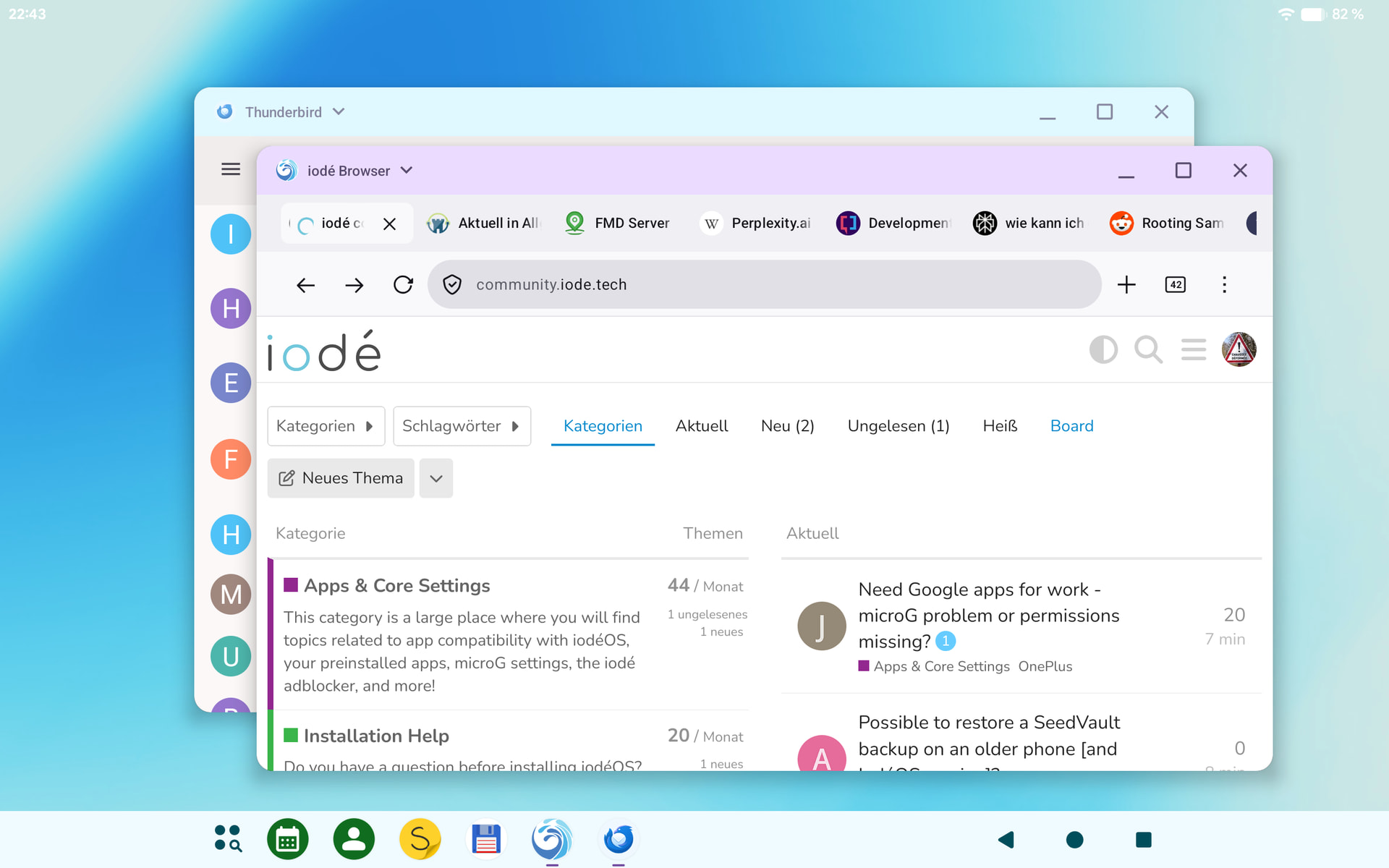
Since the update to 7.3, I’ve been missing the ability to use a kind of floating window on the screen. Split Screen still works, but before that, it was possible to arrange apps more or less freely on the screen, similar to a PC.
Did I change a setting somewhere, or is this a feature?
I haven’t had iodé on a tablet to want to try this, but I do see there are several “Window Management” options under “Developer Options”, is that the only way to possibly enable? I was searching around for “window”, “desktop”, “split”, or “tablet” but didn’t find anything else.
Do you recall how you had set it up before? Maybe these settings only exist for tablet builds, what device?
it is a Samsung Tab S7 (T870). I bought it used and put directly iode on it (7.1) The window handling was new to me, my other device runs on iode 6, so I thought it is a Android 16 feature. As far as I remember, there was a little line in the middle top of the screen.
Out of the box, it doesn’t work anymore. You need “root debugging” enabled in the developer settings or root access to activate it. maybe someday it is available again in the LOS code.